-
Senior Member
registered user
Partition Size V3.7 and 20GB HD
OK, I've reviewed various posts on partition sizes and just don't see a consensus on how to break things down other than for swap.
Since I get various size HD's coming in all the time I've decided to take one of the larger ones thats come in to the parts bin recently and put it to use.
So whats the best way to partition up a 20GB for knoppix other than just root and swap.
I'd ideally like something that in the future would be easy to do upgrades as successive versions come out with out doing a lot of backup/restore operations
The machine has 160MB RAM so I plan on either a 512MB or 1GB swap, probably 1GB just to be easy. So then what?
root
home
usr
Sizes? Other partitions? ? All will be ext3 plus the 1GB swap.
Lets have comments on the best way to do this with ease of upgrade for the future for BOTH Knoppix and INSTALLED APPS
Thanks in advance.
-
Senior Member
registered user
The easiest way would be something like a 6GB drive to hold / and swap (but half a gig is ample swap) and a 20GB drive as /home. That would allow for an easy peasy reinstall/update.
But if you're set on using one drive then:
/4Gb
swap 1/2Gb
/home the rest
I've used the seperate /home to go from 3.3 to 3.4 to 3.6 (next step may be to go to Kanotix). My /home is now 120Gb with a seperate drive for mp3s and video stuff mounted on to of that!
-
Senior Member
registered user

Originally Posted by
fingers99
The easiest way would be something like a 6GB drive to hold / and swap (but half a gig is ample swap) and a 20GB drive as /home. That would allow for an easy peasy reinstall/update. But if you're set on using one drive then:
Thats a good idea, but unfortunately this PC is max'd out on the IDE bus the primary has a HD, that can not be changed, plus the secondary for Linux. The second IDE channel has a 32x CD-ROM and a ancient 6206 CD-RW in it. I've got an old NEC 4x4 drive still in the case (full tower ) that I had to disconnect since Linux doesn't seem to like them and I needed the IDE slot for the Linux HD. Probably going to move it to another old PC so I can put it back to use.
Unfortunately making alot of changes to the hardware here is not possible for a couple of legacy reasons. I need to leave the one HD in for now.
I'll consider this route when I build the next uber PC for the linux side
Originally Posted by
fingers99
/4Gb
swap 1/2Gb
/home the rest
This looks to be the way I'll go.
Similar Threads
-
By Nevermore in forum MS Windows & New to Linux
Replies: 1
Last Post: 07-17-2009, 01:59 PM
-
By jwg in forum Hardware & Booting
Replies: 2
Last Post: 02-25-2007, 03:34 PM
-
By bono in forum MS Windows & New to Linux
Replies: 5
Last Post: 08-08-2005, 08:10 AM
-
By dbabcock46 in forum MS Windows & New to Linux
Replies: 1
Last Post: 01-10-2005, 06:08 AM
-
By hnt in forum General Support
Replies: 4
Last Post: 08-19-2003, 09:36 AM
 Posting Permissions
- You may not post new threads
- You may not post replies
- You may not post attachments
- You may not edit your posts
-
Forum Rules


Samsung MLT-R116 Imaging Unit Xpress M2625 M2675 M2825 M2875 M2885 M3015 OEM NEW
$49.99
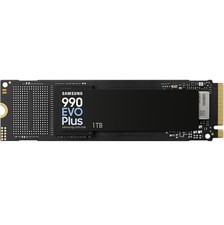
SAMSUNG 990 EVO PLUS 1TB PCIe 4.0 x4/ 5.0 x2 NVMe M.2 2280 SSD (MZ-V9S1T0B/AM)
$189.99

Samsung Galaxy Tab Active 3/ 64 gig/WIFI
$85.00
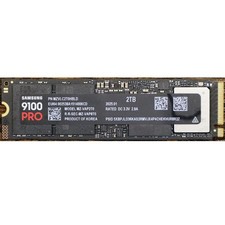
Samsung 2TB 9100 PRO 14,700MB/s PCIe 5.0 x4 NVMe M.2 2280 SSD (MZ-VAP2T0B/AM)
$399.49

Samsung SCXSTP000, SCX-STP000 (Swingline Staple Cartridge - 3 Refills)
$57.99

Magnetic Leather Flip Case with Stand for Samsung Tab S9 S9+ S10+ S10 Ultra
$13.99

Kids Case for Samsung Galaxy Tab A9+/A9 plus 11 Inch 2023 Case, with Strap, Shoc
$27.99

Samsung PC4-2666V 16GB 2Rx8 RAM DDR4 2666MHz M471A2K43CB1-CTD
$59.99

Samsung XE303 C12 Chromebook 11.6 1.7GHz, 2GB Ram, 16GB SSD, working condition
$42.00

QTY 100 Samsung Galaxy Tab Active 4 Pro 10.1” Case, Black
$500.00



 Reply With Quote