

 Reply With Quote
Out of curiosity, what steps did you follow to create it?
<edit>
Just went back to Windows 2000 after running a "persistent disk image" in Knoppix, and Windows ran chkdsk and rebooted. After that everything was fine.


Hi All,
At work we have Windows 2000 PCs without admin rights with very restrictive settings. I've been running Knoppix many times without problems, so now I tried the Persistent Home Directory using the C:\KNOPPIX.IMG file on NTFS. Creating it was not a problem, but after using it, when I came back into Wiindows 2000, there were all sorts of trouble requiring fscheck and security violations. So I think if your working in a (very) restrictive environment this kind of problems are to be expected.
I'm not going to try it again as I fear my latest Knoppix adventure might not have been unnoticed (I hope to be wrong on that), but would like to here if others had similar experience. An option might be to get a USB memory stick and have my Persistent Home Dir on that.
Greetings,
jma2
Out of curiosity, what steps did you follow to create it?
<edit>
Just went back to Windows 2000 after running a "persistent disk image" in Knoppix, and Windows ran chkdsk and rebooted. After that everything was fine.
Hi eco2geek,
I actually followed literally the instructions which were posted by you in the following thread:
http://www.knoppix.net/forum/viewtopic.php?t=18192
I might try again somewhere next week to see if I'm having the same trouble and then have a more detailed list of things that happend.
On the other hand, if I can get a memory stick of a reasonable size and price I might just drop the NTFS persistent home directory completely and have it on the stick.
By the way, do you know if it is possible to have:
1) On a memory stick the persistent home directory as well as the startup configuration (equivalent of booting with floppyconfig)?
2) On one and the same memory stick 2 possible startup configurations (one for home and one for work)? (maybe I should create a new thread for this)
Greetings,
jma2
PS: I have no experience with USB devices (under Linux) so far.
I wonder if Win2K is going to insist on running chkdsk every time I access the persistent home on it.
1) Yes, you should be able to load your saved configs and your persistent home off the (same) USB key.
You might want to check the contents of the configuration archive. IIRC, it was mostly the contents of /etc. Unless you use some modified script that isn't saved on the persistent home, the addition of unionfs (which saves /etc) may make saved configs largely redundant.
2) Good question. It would work if either a) the script that loads them accepts paths (e.g. "myconfig=/mnt/uba1/workcfg/" or similar) or b) you moved whichever one you wanted to the root of the USB key before running it (tedious). Will have to play with it.
I don't know that much about USB under Linux either. Prior to Knoppix 3.7, USB devices were "/dev/sdxy" (as if they were SCSI devices), and in Knoppix 3.7 and above, they're now "/dev/ubxy". Also, Knoppix 3.8.1 doesn't automatically find and mount my USB key when it boots, although it works fine if I load a persistent home from USB on the "boot:" line.
(Been thinking...the funny thing about this is that Klaus Knopper could come in here and explain how to use all the new features of Knoppix 3.8.1, so we end-users wouldn't have to experiment. But then he wouldn't have time to work on Knoppix, would he?)
That would be nice indeed! The experimenting can be fun, but sometimes a lack of time for experimenting makes it a bit frustrating (such as in this case for me)(Been thinking...the funny thing about this is that Klaus Knopper could come in here and explain how to use all the new features of Knoppix 3.8.1, so we end-users wouldn't have to experiment. But then he wouldn't have time to work on Knoppix, would he?)
I'm sure he's a busy man, but when a new release has to gain momentum I think some explanation is mandatory or people will fall back on older versions. On the other hand, if the community is big enough for many people to experiment with many topics (aka: distributed debugging) we will get around most of the problems.
Seriously, I think Mr Knopper did and still does great work for the Linux community as a whole (Knoppix is great PR for convincing people to consider Linux as an alternative as well as a great tool for more experienced users).
 Posting Permissions


Netac DDR4 32GB 16GB DDR4 3200MHz UDIMM C16 Desktop Internal Memory RAM Kit
$99.99
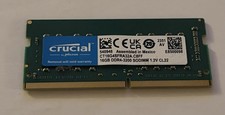
Crucial 16GB DDR4 3200MHz SODIMM Laptop RAM Memory Module CT16G4SFRA32A.C8FF
$55.00

Samsung 32GB DDR4-2666V-2Rx4-RB2-12 RAM M393A4K40CB2-CTD6Q
$169.00

A-Tech 8GB DDR3 1600 PC3-12800 Laptop SODIMM 204-Pin Memory RAM PC3L DDR3L 1x 8G
$21.68

RAMAXEL Lenovo 32GB LPDDR5X CAMM2 7500MHz Laptop RAM | UNTESTED
$445.00
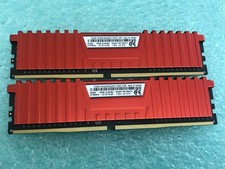
Corsair Vengeance LPX 16GB(2 x 8GB) CMK16GX4M2A2133C13R DDR4 2133MHz RAM - C1729
$59.95

Major Brand 16GB (2x8GB) PC3-12800U DDR3-1600MHz DDR3-12800 DESKTOP RAM NON-ECC
$29.99

DDR4 Laptop RAM 4GB 8GB 16GB 32GB 2400 2666 3200 Samsung Hynix
$30.00
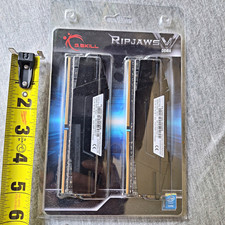
G.SKILL Ripjaws V 16GB (2x8GB) DDR4-3200 DIMM Intel XMP 2.0 F4-3200C16D
$75.00

Corsair Vengeance DDR3 8GB 16GB 32GB 1866MHz PC3-14900 Desktop RAM Memory DIMM
$85.00