-
Administrator
Site Admin-

Originally Posted by
justamailman
For my last question I will try to be more clear. I boot with Knoppix, browse in there many place and saw that we can connect to the internet somewhere but could not configure it for some reason . I wanted to try the possibilities of Linux and see how everything work but again so new to all of this probably don't understand how to do it. May be there is something I am not aware of. Just would like to try it more. I hope it is better this time
How you connect to the Internet depends on you and your service provider. Of course your service provider likely charges you for access, but there should be no additional cost for Knoppix or Linux. But sometimes because of poor equipment choices there are problems that do lead to extra expenses.
I connect through a DSL system. I always use a router with DSL. When I boot knoppix it get's it's configuration information automatically from the router, I'm on the Internet as soon as the boot finished (I usually just click on one of the links in the open browser window just to be sure everything is working). No setup is needed at all in this case, and nothing has been saved from session to session. I think that the same would be the case for a cable user even without a router, but one would be very foolish to run on high speed cable without the hardware firewall a router provides.
DSL users who insist on running without a router may need to run the PPPoE software (common in the U.S., or PPPoA software in the U.K.) Other areas may have slightly different versions of such software. Generally a hardware router sold in your area takes care of this for you, so if you are on DSL with a router you do not need to mess with PPPoE, without one you likely do.
High speed users who let themselves be provided with, or worse sold, a high speed connection with a USB interface rather than the more standard eithernet interface have more problems. There are some reports in these forums of people getting such things working, but they are a source of problems. And their use prevents the use of a hardware router, and the utility and protection it offers.
Dial-up users fall into two broad groups. Dial up users who have real hardware modems generally have no problems. Of course the software has to be told the number to dial, their account login information and so on, but most users seem to be able to deal with this. Unfortunately, a recent trend in modems is to replace much of the dedicate hardware with just a simple A to D , D to A chip and make the computer do much of the work by running specisl digital procesing software in the computer. Unfortunately, the software provided for this usually works only under Windoes and these modems have come to be marketed as "WinModems". This is an amazingly stupid trend, it sucks a lot of computing power and locks you into a lot of Operating System issues. Microsoft must like it and I expect they did a lot to promote it. It also makes very little sense in a world where even a greeting card may have a computer and the other costs for the computer's modem's circuit board, connections and the rest are already there. The real cost savings in making a WinModem rather than a real modem must be in pennies, not dollars, but the trend continues. The Linux world has writen their own software to get some such modems to work, but it's a problem with each new modem. Of you are on a dial-up service and have a real hardware modem then you should have no probblem dialing in with a Knoppix based system. If you have a software modem then your sucess may depend on what brand and model of modem (and what chipset it uses).
Similar Threads
-
By britonk in forum Hardware & Booting
Replies: 1
Last Post: 04-02-2007, 05:46 PM
-
By Blaurens in forum Hdd Install / Debian / Apt
Replies: 2
Last Post: 12-30-2004, 11:07 PM
-
By njmetalmeister in forum General Support
Replies: 2
Last Post: 12-04-2004, 11:26 PM
-
By Polo2883 in forum General Support
Replies: 1
Last Post: 11-24-2004, 12:01 AM
-
By joinf in forum General Support
Replies: 2
Last Post: 06-02-2003, 10:25 PM
 Posting Permissions
- You may not post new threads
- You may not post replies
- You may not post attachments
- You may not edit your posts
-
Forum Rules


(New) AMD Ryzen 7 5700X 8 Core 16 Thread AM4 Unlocked 3.4 GHz CPU OEM Tray
$174.99

Clear Touch Interactive Module CTI PCMOD PC55 ST i5 6core,8GB DDR4,256GB SSD NEW
$225.00
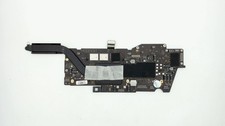
Apple Macbook Pro 13" A2338 M1 8-core CPU, 8-core GPU, 16GB, 1TB Logic Board
$295.00

Dell Latitude 14" Laptop Computer Core i5 8GB RAM 128GB SSD Windows 11 WiFi HDMI
$195.31

AMD Ryzen 7 9800X3D 8-Core 16-Thread AM5 Zen 5 Desktop Processor NEW
$395.00
Apple Macbook Pro 13" M1 8-Core 16GB 512GB - Good
$464.99
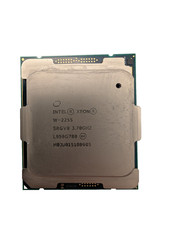
Used & Tested Intel Xeon W-2255 SRGV8 3.70GHz 19.25MB 10-Core CPU Processor
$194.99
HP EliteBook 840 G8: Core i5-1135G7 / 16GB RAM / 256GB SSD / 14� / Windows 11
$215.00

HP 2x 10GB OPNsense Quad Core i5-8500 8GB RAM 3Port Gigabit Firewall AES-NI SSD
$199.95

Intel Core i9-9900 SRG18 3.10GHz 16MB 8-Core LGA1151 CPU Processor
$177.21



 Reply With Quote