-
Well, I had to download and burn another iso...
I'm happy to report that after downloading and burning another iso from another site, I have successfully started Knoppix 3.8.1 with an X server and kde. Please note that no strange cheatcodes were required (except noapm which I did try with the other CD).
So I am trying out the latest versions of all of the packages and am as happy as a pig in a poke (I am in the Heart of Dixie). Thanks to everyone offering ideas and assistance - that's testimony to the forum and the community.
I am posting this from the konqueror web browser from the live CD just so you know it's really working.
roofer
-
Junior Member
registered user
I will have to try the latest cheat codes that have been posted here and report back.
I did find that KANOTIX 2005-02 edition which is based on Knoppix does work fine with my laptop. The startup looks exactly the same as Knoppix, detecting the same video hardware and monitor. It decided to choose 1024x768 @ 60Hz as the resolution. I didn't have to enter any cheat codes. This one also has KDE 3.4.0 and a slightly new 2.6 kernel as well as being optimized for Pentium+ CPUs.
-
Junior Member
registered user
I just tried some of the new cheat codes suggested.
Changing the depth and trying out the 1024x768@60Hz that Kanotix uses did not work.
But using noagp did work! Not sure what is the real problem but using noagp allows Xwindows to run.
-
And it works on the Athlon
I tried the new CD this morning on my athlon k7... didn't need the noapm as it does have that power scheme. My screen was a bit dark, contrastwise, but all of the menus displayed well and everything that I tried worked. I was able to create a persistent home and do those things that are needed done 
So, the new iso has worked on my Dell 8500 and my older Athlon K7 desktop with very little else needed. Did I mention that I burned the CD at a slower write rate? I throttled down to 12X from 20X, though I don't know that this is enough to make that kind of a difference.
Later...
-
Junior Member
registered user
So you just reburned the same .ISO to a new CD using a slower rate and everything "magically" started working?
-
Administrator
Site Admin-

Originally Posted by
Digital Parasite
So you just reburned the same .ISO to a new CD using a slower rate and everything "magically" started working?
There are many many cases of such magic, here are just a couple of them:
http://www.knoppix.net/forum/viewtopic.php?t=17788 and http://www.knoppix.net/forum/viewtop...?p=78925#78925
What I'm less clear about is why roofer says "I'm happy to report that after downloading and burning another iso from another site,..." Did he not check the md5 sum of the file when he downloaded it? If he couldn't boot, did he download another copy of the iso without even checking the md5 of the first one then? And did he finally learn and check the md5 sum of the second iso he downloaded, or does he still resist doing that?
-
MD5 Sums
Originally Posted by
Harry Kuhman
Originally Posted by
Digital Parasite
So you just reburned the same .ISO to a new CD using a slower rate and everything "magically" started working?
There are many many cases of such magic, here are just a couple of them:
http://www.knoppix.net/forum/viewtopic.php?t=17788 and
http://www.knoppix.net/forum/viewtop...?p=78925#78925
What I'm less clear about is why roofer says "
I'm happy to report that after downloading and burning another iso from another site,..." Did he not check the md5 sum of the file when he downloaded it? If he couldn't boot, did he download another copy of the iso without even checking the md5 of the first one then? And did he finally learn and check the md5 sum of the second iso he downloaded, or does he still resist doing that?
Harry and DP,
I do believe I checked the md5 on the first iso though I no longer have the evidence, and really the CD would boot. I could run Linux all day long, but just not with any Xserver, only a command line. While that's loads of fun, many of the apps do offer gui-based interaction.  Unfortunately, I cannot explain why the first iso would only go so far other than to say it must of been corrupt, but not so much as to not boot (it did to a point). I know that it is supposed to start an xserver as part of the startup process, but it could easily get to a command line. I don't follow your (Harry's) point about me resisting anything as you have no clue as to what I did or didn't do. But suffice it to say that I did download another iso from another site and burn another CD and it works.
I did burn the iso to CD at a slower rate and that's about all there is to the story.
Apparently, no magic white smoke escaped in the process... 
Y'all enjoy yourselves,
roofer
-
RE: Cant find suitable Xserver
8) Here is something Ive noticed since Knoppix 3.7 and also with 3.8.1 and 3.8.2 now.
If I cold Boot the machine from CD . The video card is detected and the AGP bridge as well. It starts up with Xfree86 server but as soon as the X11 interface starts and KDE starts up the monitor goes to a Orange LED indicating the monitor is in standby. The soundcard works and KDE is running as far as I can tell but there is no video on screen. If I use Ctrl Alt F1 I get back to the console ok with video on screen and shutdown from there..
Ok now one easy way around this is to boot windows first and then reboot knoppix from CD without powering down. Sounds odd doesnt it? True enough if I boot windows first and then Knoppix from CD the plug and play detects the same hardware but the video works with KDE this time.
Also if I do a HD install of knoppix there is no problem doing a cold boot into knoppix.
This problem only happens with the last few Knoppix distros when cold booting off CD.
If I use a cheatcode of Xserver=xf86_svga then I get KDE up and going ok but there are a few errors before I get KDE up and stable. Its cleaner to boot windows first frankly.
The fact that I get a different reaction if I boot windows prior to booting knoppix seems to sugest that there is something missing in a plug and play driver.
The video card is a AGP Nvidia Riva TNT2 Model 64 hardware version 21. It boots up in knoppix allways as NV6 Xfree86 and the AGP bridge is allways detected. Ive tried a few different cheatcodes including NOAGP but the only one that has any bearing is the xserver=xf86_svga. The machine is a Athlon 1500Mhz desktop with 256Megs of ram.
Maybee this means something to somone and will help sort out other issues in the same area.
Similar Threads
-
By mike22 in forum General Support
Replies: 1
Last Post: 06-30-2004, 05:00 PM
-
By vader in forum Hardware & Booting
Replies: 0
Last Post: 06-08-2004, 05:43 AM
-
By Jack_ in forum Hdd Install / Debian / Apt
Replies: 5
Last Post: 05-22-2004, 12:24 AM
-
By Camel in forum Customising & Remastering
Replies: 0
Last Post: 02-16-2004, 02:51 PM
-
By ksskruthic in forum General Support
Replies: 12
Last Post: 06-14-2003, 08:00 PM
 Posting Permissions
- You may not post new threads
- You may not post replies
- You may not post attachments
- You may not edit your posts
-
Forum Rules


🔀 Juniper Networks EX2300-C-12P 12× Gigabit PoE+ • 2× 10G SFP+ Compact Switch ⚡
$119.00

Juniper EX2300 12-Port Gigabit PoE+ Managed Network Switch P/N: EX2300-C-12P
$149.99

Juniper Networks EX2300-48P 48-Port Gigabit PoE Managed Ethernet Switch
$79.99
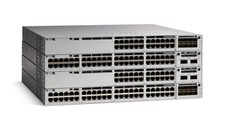
Juniper EX Series EX2300-C-12P - switch - 12 ports - managed
$304.00

Juniper SRX320 8-Port Security Services Gateway Appliance w/ AC Adapter
$59.99

Juniper EX2300-C 12 Port Compact Gigabit Switch EX2300-C-12p
$99.99

Juniper EX2300-C-12P POE+ Switch 12 x 1GbE & 2 SFP+ 10G uplinks
$149.99
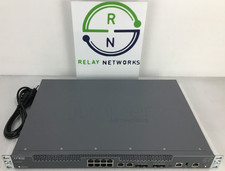
Juniper NFX250-S2 Network Services Platform
$199.89

Juniper Networks EX3400-24T 24-Port Ethernet Switch w/Power Cord
$174.99
Juniper QFX5100-48T-AFI 48-port 1G/10G RJ-45 ports 6 QSFP ports BRAND NEW SEALED
$899.97



 Reply With Quote