-
Block files
Sorry for my late reply.
We made sets of block files for HTTP-FUSE KNOPPIX.
Full sets include all block files. They are split-and-compressed block files of cloop. The volumes are around 700MB.
Minimum sets include block files for boot. The volumes are are 150MB - 200MB. If you use a minimum set file, you have to download rest block files from HTTP server after boot.
Please download a compressed file and extract all block files at a top direcoty of a device. For example,
# cd /tmp
# wget http://unit.aist.go.jp/itri/knoppix/...PPIX37FSFE.zip
Move to the top directory of a device and extract the download file. For example,
# cd /mnt/sda1/
# unzip /tmp/KNOPPIX37FSFE.zip
You will find "knxblock" directory.
Afther that, re-boot with HTTP-FUSE KNOPPIX with magic option "maxconnection=0" option. For example,
boot: knoppix26 utc nodhcp maxconnection=0
At selection menu, please select downloaded set file name. HTTP-FUSE KNOPPIX finds the block files and use them.
KNOPPIX FSF-Edurope full-set 707MB, minimum-set for boot 157MB
http://unit.aist.go.jp/itri/knoppix/...PPIX37FSFE.zip
http://unit.aist.go.jp/itri/knoppix/...X37FSFE-dl.zip
KNOPPIX Japanese full-set 633MB, minimum-set for boot 158MB
http://unit.aist.go.jp/itri/knoppix/...NOPPIX37JP.zip
http://unit.aist.go.jp/itri/knoppix/...PIX37JP-dl.zip
KNOPPIX Education full-set 755MB, minimum-set for boot 205MB
http://unit.aist.go.jp/itri/knoppix/...OPPIX37Edu.zip
http://unit.aist.go.jp/itri/knoppix/...IX37Edu-dl.zip
KNOPPIX Education full-set 707MB, minimum-set for boot 223MB
http://unit.aist.go.jp/itri/knoppix/...PPIX37Math.zip
http://unit.aist.go.jp/itri/knoppix/...X37Math-dl.zip
You can setup a HTTP service with the full-set of block files.
Extract a full-set file on your HTTP server and boot HTTP-FUSE KNOPPIX on other machine with the "fuse_uri=" option. For exmaple,
boot: knoppix26 utc nodhcp fuse_uri=http://SERVER-NAME/SERVER-DIRECTORY/knxblock/KNOPPIX37FSFE/
Have fun, I hope. 
-
Re: Block files
Hello suzaki,

Originally Posted by
suzaki
Sorry for my late reply.
We made sets of block files for HTTP-FUSE KNOPPIX.
Full sets include all block files. They are split-and-compressed block files of cloop. The volumes are around 700MB.
Minimum sets include block files for boot. The volumes are are 150MB - 200MB. If you use a minimum set file, you have to download rest block files from HTTP server after boot.
Please download a compressed file and extract all block files at a top direcoty of a device. For example,
# cd /tmp
# wget
http://unit.aist.go.jp/itri/knoppix/...PPIX37FSFE.zip
Move to the top directory of a device and extract the download file. For example,
# cd /mnt/sda1/
# unzip /tmp/KNOPPIX37FSFE.zip
You will find "knxblock" directory.
Afther that, re-boot with HTTP-FUSE KNOPPIX with magic option "
maxconnection=0" option. For example,
boot: knoppix26 utc nodhcp maxconnection=0
At selection menu, please select downloaded set file name. HTTP-FUSE KNOPPIX finds the block files and use them.
KNOPPIX FSF-Edurope full-set 707MB, minimum-set for boot 157MB
http://unit.aist.go.jp/itri/knoppix/...PPIX37FSFE.zip
http://unit.aist.go.jp/itri/knoppix/...X37FSFE-dl.zip
...
You can setup a HTTP service with the full-set of block files.
Extract a full-set file on your HTTP server and boot HTTP-FUSE KNOPPIX on other machine with the "fuse_uri=" option. For exmaple,
boot: knoppix26 utc nodhcp fuse_uri=http://
SERVER-NAME/
SERVER-DIRECTORY/knxblock/KNOPPIX37FSFE/
Have fun, I hope.
yes i have tested it and it works great  .
.
But after analysing the http-fuse-knoppix-20050408-EN.iso there are still 2 questions:
1. i have found out that the magic is done by fs_wrapper, where can i download the sources
2. how are the " split-and-compressed block files" built.
Thanks for work.
-
Re: Block files
Originally Posted by
heinzen
yes i have tested it and it works great
.
But after analysing the http-fuse-knoppix-20050408-EN.iso there are still 2 questions:
1. i have found out that the magic is done by fs_wrapper, where can i download the sources
2. how are the " split-and-compressed block files" built.
Thanks for work.
Thanks for your trial.
The source code of fs_wrapper is opened at the following URL.
http://unit.aist.go.jp/itri/knoppix/...er.0.36.tar.gz
The source code to make " split-and-compressed block files" is also opened.
http://unit.aist.go.jp/itri/knoppix/...d5files.tar.gz
They aren't well organized, because they are under construction. Please use them on your risk and have fun!
-
Debian Package for HTTP-FUSE
We released 4 Debian Packages for "HTTP-FUSE". They are effective on KNOPPIX 3.9 using UNIONFS.
http://unit.aist.go.jp/itri/knoppix/...2.1-4_i386.deb
http://unit.aist.go.jp/itri/knoppix/...2.1-4_i386.deb
http://unit.aist.go.jp/itri/knoppix/...2.1-4_i386.deb
http://unit.aist.go.jp/itri/knoppix/...0.1-2_i386.deb
Orignal Home Page: http://unit.aist.go.jp/itri/knoppix/.../index-en.html
Usage:
1. Change to ROOT user by "su" command. Download the debian packages.
2. Install Debian Packages. (The order of package means the dependency relation.)
# dpkg -i libfuse2_2.2.1-4_i386.deb fuse-utils_2.2.1-4_i386.deb fuse-module-2.6.11_2.2.1-4_i386.deb fs-wrapper_0.1-2_i386.deb
3. fuse-utils requires "group name" for http-fuse mount. Please designate "root".

4. Make a directory for http-fuse.
# mkdir /tmp/fuse
5. Run "fuse-wrapper" with a directory and URL of HTTP-FUSE. For example,
# fs_wrapper /tmp/fuse -f http://aist.ring.gr.jp/archives/linu...KNOPPIX37FSFE/
This process tell us log of fs-wrapper.
6. Please open another terminal. You find a cloop file at "/tmp/fuse/knoppix". Please setup loopback mount.
# losetup /dev/cloop1 /tmp/fuse/KNOPPIX
# mkdir /mnt/http-fuse
# mount /dev/cloop1 /mnt/http-fuse
You use files at "/mnt/http-fuse/". When you touch a files under /mnt/http-fuse, the blocks are downloaded at "/tmp/blocks/[00-ff]/".
mkmd5files makes "split-and-compressed block files" for HTTP-FUSE from a block device.
Usage: mkmd5files <block device> <target directory for split-and-block files> <split-block size>
You try on KNOPPIX CD as following.
# mkmd5files /dev/cloop /tmp/http-fuse/ 262144
256KB spit-and-block files are created under /tmp/http-fuse/. The file space requires approximately 700MB.
The split-and-block files are opened by HTTP server and can be mounted by "fs_wrapper".
Similar Threads
-
By fredvej in forum General Support
Replies: 0
Last Post: 08-16-2007, 10:45 AM
-
Replies: 2
Last Post: 03-31-2007, 02:33 PM
-
Replies: 0
Last Post: 01-23-2006, 06:30 AM
-
Replies: 0
Last Post: 09-02-2005, 02:25 AM
-
By lagitus in forum Ideas
Replies: 1
Last Post: 08-24-2005, 06:21 PM
 Posting Permissions
- You may not post new threads
- You may not post replies
- You may not post attachments
- You may not edit your posts
-
Forum Rules


Vintage Apple II Avant-Garde Creations Super Shape Draw And Animate 1981
$295.00

Apple Macintosh Classic M1420 Vintage Desktop Computer Model Macintosh Classic
$100.00
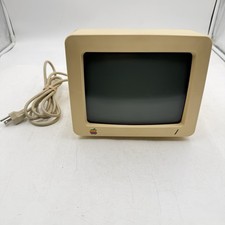
Vintage Apple IIC Monitor Model #G090H Order #A2M4090 AS IS For Repairs Or Parts
$64.99

Vintage Apple iBook G3 12.1” 500MHz 2001 Restored, SSD Upgraded Mac OS 9.2/OS X
$180.00

LARGE LOT Vintage Apple Macintosh Mouse Cables Accessories SCSI etc - UNTESTED
$80.00

Vintage Apple Macintosh Plus 1MB - M0001A W/ Keyboard, 2 Mice, 800K HD, + More
$300.00
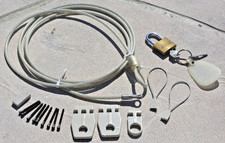
VINTAGE Apple Macintosh Security Lock Kit M0201 + Lock + parts NO BOX Original O
$24.99

Vintage Apple Macintosh Plus Desktop Computer - M0001A
$150.00
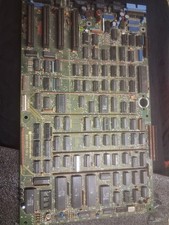
Vintage Apple III Motherboard Logic Board 820-0043-00 E Fully Populated Tested
$210.00

Vintage Apple Monitor IIc 9" Green Monochrome 06/1985 A2M4090 October 1984 Stand
$275.00



 Reply With Quote