-
How to NFS remount /home
I try to remount /home & no go. I tried umount & it says it's busy.
I assume that it has to be mounted right the first time because
after that it's in use & can't be unmounted?
I've read alot & can't see how to remount it to /mnt/hda3/homes.
mtab is where it's mounted, & it's rewrote on boot, can't change it.
Need each client PC to unmount /home/knoppix on the ramdisk, &
nfs mount it on the server to /mnt/hda3/homes/$LOGNAME.
I can get the nfs mount to work, if I could unmount the old /home.
-
Senior Member
registered user
Re: How to NFS remount /home
Yikes, you're doing this from the livecd?
The way I see it, you have 2 options:
1. Remaster. Change the boot script(s) to mount the /home you want.
2. Mount your NFS /home at a different directory, and just give everybody access to it. Unless you're using custom BASH init scripts (like .profile) this would seem to be the better way to go. And you can always have everyone do ' source /home2/$USER/.profile ' manually if you need to.
Optionally, you can edit /etc/passwd and change the user's home directory (this is how root gets /root, and everybody else gets /home/blah. See ' man 5 passwd '.)
2nd Optionally:
' adduser knoppix2 ' and mount your stuff at /home/knoppix2. Save everything with the "persistent home" script. See if it works at reboot.
If ya can't attack it directly, sometimes ya can get around it. 

Originally Posted by
sunburnt
I try to remount /home & no go. I tried umount & it says it's busy.
I assume that it has to be mounted right the first time because
after that it's in use & can't be unmounted?
I've read alot & can't see how to remount it to /mnt/hda3/homes.
mtab is where it's mounted, & it's rewrote on boot, can't change it.
Need each client PC to unmount /home/knoppix on the ramdisk, &
nfs mount it on the server to /mnt/hda3/homes/$LOGNAME.
I can get the nfs mount to work, if I could unmount the old /home.
-
Sorry...
I usually say: poormans install to HD, a little easer to deal with
than the live CD when it comes to modifing the system.
I could full HD install, but I really don't need much changed...
A home for each client & remove some menu & task bar items.
I don't understand the complete interplay of all these parts,
just the basics of the descrete parts. When I do I'll do a Wikki!
Clarify please: clients boot from server but run their own apps.?
After clients boot the server's a NAS for apps. & clients homes?
If I do Persistant Home & Save Config. on each client, the files
will overwrite each other (correct?). Are file names/paths fixed?
This would be OK, but it seems real home dirs. are easer to do.
I'll need some config. changes to the clients though, menus, etc.
Need clients to mount /$LOGNAME or /$USER for work spaces.
Clients fstab it seems is made by: knoppix-terminalserver.
Modify it so fstab's it makes, mounts EACH clients work space?
Or have clients run a boot script using /$USER to mount it?
All this shows my ignorance, I'm trying to change that rapidly!
Many thanks for answering me, I hope you'll keep helping.
Is it OK to use your link to talk to you directly?
So you won't have to keep checking this post. .......... Terry B.
-
Senior Member
registered user
Re: Sorry...
Now you're getting esoteric. ~ It's better to keep it in the public forum, that way more eyes will see it. When it comes to terminal server / persistent home, I have no experience; I'm all installed-to-HD.
If you could describe your setup more completely (and why you "need" it that way) that would help. IMHO, you're better off installing to HD unless you're really strapped for HD space, or these aren't "dedicated" computers.
Originally Posted by
sunburnt
I usually say: poormans install to HD, a little easer to deal with
than the live CD when it comes to modifing the system.
I could full HD install, but I really don't need much changed...
A home for each client & remove some menu & task bar items.
I don't understand the complete interplay of all these parts,
just the basics of the descrete parts. When I do I'll do a Wikki!
Clarify please: clients boot from server but run their own apps.?
After clients boot the server's a NAS for apps. & clients homes?
If I do Persistant Home & Save Config. on each client, the files
will overwrite each other (correct?). Are file names/paths fixed?
This would be OK, but it seems real home dirs. are easer to do.
I'll need some config. changes to the clients though, menus, etc.
Need clients to mount /$LOGNAME or /$USER for work spaces.
Clients fstab it seems is made by: knoppix-terminalserver.
Modify it so fstab's it makes, mounts EACH clients work space?
Or have clients run a boot script using /$USER to mount it?
All this shows my ignorance, I'm trying to change that rapidly!
Many thanks for answering me, I hope you'll keep helping.
Is it OK to use your link to talk to you directly?
So you won't have to keep checking this post. .......... Terry B.
-
Doesn't have to be that way, just seemed easy.
Full HD had Term. server problems, but KDE login worked.
Poorman works so well just as it is (am I wrong).
It's probably different for each version, mine's Knoppix 3.3.
Good HD space, PCs are dedicated, CD copy's an easy install.
Workspaces can be called anything, $USER would allow users
to access their workspace from any machine with a login.
Many ways to do this, I'm not picky, just need workspacces.
So how to feed clients a modded fstab, or a mount command.
Poormans or full install, the problem's still the same I think.
Server: 900 duron, 160mb ram, 6gb HD, don't think this helps.
If there's anything specific you need to know... ask!
-
Senior Member
registered user
Re: Doesn't have to be that way, just seemed easy.
3.3(!) You're a few versions behind...
You can get the latest ISO (bittorrent) here: http://torrent.unix-ag.uni-kl.de/
--BTW, my "bigbox" is a 900 Duron, as well.
Originally Posted by
sunburnt
Full HD had Term. server problems, but KDE login worked.
Poorman works so well just as it is (am I wrong).
It's probably different for each version, mine's Knoppix 3.3.
Good HD space, PCs are dedicated, CD copy's an easy install.
Workspaces can be called anything, $USER would allow users
to access their workspace from any machine with a login.
Many ways to do this, I'm not picky, just need workspacces.
So how to feed clients a modded fstab, or a mount command.
Poormans or full install, the problem's still the same I think.
Server: 900 duron, 160mb ram, 6gb HD, don't think this helps.
If there's anything specific you need to know... ask!
-
Now I'm really confused!
Checked clients hostname & username & they're the same
as the servers. That & the fact the clients IP addresses are
dynamic, makes trying to nfs mount anything real tough.
So it's best to do a full HD install, until I understand more.
Can the full HD be copied to another HD, just like the CD?
-
Senior Member
registered user
Re: Now I'm really confused!
--The server, at least, should be installed to HD and have a static IP address. At that point, whether the clients are dynamic or not shouldn't matter, as long as /etc/hosts.allow and hosts.deny are commented out on server-side. You should however have all potential client IP's listed in /etc/hosts on the server.
--I can assist you with setting up a DHCP server with limited IP Address range; how many computers are you running this setup on?
--AFA copying the HD, in my experience you're better off doing individual installs unless 1) the hardware is EXACTLY the same across all machines, and 2) you really know what you're doing, and what needs to be modified per-machine.
Originally Posted by
sunburnt
Checked clients hostname & username & they're the same
as the servers. That & the fact the clients IP addresses are
dynamic, makes trying to nfs mount anything real tough.
So it's best to do a full HD install, until I understand more.
Can the full HD be copied to another HD, just like the CD?
-
re: poormans
I'm convinced that the file: /usr/sbin/knoppix-terminalserver is the key to making the poormans install work, it mounts & copies stuff in a function called: mkinitrd().
I just wish I were more guruish at scripting so I could understand all of it!
Anyway... about a dozen PCs, but could be more, I used: x.x.x.101 to x.x.x.250.
So when installing to the HD, the hardware setup becomes fixed & the auto detection no longer takes place?
That's one of the major things I liked about Knoppix, PC portability.
How to wipe out Mepis to make room for full install? Mepis can't bring eth0 up anyway.
P.S. My other post about KDE login is part of this "project". How to get one at boot?
-
Senior Member
registered user
Re: re: poormans
o When installing to HD, you have the option to have HW detection occur at boot.
o To wipe Mepis, simply ' mkreiserfs /dev/hdXX ' on its partition (without it being mounted!) and run the install script (it used to be knx-hdinstall, but now I think it's knoppix-installer ; haven't used it for a while.)
--It may be a good idea to backup the mepis /etc and any other critical files that might come in handy before flaming it. I kept my old SuSE 7.3 /etc when I installed Kpx to HD and it came in handy.
--AFA KDE login, no experience; sorry.
Originally Posted by
sunburnt
I'm convinced that the file: /usr/sbin/knoppix-terminalserver is the key to making the poormans install work, it mounts & copies stuff in a function called: mkinitrd().
I just wish I were more guruish at scripting so I could understand all of it!
Anyway... about a dozen PCs, but could be more, I used: x.x.x.101 to x.x.x.250.
So when installing to the HD, the hardware setup becomes fixed & the auto detection no longer takes place?
That's one of the major things I liked about Knoppix, PC portability.
How to wipe out Mepis to make room for full install? Mepis can't bring eth0 up anyway.
P.S. My other post about KDE login is part of this "project". How to get one at boot?
Similar Threads
-
By benopdezolder in forum Hdd Install / Debian / Apt
Replies: 23
Last Post: 02-03-2009, 01:45 AM
-
By staran in forum Hardware & Booting
Replies: 1
Last Post: 01-18-2007, 05:41 PM
-
By donnyriyadi in forum General Support
Replies: 1
Last Post: 12-10-2004, 01:10 AM
-
By al.rovelli in forum Hdd Install / Debian / Apt
Replies: 2
Last Post: 10-28-2004, 12:56 AM
-
By ktheking in forum Customising & Remastering
Replies: 6
Last Post: 01-02-2004, 09:35 PM
 Posting Permissions
- You may not post new threads
- You may not post replies
- You may not post attachments
- You may not edit your posts
-
Forum Rules


Kingston 32GB 64GB 128GB 256GB USB 3.0 Flash Drive Thumb Memory Stick Pen lot
$285.90

MICRON MTA36ASF4G72PZ-2G6E1 | 32GB PC4-2666V ECC RDIMM Server RAM
$184.95

2 in 1 USB 3.0 Card Reader Micro TF card Reader usb adapter High Speed Cardreder
$3.99
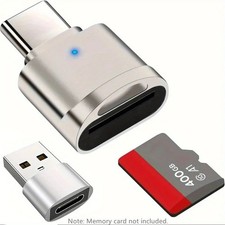
2 Pack USB C SD TF Card Reader Adapter Zinc Alloy USB-C to USB for iPhone 15-17
$3.35

USB 3.0 Flash Drive 32GB 64GB 128GB Memory Stick Thumb Stick Lot Pack
$826.09
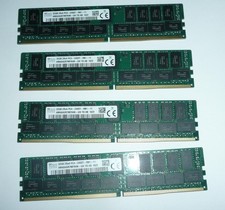
SK Hynix 128GB (4 x 32GB) PC4-2400T DDR4 ECC Server Memory HMA84GR7MFR4N-UH
$649.95
Major Brand 8 GB PC3L-12800 (DDR3-1600) 2Rx8 DDR3L Laptop Memory RAM
$10.99
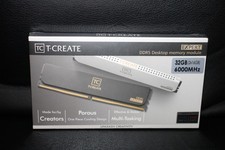
Team Group T-Create Expert RAM 32gb (2 x 16gb) 6000 Mhz DDR5 Desktop Memory Modu
$399.95
Samsung 32GBX2 1Rx4 PC4-3200AA DDR4 ECC Server Memory M393A4G40AB3-CWEBQ 64GB EC
$370.00

Apple iPad Mini 5 64GB, Wi-Fi, 7.9"
$69.00



 Reply With Quote