

 Reply With Quote
I dunno, but check that you are doing it from chrooted environment, this kind of thing you get if you do it on a system which is running from CD. Or if you rebooted or something check the mounting of a drives, must be mount as a -rw not -ro
Nikolay


I am in this part:
After typing in the above, I got returned with this.Code:apt-get update
The file(s) failed to DL, how do I fix it?Code:blah, blah, blah ]open file /var/lib/apt/lists/partial/ftp.de.debian.org_pub_debian_dists_testing_main_source_Sources - open (30 Read-only file system) Failed to fetch http://ftp.de.debian.org/pub/debian/...rce/Sources.gz Could n ot open file /var/lib/apt/lists/partial/ftp.de.debian.org_pub_debian_dists_testing_contrib_source_So urces - open (30 Read-only file system) Failed to fetch http://ftp.de.debian.org/pub/debian/...rce/Sources.gz Could not open file /var/lib/apt/lists/partial/ftp.de.debian.org_pub_debian_dists_testing_non-free_source_ Sources - open (30 Read-only file system) Failed to fetch http://ftp.de.debian.org/debian/dist...86/Packages.gz Could n ot open file /var/lib/apt/lists/partial/ftp.de.debian.org_debian_dists_unstable_main_binary-i386_Pac kages - open (30 Read-only file system) Failed to fetch http://ftp.de.debian.org/debian/dist...86/Packages.gz Coul d not open file /var/lib/apt/lists/partial/ftp.de.debian.org_debian_dists_unstable_contrib_binary-i3 86_Packages - open (30 Read-only file system) Failed to fetch http://ftp.de.debian.org/debian/dist...86/Packages.gz Cou ld not open file /var/lib/apt/lists/partial/ftp.de.debian.org_debian_dists_unstable_non-free_binary- i386_Packages - open (30 Read-only file system) Failed to fetch http://ftp.de.debian.org/debian/dist...rce/Sources.gz Could not ope n file /var/lib/apt/lists/partial/ftp.de.debian.org_debian_dists_unstable_main_source_Sources - open (30 Read-only file system) Failed to fetch http://ftp.de.debian.org/debian/dist...rce/Sources.gz Could not open file /var/lib/apt/lists/partial/ftp.de.debian.org_debian_dists_unstable_contrib_source_Sources - open (30 Read-only file system) Failed to fetch http://ftp.de.debian.org/debian/dist...rce/Sources.gz Could not open file /var/lib/apt/lists/partial/ftp.de.debian.org_debian_dists_unstable_non-free_source_Source s - open (30 Read-only file system) Failed to fetch http://ftp.de.debian.org/debian/dist...ary-i386/Packa ges.gz Could not open file /var/lib/apt/lists/partial/ftp.de.debian.org_debian_dists_.._project_exp erimental_main_binary-i386_Packages - open (30 Read-only file system) Failed to fetch http://ftp.de.debian.org/debian/dist...binary-i386/Pa ckages.gz Could not open file /var/lib/apt/lists/partial/ftp.de.debian.org_debian_dists_.._project_ experimental_contrib_binary-i386_Packages - open (30 Read-only file system) Failed to fetch http://ftp.de.debian.org/debian/dist.../binary-i386/P ackages.gz Could not open file /var/lib/apt/lists/partial/ftp.de.debian.org_debian_dists_.._project _experimental_non-free_binary-i386_Packages - open (30 Read-only file system) Failed to fetch http://ftp.de.debian.org/debian/dist...rce/Sources.gz Could not open file /var/lib/apt/lists/partial/ftp.de.debian.org_debian_dists_.._project_experimen tal_main_source_Sources - open (30 Read-only file system) Failed to fetch http://ftp.de.debian.org/debian/dist...source/Sources .gz Could not open file /var/lib/apt/lists/partial/ftp.de.debian.org_debian_dists_.._project_experi mental_contrib_source_Sources - open (30 Read-only file system) Failed to fetch http://ftp.de.debian.org/debian/dist.../source/Source s.gz Could not open file /var/lib/apt/lists/partial/ftp.de.debian.org_debian_dists_.._project_exper imental_non-free_source_Sources - open (30 Read-only file system) W: Not using locking for read only lock file /var/lib/apt/lists/lock W: Not using locking for read only lock file /var/lib/dpkg/lock E: Unable to write to /var/cache/apt/ E: The package lists or status file could not be parsed or opened.
I dunno, but check that you are doing it from chrooted environment, this kind of thing you get if you do it on a system which is running from CD. Or if you rebooted or something check the mounting of a drives, must be mount as a -rw not -ro
Nikolay
Okay, fixed, thanks!
BTW, what are 'orphaned packages'?
how to explain...
here is the definition from dict.die.net
orphan n. [Unix] A process whose parent has died; one inherited by
`init(1)'. Compare zombie.
I think this explanation would the best.
Nikolay
EDIT: Never mind; solved.
People tried to help you. Why not post back what the problem and resolution turned out to be, so that other who search these forums to find answers can get an answer rather than having to post the same question yet again?Originally Posted by thrustan
 Posting Permissions


AMD Ryzen 5 5500 Processor ( read Description)
$59.00

INTEL CORE I9-10940X X-SERIES PROCESSOR | 3.30GHZ | SRGSH
$179.99

Intel Core i7-4770 3.40GHz Quad Core SR149 LGA 1150 CPU Processor tested
$35.00

INTEL CORE I9-10980XE PROCESSOR | 3.00GHZ | SRGSG
$299.99

Intel Core i7-9700 Octa-Core 3 GHz Desktop Processor LGA 1151
$79.99

Intel Core i5-12500T SRL5W 2GHz 18MB 6 Core Socket LGA1700 Desktop CPU Processor
$114.99

Intel Core i7-3770K 3.5 GHz Processor
$39.00
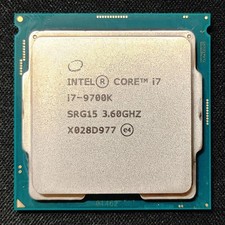
Intel Core i7-9700K Octa-Core 3.6 GHz Desktop CPU
$99.99
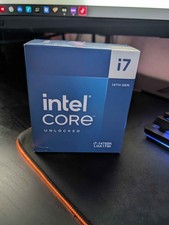
Intel Core i7-14700K Processor (BRAND NEW)
$330.00

(LOT OF 20) Intel Core i5-8400 CPU 2.80GHz Desktop Processor (SR3QT)
$700.00