

 Reply With Quote
I haven't tried to boot an .iso image from HD but for what it's worth it seems like there are boot mangers
out there that can do this. Try http://btmgr.sourceforge.net/about.html or maybe: http://gujin.sourceforge.net/
Good luck


I am trying to GRUB a Knoppix iso from the hard drive.
From the Knoppix mirror in /knoppix/contrib/grubboot.zip/boot/grub/menu.lst
I found:
Using files from a Knoppix 3.4 CD, I tried:Code:# boot a KNOPPIX iso file # /KNOPPIX/KNOPPIX on hda1 # with custom cheatcodes # with the kernel vmlinuz and the # initrd miniroot.gz extracted from # boot.img from the Knoppix CD # to /KNOPPIX/ # this example hda1 can also be a fat(32) filesystem title "Knoppix-iso custom" kernel (hd0,0)/knoppix/vmlinuz noddc depth=24 screen=1024x768 vsync=85 initrd (hd0,0)/knoppix/miniroot.gz
In my case, (hd0) is an NTFS (Windows XP) system. Unfortunately, the kernel crashes withCode:title Knoppix - ISO at (hd0,0) kernel (hd0,0)/boot/knoppix/linux26 bootfrom=/dev/hda1/boot/knoppix/KNOPPIX initrd (hd0,0)/boot/knoppix/minirt26.gz, and then Knoppix starts booting up but almost right away crashes withKernel panic: VFS: Unable to mount root fs on ram3and I get dropped to a "limited shell." Dropping the bootfrom cheatcode, or using linux24 from the same CD, does not change anything. I also tried various no* cheatcodes, all with the same result.Can't find KNOPPIX filesystem, sorry
Hardware is "standard" Fujistsu-Siemens Lifebook C1110.
Am I totally out to lunch with this method? Anyone got this to work? Anything else that I can provide? Any help would be greatly appreciated.
I haven't tried to boot an .iso image from HD but for what it's worth it seems like there are boot mangers
out there that can do this. Try http://btmgr.sourceforge.net/about.html or maybe: http://gujin.sourceforge.net/
Good luck
On my machine I cannot boot from a floppy, but thanx for the suggestion.
While Googling for this error, I read somewhere that the kernel might not have compiled support for the file system in question. Since Knoppix runs from a ram disk, I think this is the wrong direction.
Am I doing something that is obviously way incorrect?
TIA to anyone with any suggestions.
On the advice of someone, I tried using
and I end up with the same error, just on a different ram disk.Code:kernel (hd0,0)/boot/knoppix/linux26 root=/dev/ram[0|1|2]
Any help?
If anybody is reading thisI solved my problem (kudos to JS):
I was able to GRUB the kernel from an NTFS partition, because GRUB has native support for NTFS. However, the Linux kernel (provided with Knoppix 3.4) itself does not have native supports for NTFS, and therefore could not find the inird file ... which resulted in the above mentioned error.
After placing, the kernel, initrd file, and the image all on a FAT[16|32] partition, everything works just fine.
For the sake of "generations to come". This "problem" can be considered a duplicate of something that has already been discussed a long time ago. I just should have done better reserch. The link is here:
http://www.knoppix.net/forum/viewtopic.php?p=52847
 Posting Permissions


(New) AMD Ryzen 7 5700X 8 Core 16 Thread AM4 Unlocked 3.4 GHz CPU OEM Tray
$174.99

OPNsense Firewall 8-Core Atom C3758 4GB DDR4 RAM 64GB SSD 8x 1Gbe QAT AES-NI VPN
$95.00
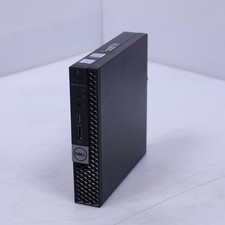
Dell Optiplex 7070 Intel Core i5 9th Gen 8GB RAM No Drive/OS USFF Desktop
$150.00
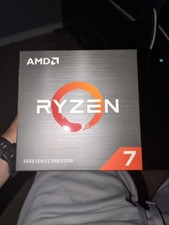
AMD Ryzen 7 5800XT 8-Core, 16-Thread Unlocked Desktop Processor
$210.00
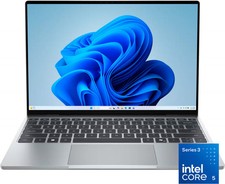
Dell - XPS 13.4" 3K Touchscreen Laptop - Intel Core 5 Series 3 320 2026 - 8GB...
$599.99
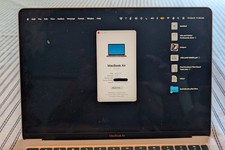
MacBook Air 13" Apple M1 8-core - 8-core GPU • 512 GB • RAM 8GB Very Good Cond
$450.00
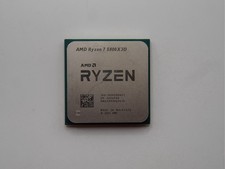
AMD Ryzen 7 5800X3D 8-Core 3.4GHz Socket AM4 CPU Processor….
$309.99
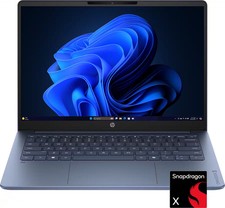
HP - OmniBook 3 - 14" 2K OLED Laptop - Snapdragon X (8-Core CPU) - 8GB Memory...
$399.99
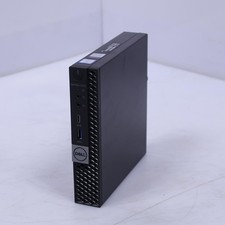
Dell Optiplex 7070 Intel Core i5 9th Gen 8GB RAM No Drive/OS USFF Desktop B3
$150.00
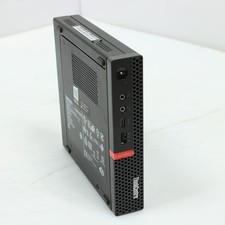
Lenovo Thinkcentre M720q Intel Core i5 8th Gen 8GB RAM 256GB No OS USFF Desktop
$115.00