-
Backing up the files thru Knoppix
MY computer completely crashed last week..Whenevr I try to log in to any of my windows account, I can't log in..It logs off automatically..I m thinkin of reinstallin the Windows, but I don't wanna loose my files.....
I'd be really grateful if anyone could tell me how to back up my files thru Knoppix...
-
Administrator
Site Admin-
Been talked about over and over again, you could search through the forums and find a lot of information. No sense in witing too much in this post, particularly since we don't know anything about your equipment (do you have a local network you could transfer files to? Would your configuration let you write files to CD or DVD? Do you have a USB flash drive or other removable media? How much space do the files that you want to recover take? and so on). Can Knoppix even see the files if you boot it from CD? (Don't give up if it can't, all is not lost yet, but it would be nice to know). And whatever you do do not write to an NTFS partition with Knoppix while you are doing this.
-
Thanks for ur reply Harry....I really don't know anything abt Knoppix...It's my first day or should I say first hour of using it....One of my friends told me that I could back all my files up thru knoppix, so I got this software....
I have HP pavillion....I have DVD/CD writer.....I also have USB flash drive....THe files I want to recover mite take up abt 5-6 GB....how can I copy those files into DVDs or CDs??
-
Administrator
Site Admin-

Originally Posted by
Maverick977
I have HP pavillion....I have DVD/CD writer.....I also have USB flash drive....THe files I want to recover mite take up abt 5-6 GB....how can I copy those files into DVDs or CDs??
With one drive it's complicated, since you need to have the CD in the system while running. If you have 1 Gig of memory you can use the toram "cheat code" to copy Knoppix to memory. Otherwise you could use a smaller Live CD distro, like the Knoppix derived DSL and then use the toram code.
I don't really have the time to go into great detail right now, but this has been discussed many times in these forums if you're willing to do a bit of searching.
-
I have to cd drives....both have cd writers....and I have RAM of 512 MB..
anyways, thanksfor your reply..I guess I will ahve to do some searchin now..
-
Administrator
Site Admin-
Originally Posted by
Maverick977
I have to cd drives....both have cd writers....and I have RAM of 512 MB...
Plenty of RAM for Knoppix, not enough for the toram option. But with two CD writers you could boot knoppix in one and use the other to burn the files you want to CD.
Similar Threads
-
By Flash00 in forum Ideas
Replies: 8
Last Post: 04-12-2005, 12:34 AM
-
By mwer in forum General Support
Replies: 10
Last Post: 01-27-2005, 10:13 PM
-
By nishtya in forum General Support
Replies: 6
Last Post: 10-25-2004, 01:44 PM
-
By guardianx in forum General Support
Replies: 1
Last Post: 01-22-2004, 12:47 AM
-
By UselessPython in forum General Support
Replies: 2
Last Post: 12-09-2003, 01:03 AM
 Posting Permissions
- You may not post new threads
- You may not post replies
- You may not post attachments
- You may not edit your posts
-
Forum Rules


Vintage 1998 iMac G3 M4984 Mac OS + Keyboard Working but Needs Some Repair Read
$295.00

VINTAGE Apple Mac OS X Computer Monitor
$250.00

Vintage Apple iMac G4 15" Lamp 700MHz 512MB Mac OS X 10.4.6 W/ Pro Speakers
$300.00

Vintage Apple PowerBook 15” G4 “Aluminum” (1.25GHz/2gb/150gb/Tiger) 2
$109.99

185--Sonnet Crescendo G3 PPCG3-375-5-K-06 G3 Add-On Card for Vintage Mac
$90.00

Apple Macintosh Plus 1MB M0001A Vintage Computer **TURNS ON **
$99.99
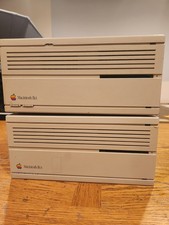
2X Vintage Apple Macintosh Desktop Computers - IIcx/IIci - Parts Repair Untested
$129.00
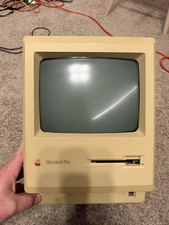
Apple Macintosh Plus 1MB M0001A Vintage Computer - Works
$169.99

Apple Power Macintosh PowerPC 7300/200 VTG w Keyboard Mouse Storage Drive Read
$199.99
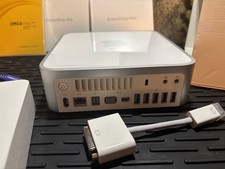
Vintage Apple Mac mini CIB (2009 Mod A1283) Original box/sealed manuals
$450.00



 Reply With Quote