-
How to edit /usr/bin/mkdesktophdicons in a TOHD install
I'm using knoppix 3.8.1 and was told that i could edit this file when ver. 3.8.1 with unionfs came. Now it's here and I'm trying to find out how to do this. I have a edited version of mkdesktophdicons that puts the icons in a folder instead of on the desktop. My question now is how to move this file to /usr/bin so it replaces the original (or edit the original with the changes).
I'm booting from a usb2 hdd with knoppix 3.8.1 tohd installed on /dev/sda1 and home on /dev/sda2
As you probably can tell by now I'm quite new at linux/knopppix but trying to learn as much as possible.
/W
Similar Threads
-
By Uncle Stinky in forum Hardware & Booting
Replies: 3
Last Post: 02-03-2008, 08:53 AM
-
By Mercury 4063 in forum General Support
Replies: 4
Last Post: 11-12-2004, 09:52 PM
-
By crix in forum General Support
Replies: 5
Last Post: 08-25-2004, 04:56 PM
-
By CrashedAgain in forum Hdd Install / Debian / Apt
Replies: 1
Last Post: 07-07-2004, 04:01 PM
-
Replies: 2
Last Post: 05-03-2004, 05:50 AM
 Posting Permissions
- You may not post new threads
- You may not post replies
- You may not post attachments
- You may not edit your posts
-
Forum Rules


16GB KIT (2x8GB) DDR3 Gamer Desktop RAM PC3 MIXED BRANDS VIPER VENGEANCE FURY
$10.00

Netac DDR4 32GB 16GB DDR4 3200MHz UDIMM C16 Desktop Internal Memory RAM Kit
$99.99

Crucial 32GB(4 x 8GB) CT8G4DFS824A.C8FDD1 DDR4-2400 UDIMM Desktop RAM - CR352A
$89.95

Micron 16GB (2x8GB) 2Rx8 DDR3 1600MHz PC3-12800U Desktop RAM
$19.99

Samsung 32GB DDR4-2666V-2Rx4-RB2-12 RAM M393A4K40CB2-CTD6Q
$169.00
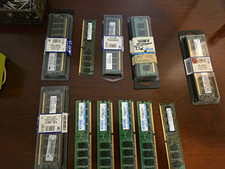
all untested Mixed Brand Desktop RAM DIMM Lot 1GB PC2-5300 ECC KTM-M50/1G + MPNs
$60.00
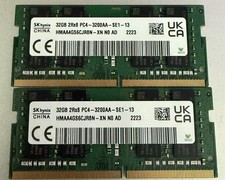
32GB 2Rx8 PC4 - 3200AA - SE1-13 (x2) 64GB
$280.00

Major Brand 16GB (2x8GB) PC3-12800U DDR3-1600MHz DDR3-12800 DESKTOP RAM NON-ECC
$29.99

Samsung 32GB DDR4-2666 PC4-21300 288-Pin DIMM RAM M393A4K40CB1CRC0Q
$185.00

Corsair Vengeance DDR3 8GB 16GB 32GB 1866MHz PC3-14900 Desktop RAM Memory DIMM
$85.00



 Reply With Quote