-
Senior Member
registered user
No, that's not the problem - ext3 and other journalling filesystems just keep logs of changes so that if a system crashes, for example, it can recover better when it's back up.
When starting from cd I can't edit anything on hda1.
That's not a bug, that's a feature!  While Knoppix is booting from CD, it looks for partitions and whatnot and writes what it finds to your /etc/fstab (filesystem table) but doesn't mount them yet.
At this point you can mount hda1 with $ sudo mount /mnt/hda1 or, if you're already root, # mount /mnt/hda1. Now you can both read and write to the partition. This is a shortened version of the mount command and only works for filesystems that already have an entry in /etc/fstab.
But if you have the Knoppix CD automount hda1 for you - maybe by clicking on the desktop icon - the partition gets mounted read-only (ro) to protect you from making changes to the hard drive by mistake. (Knoppix installed on hard drive doesn't do this.)
In this case you have to remount the partition with the option read/write (rw). The command (as root) is # mount -o remount rw /mnt/hda1.
There's one more step if you booted from CD but are working on LILO that's installed on hda1 - you have to transport yourself into the hda1 environment so that LILO doesn't look around and get confused by the CD environment. As root (sudo or otherwise), type # chroot /mnt/hda1.
You can edit its configuration file, (/mnt/hda1)/etc/lilo.conf before or after changing root, that doesn't matter. But after you've edited the config file you have to run the lilo command to get the new configuration written to the bootloader, and for this you need to be chrooted.
(Actually, there's still one more gotcha that applies to configuring LILO while you're booted from the CD only if you have more than one Linux installed on the hard drive. This doesn't apply if you have only one Knoppix installed and it's the only Linux, even if you have other operating systems installed like Windows, OS/2, Plan 9, or whatever. I won't clutter up this posting with those details, but let us know if it applies to you.)
So here's what you do when you're booted into the CD and want to make changes to LILO on hda1. I'm going to show the commands as root rather than as sudo because you have to be root anyway to edit /etc/lilo.conf and to run LILO:
Code:
(CD)# mount [-o remount rw] /mnt/hda1
(CD)# chroot /mnt/hda1
(hda1)# (do any editing of /etc/lilo.conf)
(hda1)# lilo
(hda1)# exit
(CD)#
Include the part within the [brackets] if hda1 is already mounted read-only. You can check this by using the bare $ mount command as regular user Knoppix or as root.
I hope this helps.
-- Ed
Similar Threads
-
By Mustang64 in forum Hdd Install / Debian / Apt
Replies: 9
Last Post: 05-18-2005, 12:32 PM
-
By rgarden in forum Hdd Install / Debian / Apt
Replies: 4
Last Post: 04-11-2005, 10:21 AM
-
By nhoxanh in forum General Support
Replies: 1
Last Post: 01-13-2005, 10:43 AM
-
By phantomshado in forum General Support
Replies: 1
Last Post: 02-14-2004, 06:45 AM
-
By jamesgf in forum Hdd Install / Debian / Apt
Replies: 6
Last Post: 03-27-2003, 05:16 PM
 Posting Permissions
- You may not post new threads
- You may not post replies
- You may not post attachments
- You may not edit your posts
-
Forum Rules

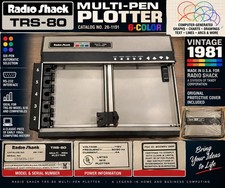
Vintage Radio Shack TRS-80 Multi-Pen Plotter 26-1191 6-Color 1981 w/ Cover
$349.99
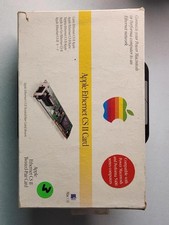
Apple Ethernet CS II Card BOX AND MANUAL ONLY- Vintage Network Interface
$59.99
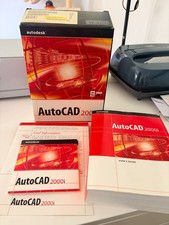
Vintage AutoCAD 2000i Upgrade Boxed CD & Key Code
$144.45
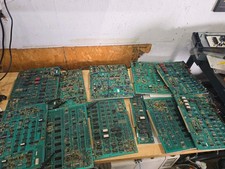
Vintage Ampex Chip Boards Memory Processor Other
$299.99
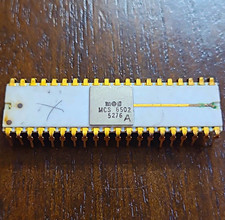
MOS MCS 6502 Ceramic DIP Vintage CPU/Processor Chip ALL LEGS INTACT (BO)
$2500.00
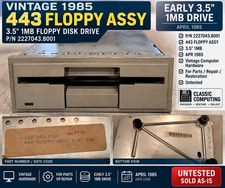
Vintage 1985 443 3.5" 1MB Floppy Drive Assembly P/N 2227043.8001 Untested
$149.99

Vintage HP Professional Leather Laptop Briefcase with Modular Accessories
$18.00
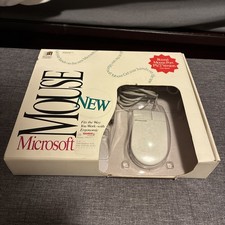
Microsoft Mouse 2.0 Vintage with PS/2 Connection with Original Box
$80.00

Vintage Core CL9 Master Universal Remote Control Steve Wozniak (Apple) READ
$988.88
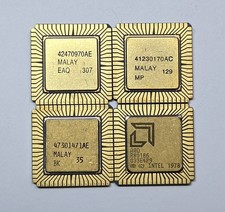
LOT of 4 Intel/AMD R80188 80188 R80186 80186 vintage CPU GOLD/Ceramic
$59.99



 Reply With Quote