-
Junior Member
registered user
3.81 does not detect /home on my USB memory key
My persistent home directory on a USB drive is not detected in Knoppix 3.8.1.
Knoppix boots successfully, and an icon for "uba1" lets me access everything on the USB drive, but the partition is not mounted as /home. I tried cheat codes home=/dev/sda1, home=/dev/uba1, and home=/mnt/uba1.
Plugging the drive into the PC's USB port instead of a hub does not help.
fdisk /dev/uba shows one partition of type 83. The /home works works fine under Knoppix 3.7.
lspci -v output:
0000:00:00.0 Host bridge: nVidia Corporation nForce2 AGP (different version?) (rev c1)
Flags: bus master, 66MHz, fast devsel, latency 0
Memory at e0000000 (32-bit, prefetchable) [size=64M]
Capabilities: [40] AGP version 2.0
Capabilities: [60] #08 [2001]
0000:00:00.1 RAM memory: nVidia Corporation nForce2 Memory Controller 1 (rev c1)
Subsystem: nVidia Corporation: Unknown device 0c17
Flags: 66MHz, fast devsel
0000:00:00.2 RAM memory: nVidia Corporation nForce2 Memory Controller 4 (rev c1)
Subsystem: nVidia Corporation: Unknown device 0c17
Flags: 66MHz, fast devsel
0000:00:00.3 RAM memory: nVidia Corporation nForce2 Memory Controller 3 (rev c1)
Subsystem: nVidia Corporation: Unknown device 0c17
Flags: 66MHz, fast devsel
0000:00:00.4 RAM memory: nVidia Corporation nForce2 Memory Controller 2 (rev c1)
Subsystem: nVidia Corporation: Unknown device 0c17
Flags: 66MHz, fast devsel
0000:00:00.5 RAM memory: nVidia Corporation nForce2 Memory Controller 5 (rev c1)
Subsystem: nVidia Corporation: Unknown device 0c17
Flags: 66MHz, fast devsel
0000:00:01.0 ISA bridge: nVidia Corporation nForce2 ISA Bridge (rev a4)
Subsystem: Giga-byte Technology: Unknown device 0c11
Flags: bus master, 66MHz, fast devsel, latency 0
Capabilities: [48] #08 [01e1]
0000:00:01.1 SMBus: nVidia Corporation nForce2 SMBus (MCP) (rev a2)
Subsystem: Giga-byte Technology: Unknown device 0c11
Flags: 66MHz, fast devsel, IRQ 10
I/O ports at e400 [size=32]
Capabilities: [44] Power Management version 2
0000:00:02.0 USB Controller: nVidia Corporation nForce2 USB Controller (rev a4) (prog-if 10 [OHCI])
Subsystem: Giga-byte Technology: Unknown device 5004
Flags: bus master, 66MHz, fast devsel, latency 0, IRQ 21
Memory at ef003000 (32-bit, non-prefetchable) [size=4K]
Capabilities: [44] Power Management version 2
0000:00:02.1 USB Controller: nVidia Corporation nForce2 USB Controller (rev a4) (prog-if 10 [OHCI])
Subsystem: Giga-byte Technology: Unknown device 5004
Flags: bus master, 66MHz, fast devsel, latency 0, IRQ 20
Memory at ef004000 (32-bit, non-prefetchable) [size=4K]
Capabilities: [44] Power Management version 2
0000:00:02.2 USB Controller: nVidia Corporation nForce2 USB Controller (rev a4) (prog-if 20 [EHCI])
Subsystem: Giga-byte Technology: Unknown device 5004
Flags: bus master, 66MHz, fast devsel, latency 0, IRQ 22
Memory at ef005000 (32-bit, non-prefetchable) [size=256]
Capabilities: [44] #0a [2080]
Capabilities: [80] Power Management version 2
0000:00:06.0 Multimedia audio controller: nVidia Corporation nForce2 AC97 Audio Controler (MCP) (rev a1)
Subsystem: Giga-byte Technology: Unknown device a002
Flags: bus master, 66MHz, fast devsel, latency 0, IRQ 22
I/O ports at d400 [size=256]
I/O ports at d800 [size=128]
Memory at ef001000 (32-bit, non-prefetchable) [size=4K]
Capabilities: [44] Power Management version 2
0000:00:08.0 PCI bridge: nVidia Corporation nForce2 External PCI Bridge (rev a3) (prog-if 00 [Normal decode])
Flags: bus master, 66MHz, fast devsel, latency 0
Bus: primary=00, secondary=01, subordinate=01, sec-latency=32
I/O behind bridge: 0000c000-0000cfff
Memory behind bridge: ee000000-eeffffff
0000:00:09.0 IDE interface: nVidia Corporation nForce2 IDE (rev a2) (prog-if 8a [Master SecP PriP])
Subsystem: Giga-byte Technology: Unknown device 5002
Flags: bus master, 66MHz, fast devsel, latency 0
I/O ports at f000 [size=16]
Capabilities: [44] Power Management version 2
0000:00:1e.0 PCI bridge: nVidia Corporation nForce2 AGP (rev c1) (prog-if 00 [Normal decode])
Flags: bus master, 66MHz, medium devsel, latency 32
Bus: primary=00, secondary=02, subordinate=02, sec-latency=32
Memory behind bridge: ec000000-edffffff
Prefetchable memory behind bridge: e4000000-ebffffff
0000:01:07.0 Serial controller: 5610 56K FaxModem 56K FaxModem Model 5610 (rev 01) (prog-if 02 [16550])
Subsystem: 5610 56K FaxModem USR 56k Internal FAX Modem (Model 2977)
Flags: medium devsel, IRQ 10
I/O ports at c000 [size=8]
Capabilities: [dc] Power Management version 2
0000:01:0b.0 Ethernet controller: Realtek Semiconductor Co., Ltd. RTL-8139/8139C/8139C+ (rev 10)
Subsystem: Giga-byte Technology GA-7VM400M Motherboard
Flags: bus master, medium devsel, latency 32, IRQ 16
I/O ports at c400 [size=256]
Memory at ee000000 (32-bit, non-prefetchable) [size=256]
Capabilities: [50] Power Management version 2
0000:02:00.0 VGA compatible controller: nVidia Corporation NV20 [GeForce3] (rev a3) (prog-if 00 [VGA])
Subsystem: CardExpert Technology: Unknown device 064e
Flags: bus master, 66MHz, medium devsel, latency 32, IRQ 10
Memory at ec000000 (32-bit, non-prefetchable) [size=16M]
Memory at e4000000 (32-bit, prefetchable) [size=64M]
Memory at e8000000 (32-bit, prefetchable) [size=512K]
Capabilities: [60] Power Management version 2
Capabilities: [44] AGP version 2.0
-
USB
Hi Jeff,
I've been experimenting with a Sony 512MB on a Thinkpad R31 this weekend. I ran the persistent home function, and I
use the cheatcode home=/mnt/uba1/knoppix.img
It loads up fine but can hang the pc sometimes. I see the led light up but nothing is happening. I believe it's updating
the image. Next time I'll try to wait it out! I gave up on the home dir deal. Got sick of it hanging. Config saving
works well tho!
-
Junior Member
registered user
Thank you Harry, I did more research, and found that version 3.81's cheat code for home is different from what it was in 3.7. It now says:
knoppix home=/mnt/sda1/knoppix.img "Mount loopback file as /home/knoppix"
So Knoppix apparently tries to mount a loopback file instead of a real partition.
It appears that I ought to back up all the files on my flash memory drive,
create a persistent home directory (a knoppix.img file),
mount knoppix.img using the loopback option,
copy all my old home/knoppix files back to it,
then reboot using the new cheat code,
although I might have to use /dev/uba1/knoppix.img instead of /dev/sda1/knoppix.img.
Does anything in the documentation describe the above process?
Does anything in the documentation definitely say that knoppix/home must now be a loopback?
Does anything in the documentation explain why /dev/sda is now /dev/uba?
-
From eco2geek:
USB devices, from Knoppix 3.7 on, have device nodes of ubXy instead of sdXy. (In my limited experience, other Linux distros with kernel 2.6 are heading in this direction as well.) Since "sdxx" usually represents SCSI devices, differentiating them from USB devices is not a bad idea.
I also found out that I have to use /dev because /mnt gives an error. I also noticed that the USB disk isn't auto mounted.
-
Junior Member
registered user
Hello eco2geek, your posting in a related thread inspired me
to try a few more options. But after more research and experimenting,
I am still stuck.
I did all of the steps listed in my last post, moving all of my files off the
flash memory key onto hard disk, creating a persistent home,
and copying all of the files back to knoppix.img.
The drive is recognized, but /home/knoppix is still on the RAM disk.
Do I have to take a step backwards and reformat my flash memory key
to VFAT?
I will try to report this on the bug tracking page.
-
Junior Member
registered user
I just tried reformatting the flash memory key to fat32. It did not help; Knoppix doesn't recognize it at all. It makes a /dev/uba1 icon, but can't mount it.
-
Junior Member
registered user
"Capitulation: 2. A surrender or giving up; yielding "
Hello, I have reached the point of capitulation. The bugs have won.
I followed Joel's suggestion in http://www.knoppix.net/forum/viewtopic.php?t=18508
but it still doesn't work right.
1. As Joel found, the USB flash disk must be reformatted to EXT3.
2. The persistent home directory must be the entire USB flash disk, or else it is not found on bootup.
3. The correct cheatcode, no matter what the official cheatcode list says, is
home=/mnt/uba1/knoppix.img
4. I did all this and got the wierd confirmation screen when booting.
I ignored the warnings that using the home directory that you
specified is some kind of security hazard.
However, I still can't get the customization that I used to have. To get
the customization back, I rebooted into Fedora Linux and copied over
all the nice settings that I had before:
su
mount /dev/sda1 /mnt/sda1
mount -o loop /mnt/sda1/knoppix.img /mnt/test
cd /tmp/my_old_knoppix_home
find . -print | cpio -pmadv /mnt/test
umount /mnt/test
umount /dev/sda1
But now that Knoppix has all the correct customization files,
it won't give me a desktop. Instead of loading my custom desktop,
it displays a message about not having write access to /home/knoppix.
Then it starts TWM or whatever the limited one-window thing is called.
So now, after more than 20 hours and more than 100 reboots,
I still can't get the persistent home that I had in version 3.7.
-
Try Kanotix
I had lots of problems with USB on 3.8.1 so I'm using Kanotix and am much happier. Klik is built in and seems to be a much more stable distro......
-
I think the /etc/init.d/knoppix-autoconfig script is broken in more than one place. I'll look thorugh it again.
Joel
Similar Threads
-
By benopdezolder in forum Hdd Install / Debian / Apt
Replies: 23
Last Post: 02-03-2009, 01:45 AM
-
By Mandarine in forum General Support
Replies: 0
Last Post: 02-01-2005, 08:43 AM
-
By drg55 in forum Hdd Install / Debian / Apt
Replies: 12
Last Post: 07-27-2004, 02:59 AM
-
By rrolsbe in forum General Support
Replies: 1
Last Post: 09-12-2003, 09:42 PM
-
By LinuxSam in forum General Support
Replies: 14
Last Post: 04-03-2003, 02:58 PM
 Posting Permissions
- You may not post new threads
- You may not post replies
- You may not post attachments
- You may not edit your posts
-
Forum Rules


Intel Core i7-9700 Octa-Core 3 GHz Desktop Processor LGA 1151
$79.99

INTEL CORE I7-870 SLBJG 2.93GHZ LGA1156 4 CORE CPU PROCESSOR
$23.00

Lot of (7) Intel Core CPU Processors
$219.00
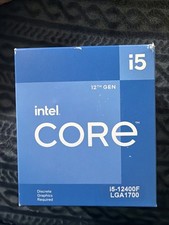
Intel Core i5-12400F 2.50GHz 6 Core SRL5Z 12 Thread LGA 1700 CPU- check Images
$170.00

AMD Ryzen 5 5600X Desktop Processor (3.7GHz, 6 Cores, AM4 CPU) 100-100000065
$135.00

Intel Core i9-9900 3.10GHz CPU Processor SRG18
$165.00

Intel Core i7-7700 3.6GHz Quad-Core Desktop CPU Processor SR338 LGA1151
$40.00

Intel Core i5-7500 SR335 3.4GHz 4-Core LGA 1151 CPU PROCESSOR
$14.99

INTEL CORE I9-10940X X-SERIES PROCESSOR | 3.30GHZ | SRGSH
$179.99
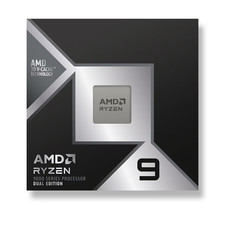
*Brand New-Sealed* AMD Ryzen 9 9950X3D2 Dual Ed. 4.3GHz 16Core AM5 (Bulk+Fast)
$790.00



 Reply With Quote