-
Senior Member
registered user
Control center>peripheral>Xdisplay
It doesn't appear to work (at least not for me). It says that my resolution is 640x480 w/ a color depth of 8 which is entirely incorrect. I am running 1024x768@24.
You can really edit these setting in /etc/X11/XF86Config-4
If you need assistance witht his file post it.
Similar Threads
-
By bob58 in forum Hardware & Booting
Replies: 13
Last Post: 08-17-2004, 11:26 AM
-
By BackToShell in forum General Support
Replies: 0
Last Post: 02-12-2004, 05:01 PM
-
By Mad_Max_FX in forum Hardware & Booting
Replies: 4
Last Post: 06-23-2003, 04:44 PM
-
By Mad_Max_FX in forum Hdd Install / Debian / Apt
Replies: 1
Last Post: 06-22-2003, 11:34 PM
-
By cozzy in forum Hardware & Booting
Replies: 3
Last Post: 05-08-2003, 10:11 AM
 Posting Permissions
- You may not post new threads
- You may not post replies
- You may not post attachments
- You may not edit your posts
-
Forum Rules

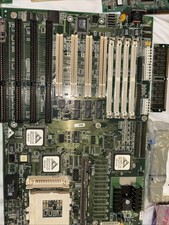
Vintage Computer Motherboard Used
$250.00

Vintage HP 21MX 1000 M-Series Minicomputer Chassis Backplane Parts AS-IS
$228.19

Lot of 2 Vintage Plextor PX-43CS SCSI CD-ROM Caddy Drives + 4 Caddies Used
$55.99

Vintage Apple iMac G4 15" Lamp 700MHz 512MB Mac OS X 10.4.6 W/ Pro Speakers
$300.00
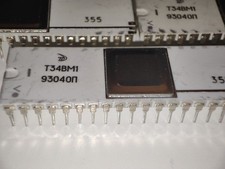
Rare Vintage Soviet T34VM1 (Т34ВМ1) Z80 CPU Processor
$99.00
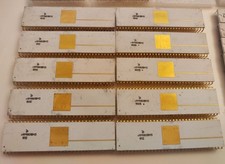
Rare Vintage Soviet KM1801VM3 (КМ1801ВМ3) 16-bit CPU Processor - White Ceramic
$99.00

Vintage USSR ferrite core memory 4096
$99.00

Vintage USSR ferrite core memory
$99.00

Vintage Teac FD-505 5.25" 3.5" Combo Drive 19307571-00
$199.99

VINTAGE COLLECTIBLE Comp USA Maxtor 20 GB 3.5 Inch EIDE Hard Drive NEW SEALED
$500.00



 Reply With Quote