-
What are the benefits of a Linux-based System?
I have used, with some success Windows of various kinds all my life when dealing with computers. I was recently curious and am considering utilizing Knoppix and exploring what the big fuss is about. My question is simple, apparently too simple as all of the forums I have explored are thus far too technical to be of use in this aspect. I realize that posting this in a Linux support site will return me a biased answer, but if it's not too much trouble, refrain from bashing 'windoze' and 'M$'.
1) Basically, what are the benefits and drawbacks of switching from windows to a Knoppix, or other Linux based operating system?
Keep in mainly in the range of performance and privacy, because my computer use is strictly for gaming, yet i'm paranoid enough to be bothered with Windows increasing security measures. Will my games run faster in linux? Will I even be able to game in Linux? I've used windows thus far for it's amazing simplicity in general, and from what i've gathered there is a bit of coding involved in linux. So, in conclusion, is the switch really worth the effort?
-
What Linux does well...
Coming from UNIX it does servers & business stuff well, network, & Internet.
As a desktop WS: office programs, pictures, audio, video, web browsing, etc.
Games it does OpenGL games: Quakes, Doom, Unreal T., & lots of others.
DirectX it hasn't been real successful at, YET. WineX & a new one are trying.
Linux also has games written for it, most of them are rather simple though.
There's also Mame which runs the games that are on arcade machines.
GameBoy emulators, PlayStation emulators, & maybe a few others I'm sure.
Games are definately Linux's soft spot, I'd be rid of WinBlows except for that.
The legendary stability of Linux over Win. is true, but each has advantages.
For simple to setup & use you might try: Knoppix, Ubuntu, Linspire, & Mepis.
Some are live CD (run from CD & may install to HD), & some HD install only.
Hope this helps, if you have more Qs, that's what this place is for!
-
Senior Member
registered user
I've head that some games -- Quake, for example, are faster in Linux. But, of course, by no means all games will even run.
If I were a gamer, what I'd do is remove anything that can possibly connect to the Internet from Windows and keep it strictly for gaming. I'd then install Linux, use it for all my Internet activity, productivity, and experiment with the games, maybe using Cedega.
It need not be an either or, but a both and. It's easy to dual boot Windows and Linux so you choose between OS at start up.
-
Senior Member
registered user
(edited 2005.0420)
--Speed and security, plus virtually complete control over the box.
--My suggestion is to go out and buy a cheap 2nd computer (500MHz Pentium or better, 200+ MB RAM and 10+Gig HD) and set it up as a Squid server. You should also buy an inexpensive Ethernet switch (NOT a hub!) and connect everything thru 100MBit wired Ethernet. This is what I did with SuSE 7.3 back in the day (sharing dialup!), and ported it over to Knoppix Hdinstalled (6+ computers + Xbox sharing 4 Mbit cable.)
--This way you don't have to do *any* major work (outside of changing some settings and redirecting the network hookup) to your "main" box, and will have a dedicated machine to experiment with Linux.
Reasons why:
o Multiple computers can share the Squid connection (example: set all browser proxy settings to
10.0.0.9:3128, if that's the IP of the Squidserver) and all Web accesses will be logged and cached.
o You can use a Linux firewall (I recommend "firestarter" for others, but personally I use a custom Iptables script) to protect the Squid box
o Anyone who wants to gank your Windoze box needs to get thru the Linux proxy + firewall 1st (I've never been hacked yet!)
o By having all Internet requests go thru the proxy, it's *much* harder for viruses, etc to get control of your Windoze box (you can even run XP w/o a firewall, since only the proxy will be directly connected.) However, you will need to setup the XP box to have a static IP address, as well as the server.
o By having everything go thru the switch, you only need (1) Ethernet card for each box, including the server.
--I'd be glad to help you with this, if you'd like. Send me a PM and I'll email you my Squid config file.
--Remember: Good passwords + Backups are your friend!
o References:
(Squid)
http://www.squid-cache.org/
( Cheap switch )
http://www.google.com/url?sa=X&oi=fr...zuQAAAAAAAAAAA
--Note - The things I use my Linux boxen for (in addition to Squid):
o Backup storage
o FTP + NFS server(s)
o VMware host (win98se client)
o DVD / CD burning
o Playing movies / dvd's
o Web browsing (I use Opera and Firefox)
o Time synch (' ntpdate ' to update 1 box, then ' rdate ' to update the others)
o Playing with / setting up LVM (logical volume management) and SCSI stuff
--I don't really use them for playing games much anymore (outside of gataxx, frozen bubble and kpoker) - I have an Xbox for that. On a daily basis, I rarely use W98 anymore, even though I have Halo for the PC. Most of my stuff gets done in Linux now.
Similar Threads
-
By Natilous in forum Other Live CDs
Replies: 0
Last Post: 01-17-2007, 12:10 PM
-
By Arbol in forum Hardware & Booting
Replies: 3
Last Post: 01-05-2006, 06:53 PM
-
By garyng in forum General Support
Replies: 3
Last Post: 06-05-2004, 03:51 AM
-
By joekrahn in forum Ideas
Replies: 1
Last Post: 02-24-2004, 05:20 PM
-
Replies: 3
Last Post: 11-13-2003, 05:52 AM
 Posting Permissions
- You may not post new threads
- You may not post replies
- You may not post attachments
- You may not edit your posts
-
Forum Rules


OPNsense pfSense 8-Core Atom C3758 2.2GHz 8GB DDR4 64GB SSD 8x NIC QAT AES VPN
$155.00

pfSense Firewall 16-Core Atom C3958 8GB DDR4 RAM 64GB SSD 8x 1Gbe QAT AES-NI VPN
$184.99

OPNsense pfSense 16-Core Atom C3958 16GB ECC RAM 512GB SSD 8-Port QAT AES-NI VPN
$248.00

Cisco Meraki MX67-HW Security Appliance Firewall NEW Unused Unclaimed
$202.50

Firewalla Gold Pro 10GbE Firewall Router with Rack Mount Ears and USB Key
$829.99
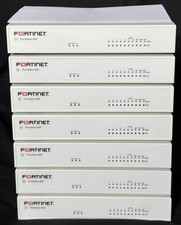
Fortinet FortiGate 60F FG-60F Firewall Tested Reset Deregistered OEM PSU
$99.99

Fortinet FortiGate 60F FG-60F P24286-03-13 Network Firewall Security Appliance
$155.75

Firewalla Gold Pro - 10 Gbps Cyber Security Firewall
$693.00
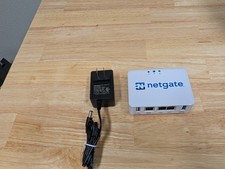
Netgate SG-1100 firewall
$140.00

SonicWall TZ280 Firewall 03-SSC-6933 Advanced Edition 3YR NEW SEALED
$999.99



 Reply With Quote