

 Reply With Quote
Prepend your PATH variable with that directory in your .bashrc file.


I am using Knoppix 3.8.1 and it is bundled with Java 1.4.2. I do not know how to uninstall Java 1.4 and since I need the new features of Java 1.5, I decided to install Java 1.5 over it (some of you may think its not a very good idea).
Now, when I run a java -version at the command prompt, it still says 1.4.2. So I explicitly exported the PATH of my new Java 1.5
"export PATH=/home/java1_5/bin"
After that "java -version" replies with 1.5, which is correct. However when I restart the shell, the PATH seems to be reset to its original state and won't recognize my Java 1.5!
Please help!
Prepend your PATH variable with that directory in your .bashrc file.
Redo your symlink in /usr/bin to point to your copy of the java.
 Posting Permissions


Mini Computer Vacuum USB Keyboard Cleaner PC Laptop Brush Dust Cleaning Kit NEW
$13.89

LEVOIT Cordless Vacuum Cleaner, Stick Vac with Tangle-Resistant Design, Up to...
$167.63

Compressed Air Duster 1 Button Adjustment 12000 RPM Air Blower Car Home Keyboard
$38.99

V3 Robot Vacuum and Mop Combo,Self-Charging,5000pa Strong Suction,WiFi/Alexa NIB
$82.00

Compressed Air Duster Rechargeable Computer Vacuum Cleaner for PC Keyboard Toys
$16.99

2-in-1 Compressed Air Duster & Vacuum, Brushless Motor, 320000RPM
$37.99
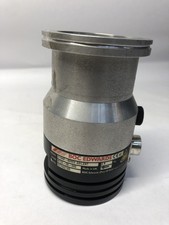
BOC Edwards EXT70 B722-05-000 G1946-80002 Turbomolecular Vacuum Pump ISO63
$100.00

Cordless Electric Mini Air Duster Blower Vacuum Cleaner for PC Computer Car Home
$16.99

Cordless Handheld Vacuum Cleaner Compatible with DeWalt 20V Battery
$106.14

Cordless Air Duster & Vacuum Cleaner for Keyboard & PC Cleaning - 110000RPM Powe
$53.99