-
Junior Member
registered user
HD system: eth0 no longer set up!
My HD-installed system (version 3.4) has stopped setting up eth0. It was working fine before, then box wasn't used for several months, and when used again, no network connection.
There is no eth0 line in dmesg. However, any of the 'pci' commands will report back detecting the ethernet controller, and I can boot from the CD and eth0 is detected and set up just fine; boot from the hard disk ... not.
From the running HD system, info below from lspci -v
00:09.0 Ethernet controller: Lite-On Communications Inc LNE100TX (rev 20)
Subsystem: Netgear FA310TX
Flags: bus master, medium devsel, latency 64, IRQ 9
I/O ports at ec00 [size=256]
Memory at e7000000 (32-bit, non-prefetchable) [size=256]
Expansion ROM at e6000000 [disabled] [size=256]
'/sbin/ifconfig eth0 up' gives this:
eth0 ERROR when getting interface flags no such device
ls: /dev/eth*: No such file or directory
Where do I need to be looking at to troubleshoot this device problem?
Thanks, john
-
Junior Member
registered user
I found that the tulip modules is not being loaded during intialization; I could 'modprobe tulip', and then '/sbin/ifconfig eth0 up' works (actually, I had to bring it down and use /sbin/ifup eth0 to get it both up and with an auto IP address).
I checked /etc/modules.conf and no alias or mention of 'eth0'. I saw the caution there to use 'update-modules'; did this and it added the alias to the modules files. I rebooted, but '/sbin/ifconfig' shows only interface lo active.
What is different about knoppix-debian init that the module is not getting loaded; shouldn't it be parsing /etc/modules.conf?
-
Junior Member
registered user
eth0 problem -- some progress made...
I've kept searching, and finally did 'locate modules', which has been informative. Haven't always paid attention to the boot-up sequence, but did and found that it copies a kernel-specific module file into a "generic" module file. Looking in there I found a '3C509' module, instead of 'tulip'.
I realized I'd swapped nic's between knoppix box and router box some time ago. I edited the kernel/module file and now the right module gets loaded. However, dhcp is not getting an address setup, even though the boot up screen shows it asking for dhcp.
Is there a setup program on the installed HD system to help deal with and correct this?
Thanks,
John
-
Junior Member
registered user
HD system: eth0 no longer set up! -- SOLVED!!!
After a good deal of googling, and using the live Cd, and reading though many config files under /etc/, I finally found out how to get changed hardware (I had swapped nics with another box, some time ago and didn't remember this until recently) updated.
And the answer is ...
/etc/init.d/knoppix-hd-autoconfig
After running this manually and rebooting, everything works OK now.
HTH anyone else who has an issue. If you have problems and the live cd works OK on the same box, try using this to correct problems of new hardware installed in the box.
Similar Threads
-
By will103 in forum Hdd Install / Debian / Apt
Replies: 0
Last Post: 01-04-2005, 07:21 PM
-
By tkatchev69 in forum Hdd Install / Debian / Apt
Replies: 2
Last Post: 02-01-2004, 05:56 PM
-
By audioaficionado in forum General Support
Replies: 1
Last Post: 03-08-2003, 10:26 AM
 Posting Permissions
- You may not post new threads
- You may not post replies
- You may not post attachments
- You may not edit your posts
-
Forum Rules

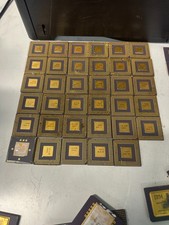
10 Pounds Vintage Ceramic CPU Processor/ic chips Gold Recovery Computers Scrap
$1999.99

Vintage HP 21MX 1000 M-Series Minicomputer Chassis Backplane Parts AS-IS
$228.19

Corel Draw 3 Vintage Big Box Version Brand New Sealed CD-ROM Vintage Software
$49.00
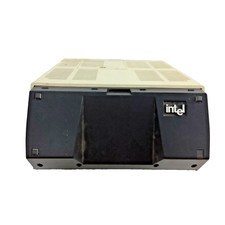
Vintage Intel iPDS-100 Personal Development System
$1499.99

Abacus Software Vintage Commodore 64 Book Lot 3: Printer, Sci & Eng, ML
$100.00
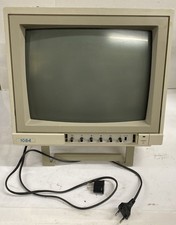
Vintage Retro Gaming | EU Plug W/US Adapter | Commodore 1084 CRT Color Monitor
$249.99

Original Vintage Old Style STANDARD Black CD Jewel Case (Heavy Duty) 90g Lot
$316.95
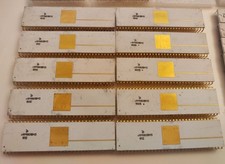
Rare Vintage Soviet KM1801VM3 (КМ1801ВМ3) 16-bit CPU Processor - White Ceramic
$99.00

Lot of 2 Vintage Plextor PX-43CS SCSI CD-ROM Caddy Drives + 4 Caddies Used
$55.99

Vintage Apple iMac G4 15" Lamp 700MHz 512MB Mac OS X 10.4.6 W/ Pro Speakers
$300.00



 Reply With Quote