-
USB Drive
I just bought a Sony 512MB Microvault USB pen drive. Knoppix 3.8.1 calls it Hard Disk Partition uba1. PC is a thinkpad
R31. I did set up for a home directory on this drive. Do I boot with home=/mnt/uba1/knoppix.img ?
I thought USB devices were called sda1. What does uba signify?
-
Senior Member
registered user
Re: USB Drive

Originally Posted by
harryhood
I did set up for a home directory on this drive. Do I boot with home=/mnt/uba1/knoppix.img ?
Yes. (And if Knoppix doesn't automagically detect your USB flashdrive, try the "noapic" cheatcode.)
Originally Posted by
harryhood
I thought USB devices were called sda1. What does uba signify?
USB devices, from Knoppix 3.7 on, have device nodes of ubXy instead of sdXy. (In my limited experience, other Linux distros with kernel 2.6 are heading in this direction as well.) Since "sdxx" usually represents SCSI devices, differentiating them from USB devices is not a bad idea.
-
USB
Thanks eco2,
I had to give up on the persistent /home deal. It kept hanging the PC. The usb light
would come on and then I couldn't get any other programs to run or even log out. This
would happen while using Firefox, unable to get any sites to load was the symptom.
I'm going to try CTRL-ALT-ESC to kill Firefox next time and see what happens.
CTRL-ALT-BKSPACE would quit and try to shut down, but it would hang when
trying to unmount.
Using the USB to save a config works fine only if I use: myconfig=/dev/uba1, /mnt gives
errors.
Any idea why the /home would cause a hang?
-
Junior Member
registered user
Hi Harry,
I've created a persistent home directory on a 512MB USB drive and, so far, no problems. I've been using it for a couple of hours now, I've ended and restarted a session and everything seems fine. First boot, I used home=scan, second boot it found the USB home directory itself. One minor niggle, I can't seem to find an equivalent of Windows "Standby" for closing the machine without turning off. I'm sure there must be one. If I can't findit I'll post.
Cheers
-
Senior Member
registered user
Originally Posted by
harryhood
Any idea why the /home would cause a hang?
Personally, no. (The shutdown scripts in Knoppix 3.8/CeBit edition were screwed up and would hang with a persistent home, but it didn't affect Knoppix's normal operation, and that's been fixed in 3.8.1.)
On one computer, Knoppix won't detect the USB key unless I use the "noapic" cheatcode.
And don't forget you can go to a full-screen console with Ctrl+Alt+F1 thru Ctrl+Alt+F4, and bounce between graphical mode and text-only mode (without shutting down) by typing "init 2" and "init 5" at the command line.
Similar Threads
-
By bagmonkey in forum General Support
Replies: 1
Last Post: 04-12-2008, 04:50 AM
-
By kennmurrah in forum MS Windows & New to Linux
Replies: 3
Last Post: 03-01-2006, 10:09 AM
-
By Lintu in forum Hdd Install / Debian / Apt
Replies: 1
Last Post: 10-20-2005, 06:13 PM
-
By mjman in forum Hardware & Booting
Replies: 9
Last Post: 10-25-2004, 09:46 PM
-
By kidsatacrux in forum MS Windows & New to Linux
Replies: 19
Last Post: 08-03-2004, 07:41 AM
 Posting Permissions
- You may not post new threads
- You may not post replies
- You may not post attachments
- You may not edit your posts
-
Forum Rules


M.2 SATA SSD 2280 128GB 256GB 512GB major brands | Very Good health
$35.99

SSD 880EVO SATA III 2.5 4TB INTERNAL STATE DRIVE
$214.99

Samsung 860 EVO 250GB SSD MZ-76E250 2.5" SATA III Solid State Drive
$39.99

M2 2280 PCIe 4.0 solid-state drive high-speed storage device 1080P RO 2TB NGFF
$99.00

2 PACK 128 GB SSD M.2 2280 SATA Solid State Drive Major Brands, Samsung, LiteON
$28.80

M.2 NVMe SSD 2280 Single Notch 128GB 256GB 512GB | Very Good health
$38.99
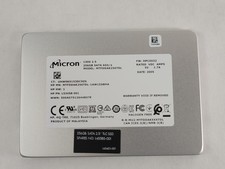
Micron 1300 MTFDDAK256TDL 256 GB SATA III 2.5 in Solid State Drive
$24.99
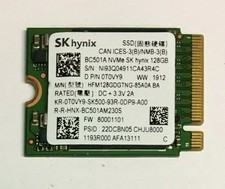
128GB SSD M.2 PCIE NVME Solid State Drive Mix Brand Samsung, WD, SK Hynix Kioxia
$16.59
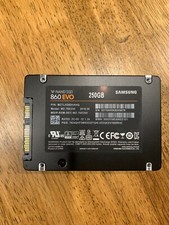
Samsung 860 Evo 250GB MZ-76E250 - Internal 2.5 inch SSD
$39.50
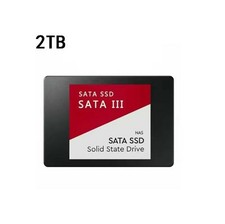
2TB SATA III SSD Solid State Drive 2.5" Internal Hard Drive for PC Laptop NAS
$149.00



 Reply With Quote