

 Reply With Quote
Prepend your PATH variable with that directory in your .bashrc file.


I am using Knoppix 3.8.1 and it is bundled with Java 1.4.2. I do not know how to uninstall Java 1.4 and since I need the new features of Java 1.5, I decided to install Java 1.5 over it (some of you may think its not a very good idea).
Now, when I run a java -version at the command prompt, it still says 1.4.2. So I explicitly exported the PATH of my new Java 1.5
"export PATH=/home/java1_5/bin"
After that "java -version" replies with 1.5, which is correct. However when I restart the shell, the PATH seems to be reset to its original state and won't recognize my Java 1.5!
Please help!
Prepend your PATH variable with that directory in your .bashrc file.
Redo your symlink in /usr/bin to point to your copy of the java.
 Posting Permissions


Yealink T48S VoIP/SIP Phone, 2 x Gigabit Ports PoE 7" Color SIP-T48S | TESTED
$34.95

Grandstream VoIP Phone Adapter ATA 1-Line Black Ethernet (RJ-45) Micro USB
$27.07

SIM Bank 32 SIM Card Slots Ethernet SIM Server for GoIP
$600.00

Grandstream WP810 Portable Cordless Wi-Fi IP Phone
$49.28

Cisco/Linksys SPA2102 VoIP Phone Adapter Router 2FXS (Unlocked)
$17.99

Cisco / Linksys SPA2102 VoIP 2FXS Phone Adapter with Router (unlocked)
$18.99

Cisco CP-8875-K9 Video Phone 8875 IP Desk Phone Bluetooth Wi-Fi - Brand NEW
$399.99
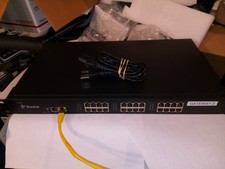
YEASTAR MODEL TA2400 NEOGATE VOIP ANALOG FXS GATEWAY WITH 24 CHANNEL PHONE/FAX
$250.00

Poly CCX 400 Desktop Business Media Phone VoIP 2200-49700-019
$49.99

Cisco CP-8841 IP Phone Charcoal Handset And Stand Included
$27.99