-
Junior Member
registered user
Alright, so, here we are, a bunch of "1337" forum users, and we have something to complain about. Some poor new user who's apparently a newbie at forums isn't following every guideline we've set out for the newbies. So the right thing to do is chew him/her out and just ignore it afterwards, right?
NO!
If you have a gripe, fine, say something about it. But answer their question at least! Otherwise, how're you any better? Your posts become offtopic! Sure, they can claim they're a newbie on every forum they go to, but can't you give 'em the benefit of the doubt? We're supposed to be a helpful (if perhaps not friendly) community after all!
With that said...

Originally Posted by
kinneas
what i what i would like to know is where in linux can i access an application that allows be to use and practise telnet commands.
In any console you should be able to use the "telnet" command. The basic syntax is the same as with Windows: telnet [host] [port]. As for where you'll find a console, well, look in the menu; there's several different ones you can choose from. Also, if I recall correctly, by default there'll be one as an icon near the menu button.
Originally Posted by
kinneas
However Im also having another mager problem where my mouse doesnt work,,, the cursor just sits in the middle of the screen and the laser on the mouse is off
What brand, model and type of mouse are you using? (Logitech MX700 USB, for example.)
Also, if all you need is the telnet command, you can switch over to a text console by pressing CTRL+ALT+F2 (or F3, or F4). And whenever you're done using Knoppix (and have logged out of the remote system), you can reboot/shutdown by pressing CTRL+ALT+DEL. (Using the "reboot" or "shutdown now" commands should work too, but I got stuck when I used "shutdown now", recently, for some reason.)
Similar Threads
-
By shojen in forum General Support
Replies: 4
Last Post: 02-06-2006, 02:21 PM
-
By Mavrious in forum General Support
Replies: 5
Last Post: 01-05-2005, 03:49 AM
-
By knokoutned in forum General Support
Replies: 8
Last Post: 01-02-2005, 04:55 PM
-
By woody1377 in forum Hdd Install / Debian / Apt
Replies: 1
Last Post: 10-21-2004, 03:53 PM
-
By bob bobbish in forum General Support
Replies: 5
Last Post: 03-05-2004, 02:27 PM
 Posting Permissions
- You may not post new threads
- You may not post replies
- You may not post attachments
- You may not edit your posts
-
Forum Rules


Vintage Apple computer Cross Metal Ballpoint Pen Black Ink Gold Trim
$125.00

Vintage Apple Monitor IIc 9" Green Monochrome 06/1985 A2M4090 October 1984 Stand
$275.00

Vintage Apple II Avant-Garde Creations Super Shape Draw And Animate 1981
$295.00

Rare Vintage Macintosh Apple Wooden Disk Storage Box Dovetailed
$69.95

LARGE LOT Vintage Apple Macintosh Mouse Cables Accessories SCSI etc - UNTESTED
$80.00

Vintage RARE 1980s Apple Computer Logo Frisbee. Great shape, w/ the usual nicks
$220.00

Vintage Apple Macintosh 128K 512K Carrying Case Rainbow Logo Excellent Cond
$140.00
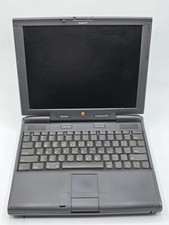
Apple PowerBook 3400c TFT LCD RARE Vintage Laptop untested
$139.99

Vintage Apple Multiple Scan 15av Display Monitor M4681
$299.99
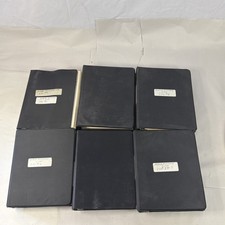
Vintage Apple Assembly Line Newsletter Vol: 1,2,3,4,5,6,7 From 1984
$179.99



 Reply With Quote