-
America's Army
OK - I'm the dummy
I downloaded the file "armyops230-linux.run". It is suposed to be the "Special forces V2.3.0 Full install/server for Linux"
I want to play the game - heard it was very good - now that I've got it, how do I "run" it? Click on the file and Kate will display what's inside, but that does me no good. Do I need to go to apt-get to install it? Does it run directly off the file I downloaded? Do I need more/another files?
HELP Please!?
GMD 
-
ok for a start i play Americas army and its a superb game well i think so i played it for over a year and i still love the game.
Have you tried to install it using the intaler aplication it sould be in the menu some were but i forgot were ... when i find out cuz im on my frineds win xp comp right now so when i get back home ill thell u the exact loactaion ..M_of_M
-
Hi Mustang64,
Most of the time, .run files can be launched with "sh filename.run".
Note that depending on where the games wants to install, you might need to be logged in as root
I have not installed AA on linux yet, so I can't guide you further.
I agree with M_of_M that AA is a great game. I usually don't play online games, but this one really got me.
And by the way, not knowing something does not make you a dummy 
Have fun!
UllCan
** Update:
After writing this reply, I got to think that it would be great to build an America's Army liveCD with Knoppix.
Actually, I think it would be a liveDVD because of the size of AA... 
First I got to install AA on Linux and see how it went, and I thought about posting some info about it as it might help others.
Not that its hard, but I remember how I was a few years back and how help is always fun to get.
Requisites:
- Any Linux distro (I use Slackware 10.1)
- A 3D graphics card with drivers correctly installed.
- nearly 4GB of free HD space (750 MB for installation file, 765MB for temporary install files, 1.9GB for installed game)
- An internet connection (works pretty well even with 56k dial-up!)
- 512MB of RAM recommended as the game itself uses about 256MB of memory.
- I think it runs good on anything 1.6GHz and up. Maybe even less. I have an Athlon 2000+ and it runs smoothly.
Installation:
- Get the latest version of the game from www.americasarmy.com
- Log in as root
- start installation with 'sh armyops230-linux.run' (modify according to the install file you've got)
The install script will verify the archive's integrity and then uncompress it to '/tmp/selfgz.../'. This take a few minutes.
- Once uncompressed, you will be presented a menu. I recommend going with the default options.
- When eveything is in place, the install script will remove the temporary files, freeing 765MB or so. You could also remove the install script if you are in need of more HD space.
- Start X and then start AA by typing 'armyops' either in a terminal window or in the 'run' box of the start menu.
Have fun.
UllCan
* If I ever get to make the America's Army liveCD, I'll post the howto here. As there are still a lot of things I don't know about Linux and Knoppix, this might never happen, so don't hold your breath
Similar Threads
-
By FelixDzerzhinsky in forum Hdd Install / Debian / Apt
Replies: 1
Last Post: 08-18-2003, 12:28 AM
 Posting Permissions
- You may not post new threads
- You may not post replies
- You may not post attachments
- You may not edit your posts
-
Forum Rules


Vintage 1998 iMac G3 M4984 Mac OS + Keyboard Working but Needs Some Repair Read
$295.00

VINTAGE Apple Mac OS X Computer Monitor
$250.00

Vintage Apple iMac G4 15" Lamp 700MHz 512MB Mac OS X 10.4.6 W/ Pro Speakers
$300.00

Vintage Apple PowerBook 15” G4 “Aluminum” (1.25GHz/2gb/150gb/Tiger) 2
$109.99

185--Sonnet Crescendo G3 PPCG3-375-5-K-06 G3 Add-On Card for Vintage Mac
$90.00

Apple Macintosh Plus 1MB M0001A Vintage Computer **TURNS ON **
$99.99

Apple Macintosh Plus 1MB M0001A Vintage Computer Boots Up / Floppy Disk Stuck
$99.99
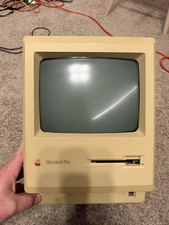
Apple Macintosh Plus 1MB M0001A Vintage Computer - Works
$169.99

Apple Power Macintosh PowerPC 7300/200 VTG w Keyboard Mouse Storage Drive Read
$199.99
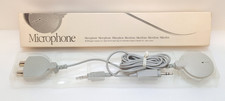
Apple Mac Microphone Vintage 1990 Model 590-0618-A Original Box Japan AUX Gray
$14.95



