-

Originally Posted by
Mustang64
Now that I have renamed (mv /mnt/hdb3/ /mnt/Mepis) my mount points, and renamed the same mount points in fstab, how do I get the "new names" to show up in KDE?
My partitions are still showing up as /mnt/hdaxx, or /mnt/hdbzz or whatever.
Umm, where in KDE?
The desktop icons: Just right-click the icon -> select Device -> Select the Device from the list. The new mountpoint should be shown then.
Konqueror: Browse to the new mountpoint as you can't use the older ones anymore.
Well, you can use the old ones as well if you kept them in fstab. I use two lines for my NTFS partition depending on if I want to mount it ro or rw with captive:
/dev/hda1 /mnt/hda1 ntfs noauto,users,exec,ro,uid=markus,gid=markus,umask=0 00 0 0
/dev/hda1 /mnt/captive-win captive-ntfs defaults,noauto 0 0
If the desktop icons get recreated as well, try: sudo chmod 0 /usr/bin/mkdesktophdicons
There are other fixes for it as well but IMHO this is the easiest.
Similar Threads
-
By algebraic in forum MS Windows & New to Linux
Replies: 5
Last Post: 09-11-2005, 11:50 AM
-
By bdn103 in forum Customising & Remastering
Replies: 0
Last Post: 09-03-2005, 04:35 PM
-
By randolphtaco in forum Hdd Install / Debian / Apt
Replies: 3
Last Post: 06-20-2005, 08:23 PM
-
By passion_wheel1974 in forum Hardware & Booting
Replies: 0
Last Post: 04-18-2005, 11:06 PM
-
By phsieh in forum General Support
Replies: 2
Last Post: 12-14-2004, 06:23 PM
 Posting Permissions
- You may not post new threads
- You may not post replies
- You may not post attachments
- You may not edit your posts
-
Forum Rules

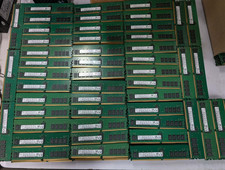
Lot 100 SK hynix 16GB 2Rx8 PC4-23400 DDR4-2933Y ECC Reg Server Memory RDIMM RAM
$9599.00

Netac DDR4 32GB 16GB DDR4 3200MHz UDIMM C16 Desktop Internal Memory RAM Kit
$99.99

SK Hynix 32GB 2RX4 PC4-2666V DDR4 RDIMM Server Memory RAM, HMA84GR7AFR4N-VK
$169.95
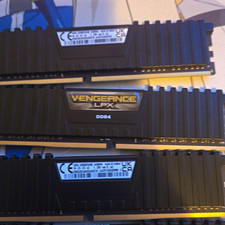
Corsair Vengeance LPX 32GB (4x8GB) DDR4-3000 288-Pin DIMM XMP CMK32G
$600.00

A-Tech 8GB DDR3 1600 PC3-12800 Laptop SODIMM 204-Pin Memory RAM PC3L DDR3L 1x 8G
$21.68

RAMAXEL Lenovo 32GB LPDDR5X CAMM2 7500MHz Laptop RAM | UNTESTED
$445.00

Samsung 8GB DDR4 SO-DIMM PC4-3200AA 260-Pin RAM M471A1G44BB0-CWE Module
$29.25

Major Brand 16GB (2x8GB) PC3-12800U DDR3-1600MHz DDR3-12800 DESKTOP RAM NON-ECC
$29.99
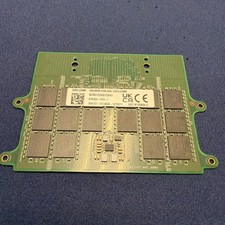
Dell 32GB DDR5 5600 CAMM KYHG6V Precision 7670 7680 7770 7780 16Gx8 Memory
$669.00
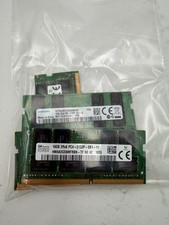
LOT OF 5 RAM STICKS-SAMSUNG/SK Hynix 16GB 2Rx8 PC4-2133 (16GBX5=75GB TOTAL)
$345.00



 Reply With Quote