-
Hi,
man, you're really great. It worked fine. So I did it:
1. Booting Knoppix
2. Right-click on the hda1 partition icon on the desktop
3. selected "actions..." from the menu that pops up
4. click on the entry "Change read/write mode" or so.
Now I can work with Knoppix almost like with Windows. 
Thanks again, Greetings from Germany
s-m-n
Similar Threads
-
By Chris2222 in forum General Support
Replies: 1
Last Post: 03-11-2008, 03:01 PM
-
By buddhainside in forum MS Windows & New to Linux
Replies: 7
Last Post: 02-26-2006, 08:46 PM
-
By Lintu in forum Hdd Install / Debian / Apt
Replies: 1
Last Post: 10-20-2005, 06:13 PM
-
By thebyrd in forum General Support
Replies: 6
Last Post: 12-09-2004, 10:18 AM
-
By santaklaws in forum Hdd Install / Debian / Apt
Replies: 1
Last Post: 08-06-2003, 06:07 AM
 Posting Permissions
- You may not post new threads
- You may not post replies
- You may not post attachments
- You may not edit your posts
-
Forum Rules


Vintage Apple II Avant-Garde Creations Super Shape Draw And Animate 1981
$295.00

Vintage Apple Monitor IIc 9" Green Monochrome 06/1985 A2M4090 October 1984 Stand
$275.00
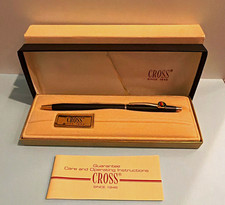
Vintage Apple computer Cross Metal Ballpoint Pen Black Ink Gold Trim
$125.00
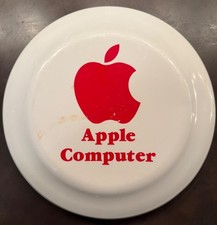
Vintage RARE 1980s Apple Computer Logo Frisbee. Great shape, w/ the usual nicks
$220.00

Rare Vintage Macintosh Apple Wooden Disk Storage Box Dovetailed
$69.95

LARGE LOT Vintage Apple Macintosh Mouse Cables Accessories SCSI etc - UNTESTED
$80.00

Vintage Apple Macintosh 128K 512K Carrying Case Rainbow Logo Excellent Cond
$140.00
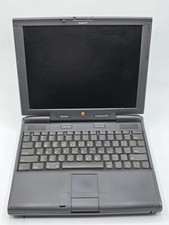
Apple PowerBook 3400c TFT LCD RARE Vintage Laptop untested
$139.99

Vintage Apple Multiple Scan 15av Display Monitor M4681
$299.99
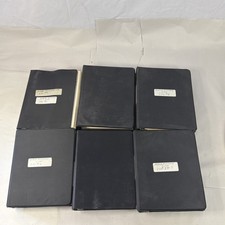
Vintage Apple Assembly Line Newsletter Vol: 1,2,3,4,5,6,7 From 1984
$179.99



 Reply With Quote