

 Reply With Quote
I have a few suggestions. How about at least a tiny little clue as to what kind of machine you have to start with.


any suggestions???
thanks
I have a few suggestions. How about at least a tiny little clue as to what kind of machine you have to start with.
dell 4500s desktop 1700mhz cell.,512 RAM,20Gb HD with win XP Home runnig
HP pav Xh 545 laptop 950mhz duron,128 mb RAM,20 GB HD,XPhome
it doen's seem to even start booting from CD and when i disable HD Boot it gives me an error massage and a choice to retry or return to setup menu
Did you check to see if you made a bootable cd. ie. if you view the cd is there one big file or some directories on the cd.
So you're machines don't boot from the cdrom. Did you buy these machines with XP already installed? I'm just curious really. Anyway.. You don't want to disable booting from the hard drive, you want to change the drive boot sequence. This is just my preference and I do not need ultra security but I like to boot the floppy first, then the cd-rom and then hard drives. There should be a way to change the boot order or sequence within the BIOS. Of course if there is no media in the floppy or cdrom then it will simply skip those drives and boot the hard drive.
If you have set the cd to boot BEFORE the hard drive and still the cd does not boot then I would surmise that you did not correctly burn the .iso to disc. Have you tried to boot any other bootable cd's? How did you burn the .iso?
THERE'S ONLY ONE FILE ON CD(KNOPPIX_V3.2-2003-03-30-EN.iso).Thre are folders and files inside.But i'm not really sure if it is bootable or not.
Yes,I did try to change sequence of booting,it would didn't recognize Cd as bootable and skiped to HD,so afterwarsd I even tried to disable HD boot.Nothing helped.
How can I make sure my CD is really bootable?I downloaded above mantiond file and burnt it onto a CD.
Thanks for help guys.
If you see the iso as a single file on the cd you have not written the cd correctly, an iso is an image of a bootable cd.
In your cd writing tool, look for an option to write an "image" to cd and then look at the file type dropdown box and if necessary change that to iso then browse to the knoppix iso. Write the cd and you should be set.
HTH
rock
Just reburnt the imaje onto a CD and it worked.Thank you.Originally Posted by RockMumbles
There is a little problem, I have practice, thus when i set first cd-rom, and second hdd, it boots from hdd!!!(WinMe), so i set ALL options to cd-rom, and it boots from hdd !!!, then i set onother boot device to disable, and till that it boots from CD !. So It's not so easy like U mean
It was unnamed comp. with preinstalled(undemand) no-legal WinMe(without code) thus I was about to install w2k there - my friend's new comp.
OK not sure if I follow you or not. The BIOS doesn't care about your drive boot sequence. It only wants to find something it can boot. So if your drive sequence is floppy>cdrom>hdd It looks at the floppy-Is there a bootable disc? YES-OK let's boot it then. NO bootable disk? -> on to the cdrom. Is there a bootable cdrom? -YES- OK let's boot it then. NO- OK on to the hard drive and so on............ I would tend to believe that you had your boot sequence set right but you did not have anything bootable in the cdrom drive. If I am wrong then you have the weirdest BIOS I have ever heard of. I would update it with a flash if it were mine.
Have you been able to boot your Knoppix cd in any other machines? I still suspect that it is not bootable. Of course I am wrong at least twice a day (just ask my wife).
 Posting Permissions


Lenovo ThinkPad L15 Gen 3 15.6" 16GB, Thunder Black
$259.00

Windows 11 PRO Laptop Notebook PC Computer, 8GB Ram, Webcam, Wifi, and HDMI
$144.00
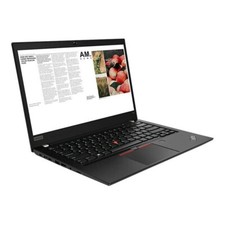
Lenovo ThinkPad laptop T490 14" i5 8365U 16GB NEW 256gb SSD WIN 11 pro CAM WIFI
$259.99
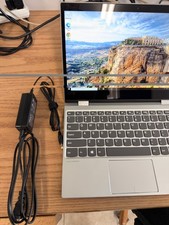
Lenovo Yoga 720-121KB Intel Core i3-7100U 2.4 GHz 4GB RAM 256GB NVMe Win 10 LTSC
$114.99
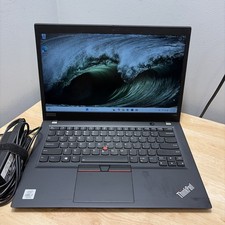
Lenovo ThinkPad T14S Gen 1 CORE i7-10610U 1.80GHZ 256GB 16GB WCam WiFi W11 Cord
$175.00
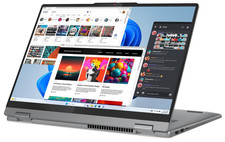
Lenovo IdeaPad 5 2-in-1 16" WUXGA Touch Ryzen 7 8845HS 16GB 512GB SSD FPReader
$571.00
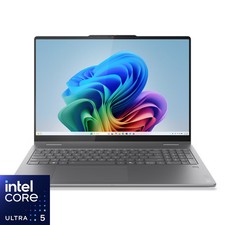
Lenovo - Yoga 7i 2-in-1 - Copilot+ PC - 16" 2K Touchscreen Laptop - Intel Cor...
$699.99

LENOVO THINKPAD T14s GEN 2a Ryzen 7 PRO 5850U 1.9GHz 16GB 256GB WIN 11 - TOUCH
$299.95
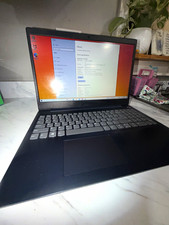
Lenovo IdeaPad 3 15ITL05 15.6in i3 11th Gen 4GB 256GB SSD Win10 Black
$199.99
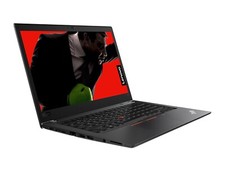
Lenovo ThinkPad T480 14" HD i5 8250u 16GB 256gb NVME WIFI CAM WIN 11 PRO laptop
$299.99