
Despite the existence of settings for "1280x1024" resolution in my /etc/X11/XF86Config-4, my desktop is set to a lower resolution.
How do I invoke the configuration program for Knoppix so that I can restore 1280x1024?
Bob


Despite the existence of settings for "1280x1024" resolution in my /etc/X11/XF86Config-4, my desktop is set to a lower resolution.
How do I invoke the configuration program for Knoppix so that I can restore 1280x1024?
Bob
Read the Docs on "Cheat Codes" & "Saving Knoppix Configuration".
Cheat Code may have to be set in the "syslinux.cfg" file, depends on
which version your using I think (I could be wrong).
MOSTLY READ the DOCS, I'm sure this is covered.
For diagnostics: "xrandr" (in konsole, after X has started) will give you the resolutions your system thinks possible.
"xrandr 3" changes the resolution to the one labelled "3".
If everything fail try the ksconfig, this is a hot topic search the post you will find the answer
kxconfig from a su shell (Knoppix - System - Root Terminal)Originally Posted by tilleyrw
 Posting Permissions


Seagate ST6000NM0115 6TB 256MB 7200RPM 3.5" SATA 6.0Gb/s Enterprise Hard Drive
$159.99

Seagate Exos X14 10TB 7200RPM 3.5" SAS 12Gb/s Hard Drive HDD ST10000NM0528
$165.00

Seagate 14TB Exos X14 7200RPM SATA 6Gb/s 256MB 3.5" Enterprise HDD ST14000NM0408
$354.99
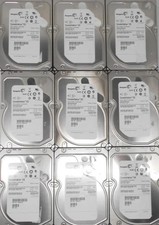
5 Used 3 TB SAS lot Mixed brands
$60.00
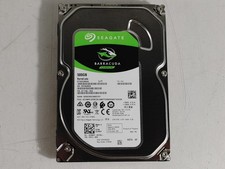
Seagate ST500DM009 BarraCuda 500 GB 3.5" SATA III Desktop Hard Drive
$14.99

HGST HUS724040ALA640 4TB 7200 RPM SATA 3.5" Internal Desktop Drive 100% Health
$78.00
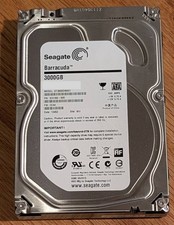
Seagate Barracuda 3TB 3.5" HDD 7200RPM 64MB SATA 6Gb/s ST3000DM001 Tested
$49.99

Western Digital HUS726T4TAL5204 4TB 7.2K SAS 12Gb/s 3.5" 512e HDD NetApp X375A
$69.00

Seagate Exos X16 ST10000NM010G 10TB 7200RPM SAS 12Gb/s 3.5" 512e/4Kn HDD
$199.00

MG08SCA16TE Toshiba 16TB 7.2K SAS 12gb/s 512e 3.5inch HDD HDEPN10GEA51 NEW
$454.44

 Reply With Quote