-
Screen/pixel checker
I think that it would be very handy if Knoppix included a pixel and/or screen checker.
For instance, you could boot Knoppix in a PC shop, and check a screen thoroughly before you buy it.
AFAIK there are two programs that do this:
Dead Pixel buddy: http://www.laptopshowcase.co.uk/downloads.php?id=1
Dead Pixel tester: http://www.dps.uk.com/freeware_DTP.htm
DPT has a linux icon, but i can't find a linux version. They both do not seem very complicated, and i think Wine can run them fine.
Does anyone know a better tool, or a native Linux tool?
A tool which checks not only pixels but also distortion etc would even be better.
-
Senior Member
registered user
Hi Icke
Welcome to knoppix.
Although I am not sure you can always get a chance to test
out a LCD before purchase -- it sounds like a smart thing to do.
Be sure to ask the store owner to run the disk for you.
If you have a boot-able knoppix or kanotix disk and a DVD
burner on the same computer you can have your disk made
in 15 minutes. Without a DVD burner you have to burn the
new iso to CD so it takes a little longer.
I got DPT.exe to work with wine and to run at boot up.
1) Boot from CD, change directory to /home/knoppix/.kde/Autostart
Do not run wine or the DPT.exe file this time.
We do not want a .wine configuration file to be created.
2) Put in the DPT.exe file in this directory
3) Make a text file called DeadPixelWine and past in this code:
Code:
[Desktop Entry]
Exec=wine /home/knoppix/.kde/Autostart/DPT.exe
Icon=background
Name=DeadPixelWine
Name[en_US]=DeadPixelWine
Type=Application
4) Download grow-knoppix to the home directory and click it.
http://grow-knoppix.berlios.de/
5) Put in a blank DVD , you may use a blanked RW one.
6) Follow the script, leaving most options unchanged.
Chose KNOPPIX or KANOTIX
Leaves the drives the same if your have cdrom and cdrom1
Yes make new configuration files
Yes for the dry-run (you must have the blank disk in place)
Yes burn the new boot-bootable DVD
Wine executes the exe file on boot up. Oh yes to get rid of the kicker bar
at the bottom the screen we should: right click on the bar -->
Configure panel -->Hiding --> Allow other windows to cover panel.
This should have been done before step 6.
Well my pixels are fine -- but when the screen was tested with solid black --
wow did it look dirty! A little window cleaner did the trick.
This is experimental software -- consider youself lucky if it works.
Best Wishes
paradocs
-
Similar Threads
-
By locutus in forum General Support
Replies: 5
Last Post: 11-04-2005, 10:52 AM
-
By lotech in forum General Support
Replies: 0
Last Post: 05-19-2005, 05:50 PM
-
By metavoid in forum General Support
Replies: 4
Last Post: 03-12-2005, 01:39 PM
-
By Arkaein in forum Hardware & Booting
Replies: 1
Last Post: 04-26-2004, 04:58 AM
-
By ellie in forum General Support
Replies: 1
Last Post: 10-14-2003, 11:39 PM
 Posting Permissions
- You may not post new threads
- You may not post replies
- You may not post attachments
- You may not edit your posts
-
Forum Rules


Dell PowerEdge FX2s + 8x FC430 Blades 16x E5-2630v4 160 Cores Rails No PSU/RAM
$699.00

NETAPP HCI NAF-1701 SuperMicro Server 4X BLADE H410C 8X GOLD 5120 - 4X S25G NICs
$1999.97

Dell PowerEdge M630 Blade Server 2x Xeon E5-2680 v4, 2F3MP , 4GDP5 ,R10KJ ,JVFVR
$96.60

Dell PowerEdge FC430 Blade Server 2x Xeon E5-2630v4 20 Cores FX2 FX2s No RAM/HDD
$119.99
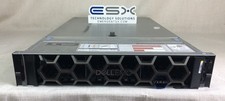
Dell R740XD VxRail P570 24x 2.5” 2U CTO Server– 2x Gold 6240, H740p, 2x 1600W
$699.00

Dell PowerEdge FX2 FX2s Server 10GbE CMC Blade Enclosure Chassis
$274.99

Dell PowerEdge M620 Blade Server 2x Xeon E5-2680v2 2.8ghz 20-Cores | 128GB
$149.99

Dell PowerEdge VRTX Rackmount Chassis w/4x PSUs 2x CMC Modules
$399.98

AS IS READ DESCRIP. Supermicro SuperServer 6026TT-HIBQRF 12-Bay 4x X8DTT-HIBQF
$215.00

Lot of 3 Dell PowerEdge Blade Server HHB005 x2 HHB006 x1
$256.49



 Reply With Quote