-
Application
Dear Friends:
Please be patient with me on this as I am beginning to wonder if I will ever be able to do anything with Linux except browse the web and look at the files already on my computer and my network. I am very frustrated with this.
I have an application called Linrad which I downloaded through Windows on another machine, and then moved into this machine. I have the following files:
linrad-01-01.i586.rpm
linrad.deb
lir01-33.tar
These files are all in the Home/w5uc/tmp folder.
The original file that I downloaded was a .tbz file. Somehow over a period of about a week I managed to get the other three files out of the original, but I'm not sure how I did it. I may have downloaded one of these files from another location, but I'm not sure of anything anymore.
Very simply, I want to run this application, and have worked my fat old fanny off attempting to do so. Can someone please tell me how to run this application? If it can be done, I want to put an Icon on the desktop that I can click and run this application.
The OS is Knoppix 3.7, full install.
Thanks,
Mike
-
Administrator
Site Admin-
Mike,
I have no experience with installing Linux apps, so I'm not going to be able to provide any answers there.
I'm not clear on what Linrad will need since it seems to use different drivers for different sound cards, but you might ask Probono in the Klik forum if he can make a kilkable version. If he can make a klik package that deals with the driver issue, feel free to tell him there are at least two people who would like to play with a klikable version of the program.
-
Senior Member
registered user
OK, we should start with Linrad.deb.
The .deb means it was packaged for Debian (of which Knoppix is a variety). Just put it somewhere -- your user directory is fine.
Next, right click on it, Open With and type KPackage. You'll be asked for the root password. Just tell it you want it to install.
Alternatively, snap open a Konsole (the little TV icon at bottom left), type:
su
(prompt for root password)
dpkg -i (name of package.deb)
if you're very lucky, all the dependencies will have been met. If not, you'll have to satisfy them first. Fear not, KPackage or dpkg will list any missing dependencies. Just (su to root again) do:
apt-get update && apt-get install (package1 package2 package3 and so on)
of course, you won't put the brackets.  and you need to be connected to the internet. Just copy and paste the dependencies exactly as dpkg calls them.
When all that's done (generally it's the apt-get update that takes the time: Knoppix comes with an overly long sources.list) you can run dpkg again on Linrad.
Of course, all this supposes you have a HD install: if not, you must use Klik.
-
Harry Thanks:
I will go off and investigate that. I don't want to alienate the hard core Linux folks, but at this point, I really don't have an interest in becoming a Linux expert.
I tried 3 other distributions, and concluded that Knoppix was by far the most complete and user friendly distro, AND, it was the only one that recognized my old ISA sound card. My primary goal is to get Linrad rrunning so I can try to get rid of some of this line noise on 2 meters.
Many Thanks,
Mike
-
fingers99, thanks a bunch. I will go try than in a bit. I need to stop to do a Honey-do. My wife is on a gardening project and I got drafted to help break up the soil. BRB
-
Administrator
Site Admin-

Originally Posted by
w5uc
I will go off and investigate that.
I would also suggest folowing the instructions that fingers99 posted. I could well be that because of the need for this program to interface at a driver level it will not be a simple klikable application. Please post back whatever you end up doing. I'm too busy with other projects at the moment to try getting this working too, but when I get time I would like to try working with this.
-
Ok, my dirt digging chore is completed. I forgot to mention, I do have a HDD install. Dual booting with Win ME on a 20 gig HDD. I'm off to try it. Report to follow.
-
Ok,first hurdle. I put it in a directory that I created under home called Download. When I tried to use KPacksge it said Can not find the program KPackage
-
I found a directory called usr but not user. It wouldn't let me put it in usr
-
Well, I did something. Rather than type in KPackac\ge, i browsed fior it, and that worked. I finally got to the install part and it did a buncha stuff and then said:
setting up linrad(01-02)...
RESULT=0
And is now doing nothing...
Similar Threads
-
By sav.singh in forum Customising & Remastering
Replies: 0
Last Post: 02-26-2006, 09:52 AM
-
By MethodOne in forum Klik
Replies: 8
Last Post: 02-21-2006, 03:04 PM
-
By vijirin in forum Customising & Remastering
Replies: 1
Last Post: 09-06-2005, 07:04 AM
-
By rrfish72 in forum General Support
Replies: 6
Last Post: 08-04-2004, 10:45 AM
-
By sparks40 in forum General Support
Replies: 3
Last Post: 06-08-2003, 01:04 PM
 Posting Permissions
- You may not post new threads
- You may not post replies
- You may not post attachments
- You may not edit your posts
-
Forum Rules


Original Vintage Old Style STANDARD Black CD Jewel Case (Heavy Duty) 90g Lot
$316.95

🔥 RARE VINTAGE HP 2112A 21MX M-SERIES 16-BIT MINICOMPUTER HP
$299.99

Lot of 2 Vintage Plextor PX-43CS SCSI CD-ROM Caddy Drives + 4 Caddies Used
$55.99

🔥 RARE VINTAGE HP 2113A 21MX 1000 E-SERIES MINICOMPUTER CHASSIS BACKPLANE
$249.00
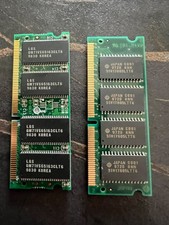
Vintage 64MB EDO Laptop RAM Lot 144-Pin LGS Hyundai HB56UW264D8-6L 60ns
$19.49
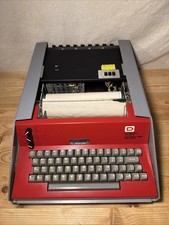
Vintage Computer Devices Teleterm 1030 APL ASCII Printing Terminal (73)
$1749.99
Vintage Computer Manuals and Disks - Windows 3.1, Epson, Quicken, and more
$101.99
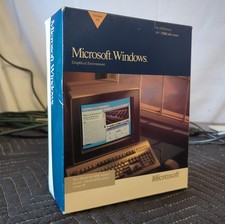
Vintage Microsoft Windows 3.0 Version for DOS NO FLOPPY DISKS MANUALS ONLY
$29.99

HP 5060-8359 8K Semiconductor Memory Module 5080-9747 Vintage HP Computer
$224.72

Vintage Hewlett Packard HP 13181-60074 Circuit Card Assembly / Interface Board.
$135.37



 Reply With Quote