-
Junior Member
registered user
Many Questions
Eyz
Okey, I'm new with Knoppix and I've got many, many questions and I hope someone can help me. Here are the Questions:
1. How can i install Knoppix on my HD?
2. How can i use MSN/ICQ?
3. How can i use my soundcard; Soundblaster Audigy Player?
4. Knoppix keeps asking a password, but i don't know what it is; where can i find it?
5. I've seen " su" many times on this forum, but what does it means?
6. How does Wine work?
TIA
-
I will try to answer a few.
1. Go to K > KNOPPIX > Root Shell. Then type knx-hdinstall and follow the easy instructions. If you are currently using windows with only one partition you will have to find a way of resizing your partitions, hdinstall can't do that yet.
2. I don't use it and can't help you.
3. Your in luck. The very latest release of Knoppix has support for your sound card. At the Boot: prompt type knoppix alsa.
4. see 5
5. su means super user. In a hard drive install of Knoppix or most other Linux distros you can use this to act like root even when you are loged in as a normal user. Because Knoppix has no passwords on CD you have two ways around this. In a regular shell, ever time you want to do something as root type sudo and then the rest of the command all on one line. A better way is to go to k > KNOPPIX > Root Shell. Then you can do anything without a password.
6. I haven't use WINE enough to help you here.
-
Senior Member
registered user
Re: Many Questions
--MattT answered most of your other questions; to access MSN/ICQ you can try running ' gaim '. Can't help you with WINE.

Originally Posted by
AlterEgo
Eyz
Okey, I'm new with Knoppix and I've got many, many questions and I hope someone can help me. Here are the Questions:
1. How can i install Knoppix on my HD?
2. How can i use MSN/ICQ?
3. How can i use my soundcard; Soundblaster Audigy Player?
4. Knoppix keeps asking a password, but i don't know what it is; where can i find it?
5. I've seen " su" many times on this forum, but what does it means?
6. How does Wine work?
TIA
-
Junior Member
registered user
-
Junior Member
registered user
I've got 2 Hard disks and i have on windows C:/ D:/ E:/ F:/ and i want knoppix on E:/, how can i do that?
-
Senior Member
registered user
I will TRY to tackle the WINE question. As for "how it works" there's a lot of ways to answer that question. I'll start basic and if you need more, others may be more helpfull.
Basicaly, WINE is configured one of two ways. Either it uses an exsisting Windows partion to install and run windows programs, or it uses a "pretend" windows partition. It isn't realy an emulater like VMware, it just provides enough windows support that many non-graphics-intensive programs will run fine. You can iinstall office with it if you don't like any of the free office programs, though many are better than MS office and many other windows apps work fine.
To configure it, just try to run it and when you get an error message, just tell it to configure and walk through the dummy options.
Not realy sure what else you want to know.
-
Senior Member
registered user
--Simple. Start\Run\command
' mkdir e:\knoppix '
' xcopy j:\knoppix\knoppix e:\knoppix ' == where J: is the CD
' J: '
' cd knoppix '
' mkfloppy ' == Make the 1.44 boot floppy
Remove the Knoppix CD, and Reboot with the Knoppix boot floppy in the drive. Detection will find Knoppix bigfile on E:, and /dev/hda3 (or hda6 if it's extended partition) will become /dev/cdrom. But if you have a cdburner, you can ' cdrecord -scanbus ' and still be able to use it. /dev/sr0 should be your actual cdrom access point.
Originally Posted by
AlterEgo
I've got 2 Hard disks and i have on windows C:/ D:/ E:/ F:/ and i want knoppix on E:/, how can i do that?
Similar Threads
-
By kn2user in forum General Support
Replies: 3
Last Post: 11-23-2004, 08:30 PM
-
By ZeroKun in forum Hdd Install / Debian / Apt
Replies: 0
Last Post: 05-01-2004, 10:05 AM
-
By paf in forum Hdd Install / Debian / Apt
Replies: 4
Last Post: 12-19-2003, 11:22 AM
-
By madserb in forum General Support
Replies: 1
Last Post: 08-24-2003, 07:25 AM
-
By Henk Poley in forum Hdd Install / Debian / Apt
Replies: 1
Last Post: 08-11-2003, 01:27 PM
 Posting Permissions
- You may not post new threads
- You may not post replies
- You may not post attachments
- You may not edit your posts
-
Forum Rules


Apple Facts 11.96 November Vintage Apple Computer Book
$99.00

Vintage 1988 Apple Macintosh Plus 1MB M0001A Computer Keyboard WORKING See Video
$225.00

Lot of 3 VIntage Apple Computer Rainbow Logo Sticker Decal Macintosh 1980s NOS
$7.00
Vintage Apple Power Mac G4 Cube M7886 2000 450MHz 128MB RAM 20GB HD
$299.99
Apple IIGS A2S6000 Vintage Home Computer ~ (powers on) ~
$200.00
Apple IIGS A2S6000 Vintage Home Computer - (powers on)
$250.00
Apple Vintage Keyboard - Macintosh - M0116 With Cord (260204)
$69.99
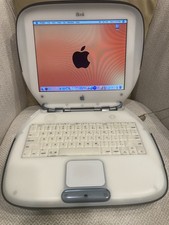
Vintage Apple iBook Clamshell Graphite 466MHz 60GB HD 128 Ram OS 9 & 10
$350.00
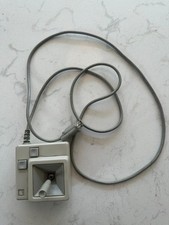
Original Early Vintage Macintosh Joystick for IIe IIc A2M2012 Untested
$99.00

Vintage NOS Apple iBook Two Sided Cloth Banner Think Different
$99.99



 Reply With Quote