

 Reply With Quote
Please, just tell us what you're trying to do. Enough of the philosophy, already!


Debian is at 3.1 or higher
Knopix 3.8.1 is base upon ???
At boot Knoppix displays INIT: version 2.7.8 Knoppix
This comes about from trying to install a package called sysvinit modified for selinux.
sysvinit requires initscripts which is not installed
initscripts requires mount which is not installed
mount removes mount-aes an essential package, and removal will harm the system
and the system is futzed.
Initscripts also wants to update /etc/checkroot.sh, which is in the database as
belonging to sysvinit.
Are these tools for a more recent/ different version of Debian?
What does Knoppix use in place of these packages? initscripts and mount?
This seems rather circular...
BillS
Please, just tell us what you're trying to do. Enough of the philosophy, already!
I am trying to get SElinux running with 3.8.1
I am using Russeel Cokers Debian patched packages.
I am using Faye Cokers HOWTO to guide the installation.
I have crushed and reloaded the OS 6 time or so, so far.
apt-get install sysvinit fails because initscripts is missing
apt-get initscripts failes because mount pkg isn't installed and because
/etc/checkroot.sh is the property of sysvinit and can't be changed by initscripts.
apt-get install mount says it will uninstall mount-aes
(this seems dangerous on a running system)
Some of Cokers packages are downgrades from the current archive versions
(coreutils, sysvinit, while libpam-modules is actually newer)
So how I resolve that the Debian packages use these packages, and Knoppix dioesn't.
BillS
If you want to see if this borks the install once again, have a go at replacing the sysvinit: http://s95018669.onlinehome.us/knoppix/sysvinit.shtml
I followed this howto once with Knoppix 3.3 and don't know if it works on 3.8.1
This link describes out dilemma exactly. We even got to the update-rc problem
I'll be working this as soon as the disk imaging completes.
I did notice a 2 places the phrase:
dpkg - warning, overriding problem because --force enabled:
Was this (--force) set in a config file? I did not see it on any command line.
Guessing here, but I'd say the --force comes with "Yes, do as I say!"
Markus
This almost worked. The difference is probably because of changes in the hardware identification between the version you tried and 3.81.
When this was done, it had removed knoppix-autoconfig, which means that it did not identify eth0 or the usb. But I just kept the old one arround and it seems to boot fine.
Thanks again
BillS
If everything else was working you might as well try to recompile the kernel and compile drivers for usb and your nic into it.
As an afterthought, why fight it? Install Debian Sarge with the net installer while Knoppix obviously isn't meant for this.
I was to vague. I copied the knoppix-autoconfig from another 3.8.1 box on to my selinux box and now the boot proceeds quite normally. Things are looking good.But I just kept the old one arround and it seems to boot fine.
This thread started because I didn't (and still don't) know if Knoppix is derived from sid, sarge, or etch ? I have some code that is documented to run on sarge, and commented to say it probably won't run on sid.
BillS
 Posting Permissions

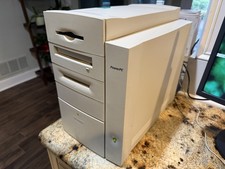
Vintage Apple Power Macintosh G3 PowerPC M4405 Desktop Computer TESTED / WORKS
$199.99

2001 Apple iMac G3 600MHz DV M8492LL/A in Strawberry shell Vintage Mac OS PPC 9
$299.99

VINTAGE Apple Mac OS X Computer Monitor
$250.00

Vintage Apple PowerBook 15” G4 “Aluminum” (1.25GHz/2gb/150gb/Tiger)
$99.99
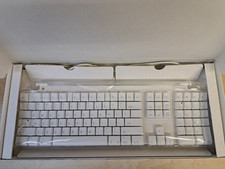
Apple Vtg Mac Pro Keyboard New Open Box M8691LL/A R3 01023211
$600.00
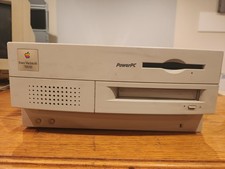
Vintage Apple Power Macintosh 7100/80 Desktop Computer w/ Hard Drive - Working
$149.50

Vintage Apple Macintosh Computer Travel Bag Tote Shoulder Side Bag with Strap
$299.00

Vintage Power Computing PowerCenter 132 Apple Macintosh Clone Computer Tower
$350.00
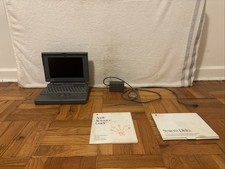
VTG Apple Macintosh PowerBook 160 Laptop M4550 w/ AC Adapter UNTESTED FOR PARTS
$69.99

NEW Vintage Apple Mac OS X Version 10.1 Upgrade CD 2001 Factory Sealed Package
$29.95