


 Reply With Quote
I'm not positive but I thought that NIC used the Tulip driver. Maybe you've already seen it but if not there is a netcardconfig tool in Knoppix as well. What driver did your NIC use in the 2.2 kernel?
DOH! try this too:
sudo modprobe 8139too


Hello! I've heard much about knoppix, from friends and from my dad. When i bought the 38th issue of Linux Format, knoppix came with the dvd, and i decided to try it out.
Unfortunately, I'm unable to connect to internet, or use internet-services, like pinging other machines, and i cant figure out why.
I am new to linux, and arent that familiar with configuration-files, where they are and so on. Though i have a few thoughts of what it might be:
1. Some of the configuration-files doesnt allow access to the internet (??)
2. My networkcard (realtek 8139/810x family fast ethernet NIC) isnt supported in the kernel (uses the module 8139too. It works well in kernel 2.2, but i have had problem with it in kernel 2.4)
3. Because of my router (D-link DI-604)
Like i said, Im not so familiar with the configuration-files. So if that is the problem, could you please tell me what files to look at, and maybe tell me what to edit.
When i used debian stable, i had problems with the network card when i tried the kernel 2.4. But it worked perfectly with kernel 2.2. May it be that my networkcard isnt supported in the default knoppix kernel, and do i have to recompile the kernel, and switch to kernel 2.2 again.
My router has never caused problems before, but you can never know? Added it just in case...
I hope someone know a way to solve my problem
see you around..
I'm not positive but I thought that NIC used the Tulip driver. Maybe you've already seen it but if not there is a netcardconfig tool in Knoppix as well. What driver did your NIC use in the 2.2 kernel?
DOH! try this too:
sudo modprobe 8139too
I get some errors on my systems with rtl8139 NIC's due to wanting an unavailable irq, but usually they will operate OK. They do use the 8139too module.
What kind of system do you have? What kind of video etc?
On motherboards with integrated video often the pci=biosirq boot option will help, I would try booting with:
knoppix pci=biosirq  [plus any other boot-options required]
HTH
rock
Watch the startup script. If Knoppix appears to be detecting the net card, try 'pump -i eth0' from a terminal. I had this happen with Freeduc ...it would connect ok when runnning from the CD but not from the HD. Appears the install scripts leave a few things out when it does the hdinstall.
 Posting Permissions


NETGEAR ProSafe 5-port Gigabit Switch GS105v5
$9.99

Cisco Catalyst 2960-48TT-L 48-Port Fast Ethernet Managed Rackmount Switch
$46.99

TP-Link 5-Port Gigabit Unmanaged Ethernet Switch Network Expansion TL-SG105
$19.95

5Ports Gigabit Network Switch w/ 4 PoE+ Ports Total 52W each port 30W Plug&Play
$31.99

TP-Link TL-SG2210P 10-Port Gigabit Smart Switch w/ 8-Port PoE+ NO AC SKU 25597
$39.99
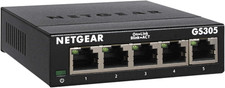
NETGEAR 5-Port Gigabit Ethernet Unmanaged Network Switch (GS305)
$19.73

Linksys 8-Port Managed Gigabit PoE+ Switch 110W w/ 2 Uplink Gigabit - LGS310MPC
$49.00

10-Port Gigabit PoE Network Switch with 8 PoE+ Ports with 2 Combo SFP Slots 125W
$69.99

NETGEAR 5-Port Gigabit Ethernet Unmanaged Switch (Gs305) - Desktop Quiet Fanless
$22.00

10-Port Gigabit PoE Network Switch with 8 PoE+ Ports with 2 Combo SFP Slots 125W
$39.99