

 Reply With Quote
Can you right click on the icon > actions > (something like) make read/write? (This from memory).


I just purchased a Lexar 256mb Secure Jump Drive and want to boot a computer off Knoppix 3.8.1 CD and copy file onto usb drive. When I connect the usb drive I see a new icon on the desktop and can view the contents of the usb drive but can't save any files to it. I tried saving a text file I created as well as copying NTFS partition to the usb drive but can't write to usb drive. I am a newbie to Linux/Knoppix so any help would be appreciated.
Can you right click on the icon > actions > (something like) make read/write? (This from memory).
I tried that but it seemed as if I might be changing the properties of the desktop shortcut not the drive itself. I need some command line instructions to test the drive and then to get more info as to why I can't write to it.
 Posting Permissions


Yealink T48S VoIP/SIP Phone, 2 x Gigabit Ports PoE 7" Color SIP-T48S | TESTED
$34.95

SIM Bank 32 SIM Card Slots Ethernet SIM Server for GoIP
$400.00

Poly CCX 400 Desktop Business Media Phone VoIP 2200-49700-019
$49.99

Grandstream VoIP Phone Adapter ATA 1-Line Black Ethernet (RJ-45) Micro USB
$27.07

Yealink SIP-T33G IP Phone 4-LineSpeakerphone VoIP Desk Phone Black w/ Power Sply
$25.00

Grandstream HT701 1-Port FXS Analog Telephone Adapter ATA VoIP Gateway -Free S/H
$19.99

Grandstream WP810 Portable Cordless Wi-Fi IP Phone
$49.28
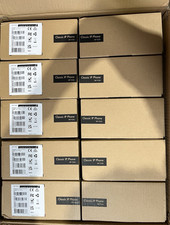
LOT OF 10 NEW Yealink SIP-T33G IP Phone 4-Line PoE Speakerphone VoIP Desk Phone
$699.99

Lot Of 5 Poly Edge E550 82M91AA IP Desktop Phone PoE New In Box
$1500.00

Cisco CP-8841 IP Phone Charcoal Handset And Stand Included
$27.99