

Background first. I have 1 hard drive hardware. It's divided/partioned to 4.
It's like this before I installed Knoppix into hard drive:
1-XP
2-Files for Downloads
3-Files for Downloads
4-Files for Downloads
I wanted it to be:
1-XP
2-Files for Downloads
3-Files for Downloads
4-Knoppix
But it became:
1-Knoppix
2-Files for Downloads
3-FIles for Downloads
4-Knoppix
So my XP is gone. I'm fine with that, I "can" install again. However, I can't even access it! Like when I go to "File Manager", it doesn't show it. I mean.. It doesn't show #1. It shows 2-4.
Also. I'm using Knoppix from the CD right now. How do I boot using my hard drive(probably #1)... I've tried to google, still no luck. I don't really understand this much. New to Linux.
So. Real question is... How do I boot using hard drive and how do I make it so the computer recognizes #1 so I can install XP?
 Posting Permissions


Intel Core i5-12500T SRL5W 2GHz 18MB 6 Core Socket LGA1700 Desktop CPU Processor
$114.99
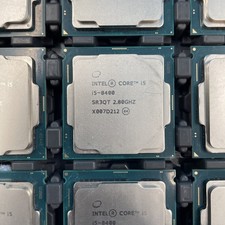
(LOT OF 20) Intel Core i5-8400 CPU 2.80GHz Desktop Processor (SR3QT)
$700.00

INTEL CORE I9-10940X X-SERIES PROCESSOR | 3.30GHZ | SRGSH
$179.99

Lenovo ThinkCentre M920s SFF Barebones PC Motherboard PSU DVD No CPU RAM SSD
$27.99

AMD Ryzen 5 5500 Processor ( read Description)
$59.00

Intel Xeon E3-1230 v3 SR153 3.3GHz Quad Core LGA 1150 CPU Processor
$14.49

Intel Core i7-3770K 3.5 GHz Processor
$39.00

Intel SR3XE Core i5-8500 3.0GHz 9M Socket 1151 6-Core CPU Processor *Tested*
$32.99

AMD - Ryzen 7 5800X3D 8-Core - 16-Thread 3.4 GHz (4.5 GHz Max Boost) w/ Ice Pad
$355.99

AMD Ryzen 7 PRO 8700GE 8-Core/16-Thread Up to 5.1GHz AM5 (FL1)
$189.00


 Reply With Quote