-
Junior Member
registered user
Further Install Help Needed
Booting from the Knoppix 3.8.1 CD and supplying the boot-string "acpi=off screen=1280x1024 depth=24", the basic Knoppix desktop appears on my screen.
After remounting / as rw, editing /etc/lilo.conf to point /dev/hda1 and saving, the problems begin!
root@1[knoppix]# mount -n -o remount,rw /
root@1[knoppix]# df
Filesystem 1K-blocks Used Available Use% Mounted on
/dev/root 3471 15 3456 1% /
/dev/hdd 702738 702738 0 100% /cdrom
/dev/cloop 1939106 1939106 0 100% /KNOPPIX
/ramdisk 401312 68316 332996 18% /ramdisk
/UNIONFS 2340416 2007420 332996 86% /UNIONFS
root@1[knoppix]# jed /etc/lilo.conf
root@1[knoppix]# lilo
/proc/misc: No entry for device-mapper found
Is device-mapper driver missing from kernel?
/dev/mapper/control: open failed: No such device
Failure to communicate with kernel device-mapper driver.
/proc/misc: No entry for device-mapper found
Is device-mapper driver missing from kernel?
/dev/mapper/control: open failed: No such device
Failure to communicate with kernel device-mapper driver.
Incompatible libdevmapper 1.00.20-ioctl (2005-01-06)(compat) and kernel driver
Warning: '/proc/partitions' does not match '/dev' directory structure.
Name change: '/dev/cloop0' -> '/dev/cloop'
Fatal: Trying to map files from unnamed device 0x000e (NFS/RAID mirror down ?)
Something is either wrong with remount / (root) as read-write or my /etc/lilo.conf file. How can I open the lilo.conf file which was installed on /hda1? This new virtual filesystem is difficult to learn. Any and all help is most appreciated!
Bob
-
Senior Member
registered user
Here's Mister Ed's handy-dandy 8-step procedure for fixing LILO after booting from CD or another partition - he's had to do it many times! 
[1] If you're only booting from CD (or whatever) just to fix LILO, use the cheatcode that puts you in run level 2 (the command line) - that saves you a little frustration while waiting for the GUI to load - so at the CD prompt you'd type knoppix 2.
[2] When you mount hda1 you have to include the option -o dev.
[3] Now use the change-root command to be in the hda1 environment: # chroot /mnt/hda1.
[4] Edit /etc/lilo.conf - just like that, not /mnt/hda1/etc/lilo.conf - and you'll be working on hda1's lilo.conf rather than the one that the CD loaded into RAM.
[5] If you have other bootable Linux partitions, you mount them within the chroot environment, not before - so you can make this step [4] and do editing as step [5], but the other bootable partitions have to be mounted after step [3] and before step [6].
[6] Now run lilo to write the changes to the boot sector.
[7] Leave the chroot environment with # exit or # <CTRL>D.
[8] Reboot with your favorite command, # reboot or # init 6 or # shutdown -r now.
Okay? 
-- Ed
Similar Threads
-
By orbitbsl in forum General Support
Replies: 11
Last Post: 05-27-2006, 07:29 AM
-
By mostafa_dahir in forum Laptops
Replies: 1
Last Post: 04-11-2006, 05:29 PM
-
By tilleyrw in forum Hdd Install / Debian / Apt
Replies: 3
Last Post: 04-30-2005, 12:26 PM
-
By Cuddles in forum General Support
Replies: 4
Last Post: 12-22-2003, 04:40 PM
-
By aay in forum The Lounge
Replies: 6
Last Post: 05-23-2003, 07:27 PM
 Posting Permissions
- You may not post new threads
- You may not post replies
- You may not post attachments
- You may not edit your posts
-
Forum Rules

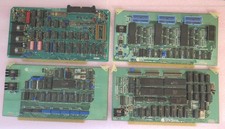
Vintage S-100 California Computer Systems cards Z80 cpu + ADS PromBlaster
$895.00

🔥 RARE VINTAGE HP 2113A 21MX 1000 E-SERIES MINICOMPUTER CHASSIS BACKPLANE
$249.00

Vintage Computer - PC Innovation Intel 486DX2 - Dos Ver 6.2 Windows 3.1
$250.00

🔥 RARE VINTAGE HP 2112A 21MX M-SERIES 16-BIT MINICOMPUTER HP
$299.99
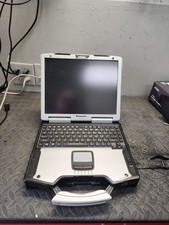
Panasonic Toughbook CF-29 Vintage Computer - Not Working parts
$89.95
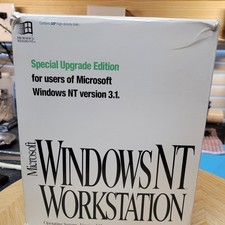
Vintage Microsoft Windows NT 3.51 Workstation 3.5 Floppy Big Box Complete No COA
$139.99

HP 5060-8359 8K Semiconductor Memory Module 5080-9747 Vintage HP Computer
$224.72
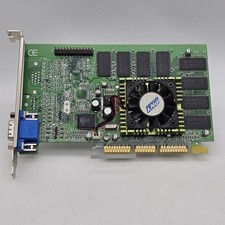
Vintage GF2MX40064SAGP PNY GeForce-2 MX400 64MB VGA/ AGP Video Graphics Card
$79.98

Vintage Jetway J-620BF Socket 370 Celeron AT Motherboard SiS 620 Brand New
$75.00

HP 13210-60001 Disc Drive Interface PCB HP 7900A 7901A Vintage
$225.61



 Reply With Quote