-
Senior Member
registered user
Here's Mister Ed's handy-dandy 8-step procedure for fixing LILO after booting from CD or another partition - he's had to do it many times! 
[1] If you're only booting from CD (or whatever) just to fix LILO, use the cheatcode that puts you in run level 2 (the command line) - that saves you a little frustration while waiting for the GUI to load - so at the CD prompt you'd type knoppix 2.
[2] When you mount hda1 you have to include the option -o dev.
[3] Now use the change-root command to be in the hda1 environment: # chroot /mnt/hda1.
[4] Edit /etc/lilo.conf - just like that, not /mnt/hda1/etc/lilo.conf - and you'll be working on hda1's lilo.conf rather than the one that the CD loaded into RAM.
[5] If you have other bootable Linux partitions, you mount them within the chroot environment, not before - so you can make this step [4] and do editing as step [5], but the other bootable partitions have to be mounted after step [3] and before step [6].
[6] Now run lilo to write the changes to the boot sector.
[7] Leave the chroot environment with # exit or # <CTRL>D.
[8] Reboot with your favorite command, # reboot or # init 6 or # shutdown -r now.
Okay? 
-- Ed
Similar Threads
-
By orbitbsl in forum General Support
Replies: 11
Last Post: 05-27-2006, 07:29 AM
-
By mostafa_dahir in forum Laptops
Replies: 1
Last Post: 04-11-2006, 05:29 PM
-
By tilleyrw in forum Hdd Install / Debian / Apt
Replies: 3
Last Post: 04-30-2005, 12:26 PM
-
By Cuddles in forum General Support
Replies: 4
Last Post: 12-22-2003, 04:40 PM
-
By aay in forum The Lounge
Replies: 6
Last Post: 05-23-2003, 07:27 PM
 Posting Permissions
- You may not post new threads
- You may not post replies
- You may not post attachments
- You may not edit your posts
-
Forum Rules


AMD Ryzen 5 5500 Processor ( read Description)
$59.00
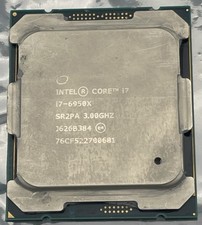
Intel Core i7-6950X Extreme Edition 3.0GHz Processor SR2PA LGA2011 10 Core CPU
$162.95

INTEL CORE I9-10940X X-SERIES PROCESSOR | 3.30GHZ | SRGSH
$179.99

Intel Core i7-4770 3.40GHz Quad Core SR149 LGA 1150 CPU Processor tested
$35.00

Intel Core i7-9700 Octa-Core 3 GHz Desktop Processor LGA 1151
$79.99

Intel Core i7-3770K 3.5 GHz Processor
$39.00

Intel Core i5-12500T SRL5W 2GHz 18MB 6 Core Socket LGA1700 Desktop CPU Processor
$114.99

Intel i7-8700 Coffee Lake 3.2GHz 6-Core Max Turbo 4.6GHz Processor
$67.99
Intel Core i5-12400 Processor SRL4V
$115.00
Intel Core i7-9700 3.0 GHz Octo-Core (SRG13) Processor
$150.00



 Reply With Quote