-
Partial Solution ... XP/Knoppix/LILO/MBR
Well, I guess I figured what messed up my drives:
- HDA (Master) have XP-SP2 installed, 3 partitions:
- 9GB With XP, NTFS
- 9GB data storage, FAT32
- 19GB data storage NTFS
- HDB (Slave) where I installed Knoppix from CD
At that time, HDA was connected to the HD controller so Knopix setup find it.
Durying install, LILO config undesrtood (or I understood ... this is better :o) that LILO will install itself at HDB MBR. Bios should be altered to boot from HDB.
BUT LILO installed itself on HDA (master) leaving config info on HDB.
HDA has its MBR altered. So following the sugestions from our forum pal I worked around XP tools (regedit / diskmgmnt) trying to solve the problem. No way. WIN-XP do not boot anymore without HDB installd (lilo was there on HDA).
XP problem: I brough XP-with SP1 ... upgraded via web to SP2. Surprize!!!! You can not install Recovery Console because Win considers that CD have an older version than the installed on HD.
Boot from XP CD and press R to start recovery console. Then XP install did no care abt the existing version. I used fixmbr function and voilà ... worked. XP now boot normally.
Another BUT: the remaining HDA partitions has gone anyway. I mean, they´re there but hidden or something like that (take a look at http://py.qsl.br/partinfo.gif).
Since I killed LILO at HDA I needed to re-install Knoppix on HDB.
This time I disconected HDA from the hw controller. Smooth instalation, LILO at this time has only Linux options, no other operational system.
Reconnecting HDA and rebooting via HDB (lilo there now), I started Knoppix and as a different user run QTParted.
Now there was all information about XP drive (HDA), all partitions. There´s a 9GB NTFS active one, the FAT32 9GB - hidden - and the NTFS 19GB, hidden too. As QTParted doesn´t handle NTFS, I was able only to unhide the FAT32.
Bingo! XP now sees this missing partition, assigned a letter etc etc.
Everything is - almost - perfect now.
Any idea about un-hiding the NTFS partition? Using another linux tool? Or is there any trick on Windoze?
BTW, even hidden and NTFS, linux have access to the hidden NTFS contents. I guess I´ll move all data to CDs and under XP delete this partition to create a new one later. Deletion is the only option that diskmgmt.msc gaves me.
Regards
Marcus
PY3CRX/PY2PLL
http://py.qsl.br
Similar Threads
-
By whoeverheis in forum Hdd Install / Debian / Apt
Replies: 2
Last Post: 03-25-2005, 07:13 PM
-
By tomjermy in forum Hardware & Booting
Replies: 1
Last Post: 03-17-2005, 01:07 AM
-
By JockVSJock in forum General Support
Replies: 7
Last Post: 04-09-2004, 10:42 AM
-
By A. Jorge Garcia in forum Hdd Install / Debian / Apt
Replies: 8
Last Post: 10-17-2003, 06:26 PM
-
By A. Jorge Garcia in forum Hdd Install / Debian / Apt
Replies: 2
Last Post: 10-09-2003, 04:08 PM
 Posting Permissions
- You may not post new threads
- You may not post replies
- You may not post attachments
- You may not edit your posts
-
Forum Rules

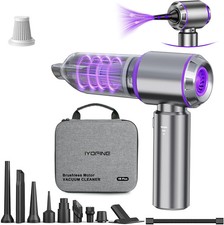
Vacuum/Air Duster Super Power Mini Car Vacuum Cleaner 4-in-1 air Blower Gun
$64.35

V3 Robot Vacuum and Mop Combo,Self-Charging,5000pa Strong Suction,WiFi/Alexa NIB
$82.00

LEVOIT Cordless Vacuum Cleaner, Stick Vac with Tangle-Resistant Design, Up to...
$167.63
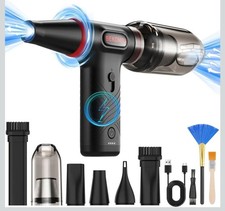
Compressed Air Duster 1 Button Adjustment 12000 RPM Air Blower Car Home Keyboard
$38.99

Mini Computer Vacuum USB Keyboard Cleaner PC Laptop Brush Dust Cleaning Kit NEW
$13.89

Compressed Air Duster Rechargeable Computer Vacuum Cleaner for PC Keyboard Toys
$16.99

2-in-1 Compressed Air Duster & Vacuum, Brushless Motor, 320000RPM
$37.99

Cordless Electric Mini Air Duster Blower Vacuum Cleaner for PC Computer Car Home
$16.99

Cordless Handheld Vacuum Cleaner Compatible with DeWalt 20V Battery
$106.14

Cordless Air Duster & Vacuum Cleaner for Keyboard & PC Cleaning - 110000RPM Powe
$53.99



 Reply With Quote