-
DHCP wrong ip
Im using a new belkin 802.11 b/g Nic and for some reason the other day my computer just refused to allow me access to the internet or the network in general. So i sat down and looked through all the seting and discovered that DHCP was assigning me a 169 ip address. My normal configuration for it is 192.168.1.1 and the router has a 192.168.1.2, so i did a ping on the router and it refused to accept and declared "host unreachable". but earlyer that day i had been on the network without any problems. The network isnt real relyable it drops me once ever 3 hours (average). im running xp sp2 on all my systems on trhe network including the one connected to the router so normaly all i have to do is tell my computer to do a repair and it fixes the problem for a while and then it drops out again. Iv tryed every thing i can think of to fix the problem i even set the ip address subnet mask adn all that manualy and that allowed me access to the network but i still cant access the internet. we tryed the network using a my laptop and 802.11 b/g nic adn it could access the network and the internet fine.
-
Administrator
Site Admin-
Re: DHCP wrong ip

Originally Posted by
Lan_man
Im using a new belkin 802.11 b/g Nic and for some reason the other day my computer just refused to allow me access to the internet or the network in general. So i sat down and looked through all the seting and discovered that DHCP was assigning me a 169 ip address. My normal configuration for it is 192.168.1.1 and the router has a 192.168.1.2, so i did a ping on the router and it refused to accept and declared "host unreachable". but earlyer that day i had been on the network without any problems. The network isnt real relyable it drops me once ever 3 hours (average). im running xp sp2 on all my systems on trhe network including the one connected to the router so normaly all i have to do is tell my computer to do a repair and it fixes the problem for a while and then it drops out again. Iv tryed every thing i can think of to fix the problem i even set the ip address subnet mask adn all that manualy and that allowed me access to the network but i still cant access the internet. we tryed the network using a my laptop and 802.11 b/g nic adn it could access the network and the internet fine.
Is this a Knoppix problem or a WinXP SP2 problem?
Is the computer in question connecting wirelessly or wired?
What does im running xp sp2 on all my systems on trhe network including the one connected to the router mean? Are you saying that you have other systems on your network, but somehow they are not connected to the router? Just what does that mean?
If you are connecting wirelessly, my guess is that you are connecting to a different router, not your own. And that you do not have good security set up.
Similar Threads
-
By slp44 in forum MS Windows & New to Linux
Replies: 3
Last Post: 06-10-2005, 01:23 AM
-
By mikejn1 in forum Hdd Install / Debian / Apt
Replies: 0
Last Post: 11-29-2004, 02:42 PM
-
By Mic Q in forum General Support
Replies: 3
Last Post: 10-16-2004, 10:21 AM
-
By jmh90 in forum Networking
Replies: 4
Last Post: 10-14-2004, 06:52 AM
-
By Jera in forum Hdd Install / Debian / Apt
Replies: 12
Last Post: 07-17-2004, 07:53 AM
 Posting Permissions
- You may not post new threads
- You may not post replies
- You may not post attachments
- You may not edit your posts
-
Forum Rules


Vintage Ohio Scientific computer O.S.I binder packed with manuals, articles, etc
$195.00

5x Vintage SSS SCP1802D SCP1802LD Ceramic CPU 1802 COSMAC 1978 Gold IC
$299.99
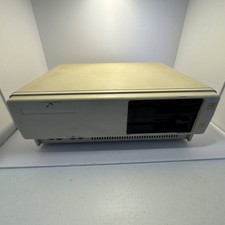
Vintage 1984 Original Tandy 1000 Personal Computer Model 25-1000 PC Tested
$229.99
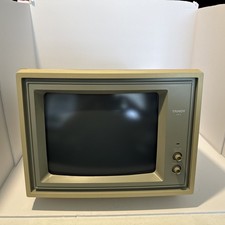
Vintage Tandy VM-3 High Resolution Video Monitor 25-3010 CRT Computer Screen NIB
$149.99

5x Lot Vintage Retro Gaming ISA PCI Yamaha Sound Cards Crystal Opti Vibra Yamaha
$197.95

Lot of 4x Clean Vintage Retro ISA Video Graphics Expansion Cards 286 386 486 #2
$98.95

Vintage Ball Mouse Lot Bulk Bundle - Compaq, HP, Microsoft- PS/2 Serial:UNTESTED
$49.99

Vintage - MagicBox Alphagen NTSC Character Generator Creativity Pack
$350.00

Vintage Core CL9 Master Universal Remote Control Steve Wozniak (Apple) READ
$1248.88
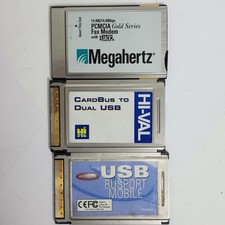
Vintage PC Card Bundle Cardbus 56K Fax Modem Hi‑Val Belkin USB
$30.76



 Reply With Quote