-
Linux Partition
Is it possible to remove the Linux Partition and Lilo without having to repartition and reinstall Windows?
-
Administrator
Site Admin-
Re: Linux Partition

Originally Posted by
w5uc
Is it possible to remove the Linux Partition and Lilo without having to repartition and reinstall Windows?
Sure
Any partition other than the Windows partition can be removed and Windows will be fine with that. Some old versions of Fdisk would not delete non-windows partitions, but any Linux partition tool and many 3rd party tools will let you delete a Linux partition or a swap partition if your Microsoft partiton tool wil not. Of course, if you want the space back you'll have to create a partition type that your Windows can use. I would strongly advise just adding a partition back rather than resizing a partition. It will likely end up being a logical drive in an extended partition, but the exact nature depends on your existing partition structure, which you didn't list.
You don't gain anything by removing the Linux partition unless you do something to recover the space, if you don't plan on doing that, just leave it alone.
As for Lilo, if you installed it in the Linux partition, then it's gone when you remove the partition. If you installed it in the MBR (which is much more likely for anyone who would ask this question), then you need to leave lilo alone or replace it with something else that can boot your system. Lilo is apparently doing this job for you, so it's not clear why you want to remove it. Exactly how to replace it again depends on which version of Windows you are using, which you didn't say. Old versions of Windows that used fdisk had a secret option in fdisk that would rewrite the MBR. This is the /MBR switch, the command fdisk /mbr should replace the lilo boot loader with the plain MS boot loader on such systems. I expect there is an easy way to do it on XP as well, but I don't know it off-hand. Or you could just write something else to the MBR. Smart Boot Manager installs to the MBR cleanly and gives a handy (but crude) boot menu, you could install it. That would overwrite lilo if you feel there is some need to do so. Personally I like XOSL, which needs a little extra disk space (I like to give it it's own small partition but the documentation claims it can live on the Windows partition), it also installs it's own code in the MBR and gives you a very nice and handy good looking boot loader screen.
-
Harry Thanks:
My goal is to delete Linux entirely and give the entire HDD back to Win ME. I appreciate all of the suggestions and help that I have received here. However, the particular application that I initially installed Linux for is a real pain in the butt to set-up. It requires a LOT of manually enterd code, plus the need to install additional dependencies. The permissions issue, the dependencies, and all of the un-necessary, excessive security make it more trouble than it is worth to try to set-up. Beyond that, I have no need for Linux. It is slow compared to Win ME, and brings nothing to the table for me. Again, many thanks for being kind enough to offer help.
Mike
-
Senior Member
registered user
you can most likely replace your MBR with the original contents if you issue the comand below (only if you have not written lilo multiple times)
where you replace hdX with the hdd that you installed lilo to, most likely hda, but check and recheck, then check again, if you get it wrong it is likely to give you some trouble.
a quote from the lilo manual,
-u [device-name]
Uninstall lilo by copying the saved boot sector
back. The '-s' and '-C' switches may be used with
this option. The device-name is optional. A time-
stamp is checked.
you wil likely NOT require the -s nor the -C switches, they are for a new "savefile" and a path to new config
-s save-file
When lilo writes a new boot sector, it preserves
the former contents of the sector in a file, named
by default /boot/boot.NNNN, where NNNN is the hex*
adecimal representation of the major and minor
device numbers of the drive/partition. This option
specifies the backup save file in one of three
ways: a save directory (default is '/boot') using
the default filename 'boot.NNNN' in the specified
directory; a pathname template to which '.NNNN' is
appended (default would be '/boot/boot'); or the
full pathname of the file, which must include the
correct '.NNNN' suffix. When used with the -u
option, the full file pathname must be specified.
and
-C config-file
lilo Specify an alternate pathname for the configu*
ration file. This option overrides the use of the
default configuration file, /etc/lilo.conf.
-
OErjan thanks for your rather significant research effort. However, I took a more direct approach. I used the Mandrake disk partitioner on their Disk 1 and deleted all partitions on the HDD, then created a FAT32 partition using the entire HDD. I then used FDISK to delete that partition and subsequently created a new Primary DOS partition, formatted, and installed Win ME. I had to do this because even after deleting all partitions, the Lilo boot utility was still there and that was the only way I could get rid of it.
Unfortunately, looking at your solution brings back very unpleasant memories of endless hours of manually entering code while trying to get my application to work, only to find out that I didn't have "permission" to perform a given function. Those were significant factors in killing my interest in Linux.
In defense of Knoppix, In addition to Knoppix I tried Fedora, SuSE, and Mandrake. Knoppix(3.7) was by far the best distro. It recognised my sound and video cards easilly, and the GUI portion was fairly straight forward.
Thanks again,
Mike
-
Senior Member
registered user
not much to talk abpout, did all of 20 seconds of research, typed man lilo and knew what i was looking for (actually typed man lilo after i had typed the lilo -u part),
the only thing i used the manpage for was to copy/paste the text.
Similar Threads
-
By chipyoung in forum Hdd Install / Debian / Apt
Replies: 1
Last Post: 02-25-2006, 01:42 PM
-
By rrfish72 in forum General Support
Replies: 1
Last Post: 09-14-2004, 11:34 PM
-
By ewangr in forum General Support
Replies: 27
Last Post: 08-12-2004, 04:01 PM
-
By bilzer in forum General Support
Replies: 10
Last Post: 04-21-2004, 05:43 AM
-
By Sucker in forum General Support
Replies: 3
Last Post: 01-29-2003, 11:32 AM
 Posting Permissions
- You may not post new threads
- You may not post replies
- You may not post attachments
- You may not edit your posts
-
Forum Rules


Dell PowerEdge FX2s + 8x FC430 Blades 16x E5-2630v4 160 Cores Rails No PSU/RAM
$699.00

Dell PowerEdge FC430 Blade Server 2x Xeon E5-2630v4 20 Cores FX2 FX2s No RAM/HDD
$119.99

Dell PowerEdge M630 Blade Server 2x Xeon E5-2680 v4, 2F3MP , 4GDP5 ,R10KJ ,JVFVR
$140.00

Dell PowerEdge M620 Blade Server 2x Xeon E5-2680v2 2.8ghz 20-Cores | 128GB
$149.99

Dell Poweredge C6400 24x 2.5’’ 2x 2400W 4x C6420 Nodes H330 | 2x SFP | 8x Trays
$799.99

Cisco B200 M3 2x E5-2670V2 10 Core 8x 16GB-128GB Ram Blade Server VIC1240 14900R
$399.00

NETAPP HCI NAF-1701 SuperMicro Server 4X BLADE H410C 8X GOLD 5120 4 NODE SERVER
$1499.97
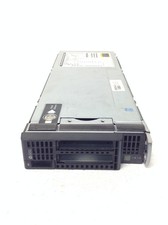
HP ProLiant BL460c Gen8 Blade Chassis w/2x Xeon E5-2630L 2.0GHz, 32GB RAM, No H
$144.99

Dell PowerEdge M640 Blade Barebone Server Dell P/N: HHB006 Tested Working
$149.99

Dell PowerEdge M620 Blade Server 2x Xeon E5-2680v2 256GB DDR3 RAM NO HDD
$349.99



 Reply With Quote