

 Reply With Quote
From memory (I'm writing this from a HD install), right click on the drive icon, select actions, select (something like) enable read/write.


I am new to Linux and actually was just trying to use Knoppix as a way of saving a corrupt file in my c:\windows\system32 file. I changed my ntoskrnl.exe file to a new one and it failed to load. I had saved a copy of the original ntoskrnl.exe, but now my computer will not load to recover it. I got Knoppix from a friend so that I could go in and put the origional ntoskrnl back in and delete the new (corrupt one) Everytime I try to delete it I get a message that says " access denied." I have tried changing the permissions, unchecking read only, renaming the file, moving the original back in and trying to rewrite it, etc. Non of these methods have worked so far. What do I need to do?
From memory (I'm writing this from a HD install), right click on the drive icon, select actions, select (something like) enable read/write.
 Posting Permissions


GIGABYTE B365 HD3 LGA1151 Intel 9th Gen motherboard
$59.99

Corsair RMe RM850e 850W 80 Plus Gold Fully Modular Low Noise Certified Refurb
$58.99

ASUS PRIME Z890-P WIFI Z890 LGA 1851 ATX motherboard, Intel® Core™ Ultra Series
$235.99

Gigabyte GA-B85M-D3H Motherboard
$54.99

GIGABYTE A520M DS3H AC AMD AM4 Motherboard mATX
$59.99

Asus Prime B660M-A AC D4 Motherboard Intel LGA 1700 14th 13th 12th Gen DDR4
$79.99

Intel H81 Motherboard M.2 NVMe LGA 1150 mATX w/ IO Shield (Random Slot Color)
$29.90

MSI B550M PRO-VDH Micro-ATX Motherboard - AMD AM4, Ryzen 5000/4000/3000 Ready, P
$71.49

ASUS PRIME Z490-V Motherboard Intel Z490 10th gen DDR4 LGA 1200 ATX w/ IO Shield
$84.99
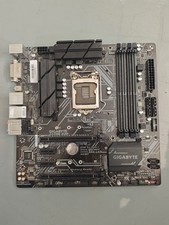
Gigabyte Z370M D3H LGA1151 DDR4 Micro ATX Motherboard PCIe 3.0 Desktop Mainboard
$77.99