

 Reply With Quote
kxconfig
set it to what you want....
need more, ask again with some more details


I am sure this problem can be sovled simply, but I am new to linux and have yet to buy a tutorial book on it. I have an LCD monitor with a native res of 1280x1024 . I have the hdd verson installed and i can not, for the life of me, get KDE to go up to 1280x1024. THe monitor detects fine at boot, but once it enters the GUI it shrinks to 1024x768. Also, if this is the problem, I run a dual head BFG 6800 GT setup with both monitors capable of 1280x1024. I want to be able to use this res on both monitors, along with a 75hz refresh rate so the LCD doesnt look fuzzy, and also I need to know how to use the Dual head prperly to be able to utalize both monitors.
any help at all would be greatly appreciated.
kxconfig
set it to what you want....
need more, ask again with some more details
the thing is a can't set it past 1024x768. I checked my XF86Config-4 and it is using the vesa display driver. I think the reason i cant make it go higher is because fo the driver, but each time i try to install teh nvidia driver off of nvidia.com through the command line, it gives some kernel error. all i need to know is how to override the monitor settings so they can go up to 1280x1024, and how to install the nivida driver (i know what to edit and how to point it to the kernel.h file, but i think i need to do something with recompiling the kernel which i am clueless about)
 Posting Permissions


Dell Poweredge R720 8SFF 2.5" x Xeon E5-2680 v2 2.8GHz 20-Cores 128gb 4x Trays
$349.99

Dell EMC PowerEdge R440 Xeon silver 4215 2.5GHz 16 GB ram 2x 550W PSU No HDD
$275.00

Dell Poweredge R720 8SFF 2.5" 2x Xeon E5-2680 v2 2.8GHz 20-Cores 64gb 4x Trays
$259.99
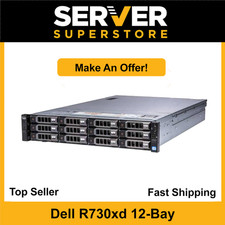
Dell PowerEdge R730XD Server 2x E5-2620 V4=16 Cores | H330 | 32GB RAM | 2x trays
$594.99

Dell PowerEdge R620 2x Xeon E5-2630 v2 3.1GHz 2.5" 4-BAY 32GB RAM No OS 2x 495w
$174.95

Dell Poweredge R630 2x Xeon E5-2680 v4 2.4ghz 28-Core | 32GB | HBA330 | 2x 1100w
$359.99
Dell Poweredge R630 2x Xeon E5-2680 v4 2.4ghz 28-Core 128GB HBA330 2x 1100w
$719.99

Dell PowerEdge R640 8xSFF Server Barebone 2 x Heat Sink w / 2x 1100W PSU
$315.00

DELL R640 10SFF Server 2x Gold 6152 2.1GHz =44 Cores 64GB H730p 4xRJ45
$939.00
Dell PowerEdge R710 Server 2x Xeon E5620 2.4GHz 96GB DDR3 Rackmount
$139.99