
If i want to instal knoppix i click on my second harddisk and then I get a weird black screen with green font and i have to chose a partition (hdb5 or hdb6). I want to instal knoppix on hdb5, but how can i chose that to do so?


If i want to instal knoppix i click on my second harddisk and then I get a weird black screen with green font and i have to chose a partition (hdb5 or hdb6). I want to instal knoppix on hdb5, but how can i chose that to do so?
Delete the partition , then create 2 new partitions. A large partition for Linux and a small one for Linux Swap. Don't create the Swap partition too small. 2 GB is enough I think.
When you create two partitions , you must select the type partition. Linux or Linux Swap.
Select a partition en go to ''Type''. The largest partition is for Linux , number 82 , I think. The small partition is for Linux Swap , number 83.
Check the numbers , I don't know it for sure.
When you are ready , you only have to write them. Select a partition and choose ''Write'' , do it also with the other partition.
Now you are ready to install Knoppix.
if i light up the first (i want linux to be installed on that drive) and prass space, it says " illegal command"
So i have to delete the whole hdb5? If yes: DAMN IT, i have many other programs on that diskOriginally Posted by Mogiin
I don't know , I am also a noob
Try to delete a partition with FDISK (www.bootdisk.com) , then start Knoppix and try it again.
But do you use FAT32 or NTFS with Windows? I heard Knoppix has some problems with NTFS partitions...
Aha , you want to resize that partition?
You need Partition Magic for that or maybe you can do it with WinXP. With WinXP you can create partitions , maybe it can also resize , I don't know that.
Yes, in order to do an actual install on your hd.So i have to delete the whole hdb5?
rock
OK so on hard drive 'b' you already have two partitions. How big are they? You could easily delete them both and make two new ones with cfdisk. You will need a minimum of 2500M for Knoppix but that is just barely enough for it to fit into. I would definitely make it bigger. For your swap partition you don't need 2 G - twice the amout of your RAM is a rule of thumb but you can do whatever you like. I have 256M ram and so my swap is 512M
Easy- when you start the install script it runs cfdisk, shows you all of your drives and their partitions and let you choose which one to install to.I want to instal knoppix on hdb5, but how can i chose that to do so?
I don't want to delete 2 partitions, i don't wanna lose al my data
Well there is no law that mandates a swap file. If you've got the RAM then don't worry about it. You could have a working install with a litle room for some extras if you can afford to give up 3000Mb on your hdd. It is possible to put it in a smaller partition but you really can't add anything to it. Is there no other place you can store those pirated mp3's - er uh I mean back-up copies of discs you bought legitimately?
 Posting Permissions


Dell PowerEdge M630 Blade Server 2x Xeon E5-2680 v4, 2F3MP , 4GDP5 ,R10KJ ,JVFVR
$95.20

Dell PowerEdge M620 Blade Server 2x Xeon E5-2680v2 256GB DDR3 RAM NO HDD
$349.99

Dell PowerEdge M640 Blade Barebone Server Dell P/N: HHB006 Tested Working
$149.99
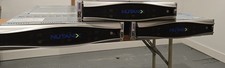
Nutanix Supermicro NXS2U2NL12G600 2x Node with Motherboards, Backplanes, & More
$450.00
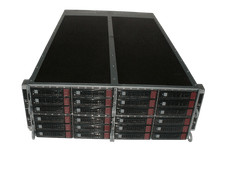
Supermicro 4U 32x 3.5 Bays 4-Nodes | 8x E5-2660 v3 2.6Ghz | 64gb RAM | 9207-8i
$699.99

NETAPP HCI NAF-1701 SuperMicro Server 4X BLADE H410C 8X GOLD 5120 4 NODE SERVER
$1499.97

Dell Poweredge C6400 24x 2.5’’ 2x 2400W 4x C6420 Nodes H330 | 2x SFP | 8x Trays
$799.99
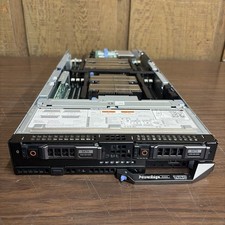
DELL POWEREDGE FC640 Server FHH8V W/×2 Intel Xeon Gold 6142,0KHKN5. *READ⬇*
$130.00
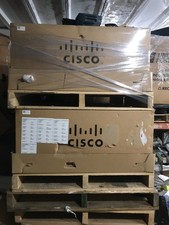
NEW Cisco UCSB-5108-AC2 Blade Server Chassis 8 Slot 6RU Chassis 4 X PSU - DW
$599.40
ASUS Blade Server LAN Web Remote Management KVM Module Chip IPMI 2.0 ASMB9-iKVM
$49.99

 Reply With Quote