-
Junior Member
registered user
Weird problem (n00b)
If i want to instal knoppix i click on my second harddisk and then I get a weird black screen with green font and i have to chose a partition (hdb5 or hdb6). I want to instal knoppix on hdb5, but how can i chose that to do so?
-
Junior Member
registered user
Delete the partition , then create 2 new partitions. A large partition for Linux and a small one for Linux Swap. Don't create the Swap partition too small. 2 GB is enough I think.
When you create two partitions , you must select the type partition. Linux or Linux Swap.
Select a partition en go to ''Type''. The largest partition is for Linux , number 82 , I think. The small partition is for Linux Swap , number 83.
Check the numbers , I don't know it for sure.
When you are ready , you only have to write them. Select a partition and choose ''Write'' , do it also with the other partition.
Now you are ready to install Knoppix.
-
Junior Member
registered user
if i light up the first (i want linux to be installed on that drive) and prass space, it says " illegal command"
-
Junior Member
registered user

Originally Posted by
Mogiin
Delete the partition , then create 2 new partitions. A large partition for Linux and a small one for Linux Swap. Don't create the Swap partition too small. 2 GB is enough I think.
When you create two partitions , you must select the type partition. Linux or Linux Swap.
Select a partition en go to ''Type''. The largest partition is for Linux , number 82 , I think. The small partition is for Linux Swap , number 83.
Check the numbers , I don't know it for sure.
When you are ready , you only have to write them. Select a partition and choose ''Write'' , do it also with the other partition.
Now you are ready to install Knoppix.
So i have to delete the whole hdb5? If yes: DAMN IT, i have many other programs on that disk
-
Junior Member
registered user
I don't know , I am also a noob 
Try to delete a partition with FDISK (www.bootdisk.com) , then start Knoppix and try it again.
But do you use FAT32 or NTFS with Windows? I heard Knoppix has some problems with NTFS partitions...
-
Junior Member
registered user
Aha , you want to resize that partition?
You need Partition Magic for that or maybe you can do it with WinXP. With WinXP you can create partitions , maybe it can also resize , I don't know that.
-
Senior Member
registered user
So i have to delete the whole hdb5?
Yes, in order to do an actual install on your hd.
rock
-
Senior Member
registered user
Re: Weird problem (n00b)
Originally Posted by
AlterEgo
If i want to instal knoppix i click on my second harddisk and then I get a weird black screen with green font and i have to chose a partition (hdb5 or hdb6).
OK so on hard drive 'b' you already have two partitions. How big are they? You could easily delete them both and make two new ones with cfdisk. You will need a minimum of 2500M for Knoppix but that is just barely enough for it to fit into. I would definitely make it bigger. For your swap partition you don't need 2 G - twice the amout of your RAM is a rule of thumb but you can do whatever you like. I have 256M ram and so my swap is 512M
I want to instal knoppix on hdb5, but how can i chose that to do so?
Easy- when you start the install script it runs cfdisk, shows you all of your drives and their partitions and let you choose which one to install to.
-
Junior Member
registered user
I don't want to delete 2 partitions, i don't wanna lose al my data
-
Senior Member
registered user
Well there is no law that mandates a swap file. If you've got the RAM then don't worry about it. You could have a working install with a litle room for some extras if you can afford to give up 3000Mb on your hdd. It is possible to put it in a smaller partition but you really can't add anything to it. Is there no other place you can store those pirated mp3's - er uh I mean back-up copies of discs you bought legitimately?
Similar Threads
-
By grogo in forum Laptops
Replies: 1
Last Post: 04-29-2005, 12:38 PM
-
By socrates in forum General Support
Replies: 5
Last Post: 06-11-2004, 12:17 PM
-
By Me|2c in forum The Lounge
Replies: 6
Last Post: 02-27-2004, 04:29 AM
-
By tonynaia in forum General Support
Replies: 6
Last Post: 01-10-2004, 05:47 PM
-
By sn0wflake in forum General Support
Replies: 7
Last Post: 12-02-2003, 04:22 AM
 Posting Permissions
- You may not post new threads
- You may not post replies
- You may not post attachments
- You may not edit your posts
-
Forum Rules

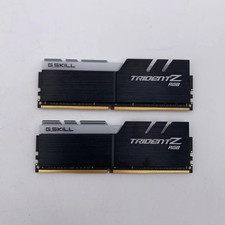
G.Skill Trident Z RGB 32GB (2x16GB) RAM DDR4 3200MHz F4-3200C16D-32GTZR
$159.99

Corsair CMK32GX4M2B3000C15 Vengeance LPX DDR4 3000mhz Memory Kit - 32GB (2x16GB)
$164.95

Corsair Vengeance DDR3 8GB 16GB 32GB 1866MHz PC3-14900 Desktop RAM Memory DIMM
$43.00

RAMAXEL Lenovo 32GB LPDDR5X CAMM2 7500MHz Laptop RAM | UNTESTED
$445.00
![Corsair Dominator Platinum RAM DDR4 DIMM 128GB 2666MHz [8x16GB] picture](/store/img/g/vNcAAeSw0Mdqyoii/s-l225/Corsair-Dominator-Platinum-RAM-DDR4-DIMM-128GB-266.jpg)
Corsair Dominator Platinum RAM DDR4 DIMM 128GB 2666MHz [8x16GB]
$600.00
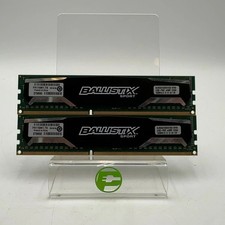
Ballistix Sport 16GB (2x8GB) RAM DDR3 1600MHz BLS2KIT8G3D1609DS1S00
$25.00
Micron MTC4C10163S1UC48BA1 8GB RAM DDR5 4800MHz
$87.00
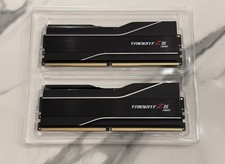
GSKILL Trident Z5 Neo RGB DDR5 32GB (2x 16GB) 6000MTs CL30 *AMD EXPO* RAM Kit
$499.99
G.SKILL Trident Z RGB 16GB (2x8GB) DDR4-3000 DIMM 288-Pin XMP F4-3000C16D
$80.00

P43330-0A1 HPE 32GB 2RX8 PC5-4800B DDR5 SERVER RAM P43328-B21 / HMCG88MEBRA107N
$1100.00



 Reply With Quote