-
Bootable USB harddisk
I have a computer system with a removable HD. In an empty tray I placed a clean HD. I installed Knoppix on that harddisk.
Instalation was no problem. Even Lilo was installed and the system did work fine.
I removed this disk and placed it in a USB-HD enclosure.
The system did boot with the right BIOS settings. Halfway up there is a moment where all connections, also USB is reset.
At this moment Kernal pannic started and the system halted.
Is there any method to come around this point.
What I want is a bootable Linux version on a USB hard disk. In this way I have my privat computer on any computer without changing anything other than the BIOS.
Nico.
-
Senior Member
registered user
Your system is probably suffering from the fact that the original install referred to the hard disk device as /dev/hda1 and now it's picked up in the system as /dev/sda1 or something similar. If you're going to install the OS on a hard disk, you need to make sure that the system always finds that drive in the same place it was when it last put it away (unmounted it). I could be mistaken, but changing the hard disk's location is probably a bad idea unless you edit whatever files refer to the location of the filesystem as being on /dev/hda1 and change those to /dev/sda1 or whatnot. I am not sure where those files are, however but I would suggest booting from the CD and going into the filesystem on your external and check out its /etc/fstab file first.
Also, you know that you could indeed have your own private installation on any computer, but the fact that there are so many different hardware configurations out there will probably freak your install out. It will boot up one time and find 128MB of ram and a Pentium III, and next time it boots up it'll find dual Athlon-MP's and 1GB of ram... sometimes it'll find S-ATA hard drives, other times it'll find tape drives, sometimes it'll find some crappy old 15" CRT and other times it'll find a state of the art 21" LCD... You just can't have it trying to initialize all of that every time it boots. that's the reason the livecd works so well - it is designed to detect whatever hardware you've got and go with it. but when you reboot it starts fresh.
Gurus, you have been doing this a lot longer than I have... any suggestions?
Similar Threads
-
By chessweb in forum Hardware & Booting
Replies: 2
Last Post: 05-09-2006, 02:59 PM
-
By chessweb in forum Hardware & Booting
Replies: 0
Last Post: 05-03-2006, 09:21 PM
-
By geohei in forum Hardware & Booting
Replies: 4
Last Post: 08-23-2005, 06:20 PM
-
By Balaam in forum General Support
Replies: 15
Last Post: 04-07-2004, 12:34 PM
-
By sn0wflake in forum General Support
Replies: 1
Last Post: 03-25-2004, 06:45 PM
 Posting Permissions
- You may not post new threads
- You may not post replies
- You may not post attachments
- You may not edit your posts
-
Forum Rules

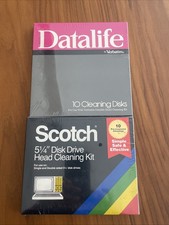
Vintage 5.25" Floppy Disk Drive Cleaning Kit Lot (1 Scotch 3M + 1 Verbatim) NOS
$49.00

Vintage HP Hewlett Packard 2112A 21MX 1000 M-Series 16-Bit Minicomputer
$419.99

Vintage Jetway J-620BF Socket 370 Celeron AT Motherboard SiS 620 Brand New
$75.00

Vintage 1986 Goldenrod Research Corp CP/M Desktop Computer Syste w/Keyboard
$350.00
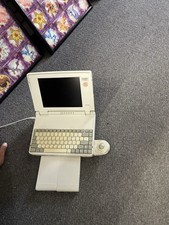
Vintage Toshiba Satellite Laptop T1910CS With Adapter, Mouse, Manual-Parts Only
$150.00
Mixed Lot Of Vintage Software And Drivers - Install Discs - CDs - 94 Pieces
$85.00

Vintage Mainframe Computer Disk Drive Pack Dyson SMD 5 Level Disks
$79.00
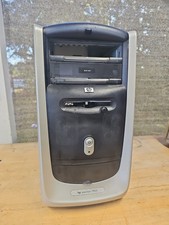
Vintage HP Pavilion PC Case
$99.99

Vintage ECS Micro-ATX Desktop Case | Beige/Dark Grey | *READ*
$80.00

Vintage Toshiba Satellite 4090XDVD Intel Celeron 400Mhz Retro - Powers up Cards
$57.59



 Reply With Quote