

 Reply With Quote
Oh and it can boot in but I don't have the home directory.


Well I had a home directory set up on my FAT32 partition and it worked great with Knoppix 3.6, I decided to download Knoppix 3.8 and I type in knoppix myconf=scan home=scan and it goes fine and then it asks me if it wants to use the file it found, if yes select ok. I want to click OK but I do not know how? I dont have a mouse and when i use the arrows, all these characters show on the bottom of the screen. Could someone please tell me how to get in?
Oh and it can boot in but I don't have the home directory.
Never done it, but have you tried the tab key or page up/page down?
The tab key worked, then it gives like 5 faral errors of a kernel kpo or something file but I'm in right now posting.
 Posting Permissions

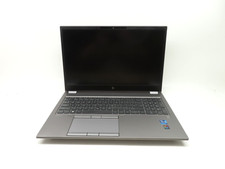
HP ZBook Fury G8 15.6'' Intel Xeon W-11955M 2.6GHz 64GB RAM 1TB SSD RTX A2000
$599.99

Dell Latitude 14" Laptop Computer Intel i7 Up To 32GB RAM 1TB SSD Windows 11 Pro
$427.48

External SSD 1TB 2TB Portable Hard Drive USB 3.1 Type-C High Speed PC Mac
$15.99

Dell Latitude 14" Laptop Computer Intel i5 Up To 32GB RAM 1TB SSD Windows 11 Pro
$288.98

Acer Predator Helios Neo 16S AI 16" i9 275HX 2S RTX 5070 Ti 32GB 1TB SSD Refurb
$1769.85

Acer Aspire 14" AI Copilot+PC Laptop Core Ultra 5 226V Gen 4 ARC 16GB 1TB Refurb
$465.02

SAMSUNG T7 Portable SSD 1TB Indigo Blue USB 3.2 Gen2 External MU-PC1T0H/AM
$159.99

Netac 2TB 1TB 500GB Internal SSD M.2 NVMe PCIe3.0 Solid State Drive lot
$129.99

External SSD 1TB 2TB 4TB Portable Hard Drive USB 3.0 Type-C High Speed PC Mac
$19.99
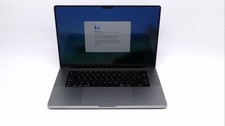
Apple Macbook Pro 16" M1 Max 10-Core 32GB 1TB - Good
$1099.99