

 Reply With Quote
Oh and it can boot in but I don't have the home directory.


Well I had a home directory set up on my FAT32 partition and it worked great with Knoppix 3.6, I decided to download Knoppix 3.8 and I type in knoppix myconf=scan home=scan and it goes fine and then it asks me if it wants to use the file it found, if yes select ok. I want to click OK but I do not know how? I dont have a mouse and when i use the arrows, all these characters show on the bottom of the screen. Could someone please tell me how to get in?
Oh and it can boot in but I don't have the home directory.
Never done it, but have you tried the tab key or page up/page down?
The tab key worked, then it gives like 5 faral errors of a kernel kpo or something file but I'm in right now posting.
 Posting Permissions


Vintage Apple USB Mouse M4848 Bondi Blue iMac G3 Hockey Puck - Tested Working
$22.99

VINTAGE Apple Mac OS X Computer Monitor
$250.00
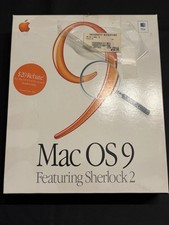
Vintage Apple Mac OS 9 Retail Box 1999 Sherlock 2 Original CD Manuals
$50.00
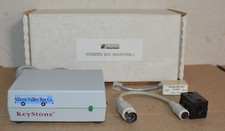
Kineses PS/2 Keyboard to Macintosh Adapter Converter Vintage Interface Apple
$60.00
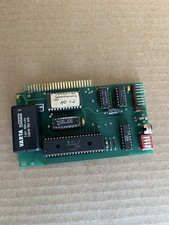
Vintage apple clock and time card 1984 timemaster 11 H.O. Never tested
$79.00
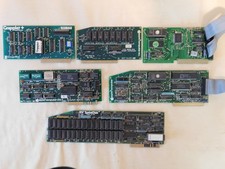
Apple Computer cards Super Serial SCSI AST -Orange Micro ++ Vintage 1980's
$169.00

Rare Vintage Macintosh Apple Wooden Disk Storage Box Dovetailed
$69.95
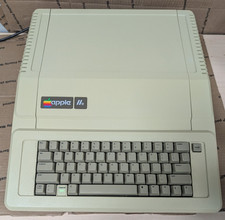
Vintage Apple IIe Computer A2S2064 (Powers On Untested For Parts/repair)
$249.99

Vintage Apple Color RGB Color Monitor A2M6014. Used.
$199.99

Apple cloth fabric banner iBook tangerine orange New Old Stock Vintage
$99.00