

 Reply With Quote
Oh I forgot the link to the screenshot. Here it is:
http://mitglied.lycos.de/jwuergen/Bildschirmphoto1.png


Hi!
For a friend,who is a typical Win-User and has no special knowledge about Linux and computers in general (a DAU) and is peeved about the virus plague and numerous Win-bugs, I've modified the original Knoppix in a way that it is suitable for DAUs. The original Knoppix assumes some knowledge about Linux and the shell which is way too much for this group of people.
Problems what DAUs have:
It begins with the bootloader. When a user wants a home on an USB-drive automatically mounted he has to type a command line which he never remembers.
Next problem is, that the original does not have real Plug&Play. Devices and network cables have to be plugged in at boot time. After the booting process manual actions have to be done by the user which is very uncomfortable and assumes knowledge about Linux.
When a DAU uses Knoppix for surfing the web and downloading some files he don't know where to save it to have it under Win. He is a bit confused about the filesystem and it's structure.
Last but not least a virus scanner is big wish today which is not installed by default.
What to expect from DAU Knoppix:
1) Bug fixes/Improvements:
*) Better detection of partitions and partition types.
*) By default a simple password for root is set. This is needed for adding printers easily, because kdesu does not accept empty passwords.
*) Some improvements to the boot scripts: Copy some special files from /cdrom/boot, if exist. Thus remastering of the while compressed image can be skipped. Only a much faster makeisofs is needed for an update.
1) Boot process:
By default "home=scan myconfig=scan" is added to APPEND.
TIMEOUT is set to 100 (or 50), because we do expect that a DAU only hits ENTER here.
Precopy often needed files into RAM (/bin) to speedup the boot process and minize CDROM accesses.
2) Plug&Play:
Detection of hard disks and memory sticks and configuring network interface is automated like under Win. When the user
plugs in the network cable at runtime the network is configured automatically. A special challenge were ADSL-Modems.
They confuse ifplugd totally so that network interfaces keep unconfigured.
When a hard disk is plugged in it is automatically scanned for partitions (and types). Then new directories are created in
/mnt and links are created in /home/knoppix to the new drives. This is for more comfort for programs which always open
the file dialog in /home/knoppix like firefox does. External drives (USB tested) are automatically mounted (like under Win)
with rw permissions. So the user can access/use the new drives without any additional actions.
Following permissions are set automatically: Internal drives: ro, external drives: rw
Drive icons are automatically created on the desktop so the user can find and access them easily. For more comfort I
have created some additional drive icons, which reflect the permissions, file system type, external/internal and mounted
home image on the drive.
When a drive is removed then corresponding directories, links and icons are removed automatically. If a user removes
a drive which still has mounted partitions a warning dialog appear to inform the user unmount partitions before removing
the drive.
3) Virus scanner:
For me there are two possibilities: Bit Defender and Clam Antivirus. I use Bit Defender and have written some scripts for
it. One script is runnung in background as a daemon. When a user downloads some files into /home/knoppix/Downloads
the files are scanned automatically for viruses. Clean files are moved by default to (is configurable)
/home/knoppix/HOMESTICK, which is an automatically created link to the partition with the mounted home image.
Infected files are moved to /home/knoppix/Quarantaene. The user is informed with a dialog about the scan process and
the actions which were taken.
4) Some additions:
I have written some scripts which make life easier for Knoppix users. One example is ADSL-Modem.kmdr. This script
is a helpful workaround to get ADSL easily working on Knoppix. A very userful addition is knemo. This little program
provides a very good feedback about the status and data transfer of the network connection.
I've provided a screenshot of my modified knoppix version. Unfortunately I have not enough internet space to provide a complete iso-file. So if someone wants to test my changes he has to have knowledge about remastering and time...
I think these changes are very helpful to improve Linux/Knoppix. The result at present is not perfect. A lot of work has to
be done to improve Knoppix more and more...
If you like DAU Knoppix, or you have any suggestions, please let me know.
Links to the files:
http://mitglied.lycos.de/jwuergen/scripts.tar.gz
http://mitglied.lycos.de/jwuergen/icons.tar.gz
http://mitglied.lycos.de/jwuergen/defhome.tar.gz
http://mitglied.lycos.de/jwuergen/precopy.tar.gz
Oh I forgot the link to the screenshot. Here it is:
http://mitglied.lycos.de/jwuergen/Bildschirmphoto1.png
Hi,
there are some interesting ideas, but also some security nightmares.
I'm sorry I have to say that, but its important to keep security in mind.
Some of the problems you have solved, are already solved in Knoppix 3.8.1. (home=scan is somehow automatic with a timeout).
If you unpack/run scripts from USB-Stick automatically a malicious user could "forget" his USB-stick, which destroys the whole harddrive - ooops.
For many of the taks there is the Knoppix-Menu, though _I_ like ifplugd very much.
A virus scanner is not included due to license reasons - as far as I know.
>What to expect from DAU Knoppix:
>1) Bug fixes/Improvements:
>*) Better detection of partitions and partition types.
Ok, please send it to Klaus Knopper <[email protected]>
>*) By default a simple password for root is set. This is needed for adding printers easily, because kdesu does not accept empty passwords.
DO NOT DO THIS! You can however replace kdesu by a script or something like that, which calls sudo before if run from CD. Use the Printer-Configuration from Knoppix-Menu, which does work as root.
Why do not set a root password?
Imagine someone tries to play a bit with his Knoppix. "Oh, there is this nice button to startup ssh - whatever that is?"
Lets start it.
Ok, now we have an open SSH and a open root login account. Malicious "cracker" => Boom.
Believe me there is more insight in some of the design decisions of Knoppix than one might imagine.
>*) Some improvements to the boot scripts: Copy some special files from /cdrom/boot, if exist. Thus remastering of the >while compressed image can be skipped. Only a much faster makeisofs is needed for an update.
Why not use /cdrom/KNOPPIX/knoppix.sh ?
>1) Boot process:
>By default "home=scan myconfig=scan" is added to APPEND.
Ok, I put a knoppix.sh with some malicious command on the hardrive. You see the problem? The first knoppix DAU virus could be written at this present moment. If you want to do this, add a timeout after you found the thingie and let the user explicitly "confirm" that he wants to run that. Still risky, but better than typing the command.
>Precopy often needed files into RAM (/bin) to speedup the boot process and minize CDROM accesses.
This should give exact _zero_ speed improvement as each file accessed once at bootup is cached by the kernel block-layer.
>4) Some additions:
>I have written some scripts which make life easier for Knoppix users. One example is ADSL-Modem.kmdr. This script
>is a helpful workaround to get ADSL easily working on Knoppix. A very userful addition is knemo. This little program
>provides a very good feedback about the status and data transfer of the network connection.
As there are many people at the moment enhancing Knoppix, lets create a public project from it (knoppix-utils at alioth.debian.org). I plan to do that (Its on my todo since almost a month), but I do have zero time at the moment. Perhaps it'll get better at the next weekend.
cu
Fabian
 Posting Permissions


SAMSUNG SSD 512GB 500GB 480GB 256GB 250GB 240GB SSD 2.5 Solide State Drive 6Gbps
$40.99

ON SALE TURBOLINK EVO 4TB V-HAND SSD 2.5 SATA III Internal Solid State Drive
$199.99

Western Digital Blue 3D NAND 250GB 2.5" SATA III Internal SSD - WDS250G2B0A
$29.99

Fikwot 512GB SATA SSD 2.5'' SSD SATA III 6Gb/s Internal Solid State Drive 560MBs
$66.00

Samsung 256 GB Internal SATA SSD Fully Tested 80-99% Health
$28.00

256GB mSATA SSD DRIVE MIXED BRAND TESTED WORKING
$23.50

Crucial MX500 CT250MX500SSD1 250 GB SATA III 2.5 in Solid State Drive
$24.99
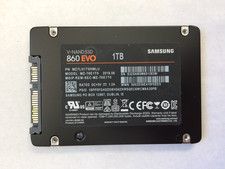
SAMSUNG SSD 860 EVO 1TB 960GB 512GB 500GB 480GB 250GB 2.5 6Gbps
$125.00

Toshiba THNSN81Q92CSE 1920GB SATA 2.5 Solid State Drive
$199.00

Netac 2TB SSD 3D NAND 2.5'' SATA III 6GB/s Internal Solid State Drive
$190.00