-
Problem finding C Drive
For some reason or another, I seem to have lost my C drive. Not the physical drive, but my computer can't seem to find it. Therefore, it cannot boot windows xp. I had a copy of Knoppix lying around (which I know nothing about) so I booted it up. Low and behold, it booted my secondary drive, but not the main one. Now I'm trying to find the device manager (or the equivalent) to see if the C Drive was somehow uninstalled.
How do I do this in Knoppix?? Any help would be great! Thanks!
-
Administrator
Site Admin-
Re: Problem finding C Drive

Originally Posted by
Bennito
Now I'm trying to find the device manager (or the equivalent) to see if the C Drive was somehow uninstalled.
How do I do this in Knoppix?? Any help would be great! Thanks!
I'm not sure what uninstalled even means in this context. You should be able to see C (likely called hda1 under Linux) with the same tools that you can see "D" with. IF C and D are different physical drives then C could be dead or you could have had something wipe out the partition or that entry in the partition table. If C and D are different partitions on the same physical device then it is likely a partition issue. More details of what you really have and what you see under Linux might help.
If the partition table has been wiped out and C is really lost, Knoppix and Linux might still be of help. There is a Linux utility that is included on the Knoppix CD called gpart that can try to recover the partition table for you. But I would suggest that you try to better determine just what is wrong before you take such a drastic step.
Do you have any insight on what happened when Windows lost the C drive?
-
Senior Member
registered user
remember, is it connected CORRECTLY!! because if your like us, you like playing around, and sometimes you plug the plug in the wrong way! (trust me, it can)... or either it just fell out. <--not likely...
-
In Linux, it shows 1 harddrive, called hda1. However, that is my secondary drive. There is no other hda shown on the Linux desktop.
By uninstalled, I mean, for example, if you go to the Device Manager in windows and right click anything there, it gives the option to uninstall. Then it is safe to physically disconnect it.
I never touched my harddrive cables, and I made sure they were all properly connected, but I still get nothing. Basically, what I'm looking for is Knoppix's equivalent to the "Add Hardware" feature on Windows.
-
Senior Member
registered user
that is not needed in knoppix.
hmm , something seems VERY weird. what do you get if you type
fdisk -l
in a console (the linux equivalent of the windows comandprompt i guess) you get one by clicking the screenlike icon at bottom of screen.
-
Administrator
Site Admin-
Originally Posted by
Bennito
By uninstalled, I mean, for example, if you go to the Device Manager in windows and right click anything there, it gives the option to uninstall. Then it is safe to physically disconnect it.
These are internal IDE drives, right? There would be no need and no reason to ever go to the Windows device manager and use any uninstall option there, as the drives would be closed normally when you shut down windows, and I sure hope you don't "disconnect" the drive while the power is on. The fact that you think this should be done in Windows concerns me.
I still think it's most likely that the partition table is mucked up, not a rare event in Windows. But you still could have a bad hard drive if C and D are partitions on different drives, which you did not answer. Do respond to OErjan's question about fdisk -l, but if they are real physical drives then you might only be getting back the information on the D drive (just be aware of that).
Similar Threads
-
By tsherlin in forum Hardware & Booting
Replies: 4
Last Post: 02-23-2008, 08:43 PM
-
By magnumice in forum Hdd Install / Debian / Apt
Replies: 0
Last Post: 11-09-2006, 12:13 PM
-
By jameshontishar in forum Hardware & Booting
Replies: 2
Last Post: 11-15-2005, 01:32 PM
-
By Hedge in forum Hardware & Booting
Replies: 2
Last Post: 05-15-2005, 04:48 PM
-
By xeerex in forum Hardware & Booting
Replies: 1
Last Post: 05-10-2004, 06:34 PM
 Posting Permissions
- You may not post new threads
- You may not post replies
- You may not post attachments
- You may not edit your posts
-
Forum Rules


RAM-HOL-SAM52CPU RAM USB-C Powered Dock Samsung Tab Active4 Pro & Tab Active Pro
$81.99

Samsung 2.5" 870 EVO SSD SATA III 250GB 500GB 1TB Internet Solid State Drive Lot
$60.00

NEW Samsung Galaxy Tab A11+Plus 5G 2026 | 128GB GRAY KIT X238U
$185.00

Samsung 870 EVO 4TB 2.5" SATA III Internal SSD (MZ-77E4T0B/AM)
$310.00

RAM-HOL-SAM60CPU RAM USB-C Powered Dock for Samsung Tab Active5 - 3 - 2
$81.99

Samsung PM961 512GB PCIe Gen 3x4 NVMe 2280 M.2 SSD MZVLW512HMJP-000D1
$60.00

Samsung 8GB DDR5 5600MHz SODIMM Laptop RAM PC5-44800 CL46 M425R1GB4BB0-CWM
$99.99

Cell Phone Smartphone Computer repair banner poster sign iphone Samsung
$119.99
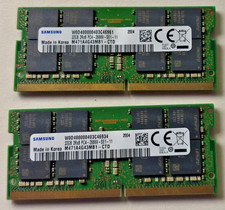
64 GB Ram (32x2) Memory for laptop: Samsung PC4 2Rx8 2666V.
$280.00

New Samsung 512GB FIT Plus USB 3.2 Gen 1 Type-A Flash Drive MUF-512AB/AM NEW
$120.00



 Reply With Quote