-
Junior Member
registered user
cannot mount floppy
Hello,
I'm new here in this forum, so this is my first question.
I've took a new hard-disk and installed Knoppix 3.8.1 on this disk.
My problem is: I cannot mount a floppy-disk (same with cdrom).
What I do:
in KDE I click on the icon
I can hear some movements of the head in the floppy-drive
I get a message by KDE:
- cannot execute command
- file:/mnt/floppy does not exist
By switching to a console I can see in /mnt:
lrwxrwxrwx floppy -> /mnt/auto/floppy
and /mnt/auto is empty but I cannot create the directory in there.
What am I doing wrong here?
A link to a FAQ is sufficient.
Thanks.
AugustQ
-
First check the line for floppy in /etc/fstab , should be like this:
/dev/fd0 /floppy vfat defaults,users,noauto,showexec,umask=022 0 0
Then do:
su
mkdir /floppy
adduser your_username_here floppy
The you can mount with: "mount /floppy", and set the device for the icon to /dev/fd0 to refresh it.
For cdrom try this: http://www.knoppix.net/forum/viewtopic.php?t=17348
-
Junior Member
registered user
Hello Markus,
and thanks for your hints.
What I did:
I checked /etc/fstab
the line looked exactyl like the line you described
Checked /floppy
the directory exists already as
drwxr-xr-x 2 root root [date+time] floppy
tried adduser:
I got >>user-name<< is already a member of group floppy.
When I click on the icon of the KDE-desktop I still get the same error-message:
file:/mnt/floppy does not exist
I did not try it via the mount-command, will check this later.
And thank for the hint to the cdrom-problem. I will check this later.
AugustQ
-
Junior Member
registered user
Hello Markus,
I've checked a bit. This is waht I found:
/etc/fstab has a line:
/dev/fd0 /floppy vfat defaults,user,noauto,showexec,umask=022 0 0
You told me: users I can see user
Could this be the problem?
Oops, checked again: mount /floppy
wokrs. So it looks like a problem in KDE-script.
AugustQ
-
Change "user" to "users" in fstab and refresh the icon by reselecting the device or just make a new icon.
-
Junior Member
registered user
cannot mount floppy
I have the same trouble.... when I typed mount /floppy as root.... the message that appear is
mount: /dev/fd0: can't read superblock
what can i do....
In adittion.... if i am runnig File manager as a Super User Mode, the are no problems....the proble is when I'm working like a simple usser
exists an solution persistent for all users ?
Thank a lot.... Frank
-
Junior Member
registered user
Hello Markus,
the problem is solved. Thanks for your help!!!
I created a new icon on the KDE-desktop (properties look different for this one) and htis cured the problem.
AugustQ
PS: sorry for the delay but I had some other work to do.
-
@gonzalezmfrank
What have you tried so far in addition to what was discussed in this thread?
Is the floppy formatted and can be read under windows?
@AugustQ
No problem about the delay, glad it works.
Similar Threads
-
By plener in forum General Support
Replies: 2
Last Post: 12-06-2004, 01:00 AM
-
By SkyHawk in forum Hdd Install / Debian / Apt
Replies: 7
Last Post: 02-14-2004, 04:40 AM
-
By akiruss in forum General Support
Replies: 3
Last Post: 02-06-2004, 06:42 PM
-
By swingarm in forum Hardware & Booting
Replies: 3
Last Post: 09-18-2003, 07:31 PM
-
By rcook in forum General Support
Replies: 0
Last Post: 01-05-2003, 11:27 PM
 Posting Permissions
- You may not post new threads
- You may not post replies
- You may not post attachments
- You may not edit your posts
-
Forum Rules

Compaq 242506-001 Netelligent 100 FDDI DAS Fiber SC PCI Network Adapter Vintage
$249.00

Vintage HP 21MX 1000 M-Series Minicomputer Chassis Backplane Parts AS-IS
$228.19
Vintage Intel PC Camera Pack USB CICP3 825118 NOS Open Box Complete 2000
$39.99

Lot of 2 Vintage Plextor PX-43CS SCSI CD-ROM Caddy Drives + 4 Caddies Used
$55.99
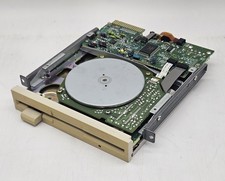
Vintage Canon 5.25" Floppy Disk Drive MD 5501 K-61435-18 UNTESTED
$59.99

Original Vintage Old Style STANDARD Black CD Jewel Case (Heavy Duty) 90g Lot
$316.95
Vintage Computer Peripherals Inc. Ramsack III ISA Memory Expansion 16bit 8 SIMM
$85.00
VINTAGE AOPEN MODEL SPI-200 200W AT POWER SUPPLY WITH SWITCH DS-PS-8
$34.95
vintage Gateway motherboard, socket 370 1ghz cpu, 256mb ram, cables, power switc
$62.99
vintage Motherboard Socket 370 with Celeron 1.30 Ghz 256MB
$62.99



 Reply With Quote