-
Junior Member
registered user
Problems booting....bad to worse?
Recently had a power failure that caused a desktop computer to power off all of a sudden. When we got home to turn the computer back on, it seems that we were stuck in a rebooting loop as mentioned by someone else here.
I first booted up in Knoppix and saw that both partitions I had were recognized, and in the main hda1 partition, I could see the files just fine.
I followed the instructions in the above link by running Windows Recovery Console, running
1) chkdsk /r
2) fixboot
Rebooted, and received the following error: NTLDR is missing. Press any key to restart.
Followed instructions here by using the Windoes disk to copy over new NTLDR and ntdetect.com files to the root directory. Still no good.
I booted up in Knoppix again, and now the hda1 is still recognized, but the files all have junk names. The only files with normal names are the 2 files that I copied over above. HELP! What did I do? What can be done?
*edit*
Another thread found that is VERY similar to my current problem here and here.
Similar Threads
-
By Harry Kuhman in forum The Lounge
Replies: 19
Last Post: 04-09-2007, 11:55 PM
-
By jtsymbo in forum Hardware & Booting
Replies: 2
Last Post: 01-23-2006, 01:08 AM
-
By Mr. Chopper in forum General Support
Replies: 2
Last Post: 08-03-2004, 08:23 PM
-
By lafar in forum Hardware & Booting
Replies: 2
Last Post: 12-18-2003, 08:25 AM
-
By cts in forum The Lounge
Replies: 3
Last Post: 08-15-2003, 08:24 AM
 Posting Permissions
- You may not post new threads
- You may not post replies
- You may not post attachments
- You may not edit your posts
-
Forum Rules


Vintage Apple Macintosh IIsi Computer, Monitor, Keyboard & Mouse Complete Setup
$199.99
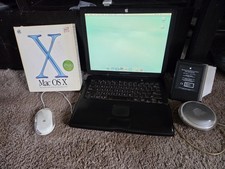
VINTAGE Apple PowerBook G3 Lombard M5343 400MHz 192MB Working Mac OS X Bundle
$299.00

Apple Mac OS9 Cloth Banner Think Different 64 x 24 inches NEW ORIGINAL Vintage
$99.99
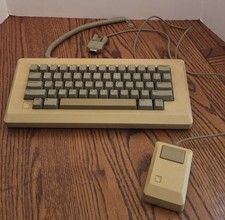
Vintage Apple Macintosh M0110 Keyboard with Coiled Cable & M0100 Mouse Bundle
$180.00
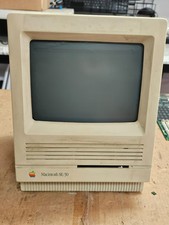
Vintage Apple Macintosh SE/30- Samsung CRT - Shell/Case Assembly Tech Special
$149.95

VTG Apple Macintosh 1980s Computer Travel Bag Tote Carry Case Adjustable Strap
$109.95
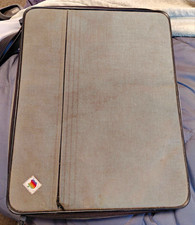
Apple Macintosh Portable Vintage Computer w/ Case, Power Adapter, Cable
$242.50
Vintage Apple Power Macintosh 7600/132 Desktop Computer Parts Repair Untested
$52.00
Vintage Apple Macintosh Classic II M4150 1991 Computer AS-IS Parts Repair
$149.00
Vintage Apple Power Macintosh 6100/60AV M1596 350MB HDD Boots Mac OS AS-IS
$189.00



 Reply With Quote