

 Reply With Quote
I think the main difference is in the HW detection. When you did the original Knoppix install, it would be set up without HW detection That is, if you added or removed something, you had to manually change the startup to load in the driver.


Hello all.
knoppix-installer v. 0-3.14 (from Knoppix 3.8.1).
What are the differences between these two system types, which can be choose in the script:
"beginner - Multi-user with hw-detection (preferred way)"
and
"debian - Debian like system (old installer way)"
I can see that with "debian" I can choose fs type. Does type "debian" differs from "beginner" after installation?
I think the main difference is in the HW detection. When you did the original Knoppix install, it would be set up without HW detection That is, if you added or removed something, you had to manually change the startup to load in the driver.
I suppose You mean "debian like system" writing "original Knoppix install"...(?)Originally Posted by tsinclair
 Posting Permissions


RAM-HOL-SAM60CPU RAM USB-C Powered Dock for Samsung Tab Active5 - 3 - 2
$81.99

Samsung 2.5" 870 EVO SSD SATA III 250GB 500GB 1TB Internet Solid State Drive Lot
$60.00
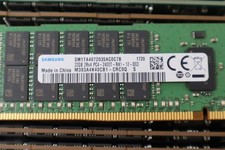
Lot of 50 Samsung PC4 32GB 2400T-R Server RAM Modules
$8499.99
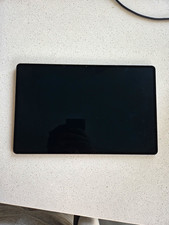
Samsung Galaxy Tab 14.6 in Wi-Fi Tablet 256MB Black w/ Keyboard Case Bundle
$700.00

RAM-HOL-SAM52CPU RAM USB-C Powered Dock Samsung Tab Active4 Pro & Tab Active Pro
$81.99

RAM-GDS-SKIN-SAM54-NG-1 RAM Mounts IntelliSkin® Next Gen for Samsung Tab Active4
$93.99

RAM-GDS-DOCK-SAM88CPU RAM GDS® Tough-Dock™ for Samsung Tab A9+
$174.99

Samsung SCXSTP000, SCX-STP000 (Swingline Staple Cartridge - 3 Refills)
$57.99

New Samsung 512GB FIT Plus USB 3.2 Gen 1 Type-A Flash Drive MUF-512AB/AM NEW
$120.00

NEW Samsung NoteBook NT930QCG touch LCD Full Screen Assembly Blue
$225.77