-
Administrator
Site Admin-
Re: Cant mount ext FAT32 HDD!

Originally Posted by
dav2900
..... external USB 400 Gb HDD formatted as FAT32.
... Hard Disc (uba) [/mnt/uba]
however when I click on it, it gives me this error:
mount: I could not determine the filesystem type, and none was specified.
Please check that the disk is entered correctly.
I have another ext 80 Gb HDD but that is NTFS. Knoppix lets me read that one but I can't write to it so the 400 Gb FAT32 HDD is my only hope here!!
400 gigs is absolutely huge for a FAT32 partition. And larger than many external IDE drive boxes support. Did you perhaps load any special driver software into your Windows system when you set up this 400 gig monster that Knoppix doesn't know about? That might account for why Knoppix isn't seeing it properly. And what flavor of Windows did you format it with? I've found the hard way that I can't trust switching drives between even Win98 and WinXP without risking corrupting data, so if there is data on that 400 gig drive I would think twice about writing to it with a system that doesn't recognize the format. If your sure that everything is right with this drive and the drive itself is showing up as uba then the primary partition on the drive should be "uba1". You might try using the mount command and telling it what the partition type is (as well as that you want it mounted read/write). See man mount from a shell prompt for details.
One handy thing, as least for me, is how easy it is to change the drive in an external drive box. So in this case if you have any other smaller driver available you might want to swap one into the box and see if Knoppix can do any better with it. That's certainly the approach I would take, but if you don't have a spare smaller drive it might not be an option.
Similar Threads
-
By Quacthulhu in forum General Support
Replies: 1
Last Post: 09-09-2007, 04:44 AM
-
By ottosykora in forum General Support
Replies: 2
Last Post: 09-08-2005, 03:05 PM
-
By eco2geek in forum General Support
Replies: 4
Last Post: 06-25-2005, 10:21 PM
-
By XavierGr in forum Hardware & Booting
Replies: 0
Last Post: 05-22-2005, 05:50 PM
-
By Loki in forum Hdd Install / Debian / Apt
Replies: 19
Last Post: 02-25-2003, 04:19 AM
 Posting Permissions
- You may not post new threads
- You may not post replies
- You may not post attachments
- You may not edit your posts
-
Forum Rules


16GB KIT (2x8GB) DDR3 Gamer Desktop RAM PC3 MIXED BRANDS VIPER VENGEANCE FURY
$10.00

Netac DDR4 32GB 16GB DDR4 3200MHz UDIMM C16 Desktop Internal Memory RAM Kit
$99.99

Samsung 32GB DDR4-2666 PC4-21300 288-Pin DIMM RAM M393A4K40CB1CRC0Q
$185.00

Major Brand 16GB (2x8GB) PC3-12800U DDR3-1600MHz DDR3-12800 DESKTOP RAM NON-ECC
$29.99
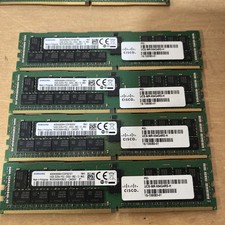
Samsung 64GB PC4-2666V-R 2S2Rx4 DDR4 ECC REG RDIMM - M393A8K40B22-CWD6Y
$270.00

A-Tech 8GB DDR3 1600 PC3-12800 Laptop SODIMM 204-Pin Memory RAM PC3L DDR3L 1x 8G
$21.68

DDR4 Laptop RAM 4GB 8GB 16GB 32GB 2400 2666 3200 Samsung Hynix
$66.00
Lot 500 SK hynix 16GB 2Rx8 PC4-23400 DDR4-2933Y ECC Registered Server Memory RAM
$47988.00

Corsair Vengeance DDR3 8GB 16GB 32GB 1866MHz PC3-14900 Desktop RAM Memory DIMM
$85.00
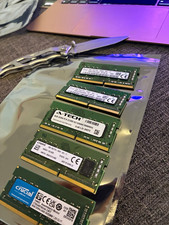
Lot of 5 - Mixed Brands 40GB (5x8GB) DDR4-2666 PC4-21300 SO-DIMM 260-Pin Non-ECC
$150.00



 Reply With Quote