

 Reply With Quote
Sounds alot like Puppy Linux


UnionFS brings truly a revolution in the whole linux live CD world !
1) Older liveCD were both physically & logically read-only - allowing only some rescue operation to be made on PC.
2) Today's liveCDs are physically read-only but logically read-writeable - like Knoppix 3.8 - thanks to the revolutionary UnionFS technology.
3) Now imagine you have both physically & logically read-write liveCD - which allows you to work, customize install
and play at any location, at your friend's home, at work, anywhere !
I have an idea how to make step #3 happen - just listen:
On our liveCD we will have structure like this:
/
/OS
+
/ramdrive (virtual folder, not physically burned)
and we will mount /ramdrive over /OS to get into step 2.
But how will we make our CD truly modifiable - like in step 3?
The short answer is Multisession CDs !
The long answer is:
After the first session ends (i.e. you press restart -or- shutdown from KDE)
your /ramdrive must be written as session #2 as /Session2
right after restart - when knoppix boots it must union 3 filesystems
/OS (ro) + /Session2 (ro) + /ramdrive (rw)
so you have basically saved and continue your work from saved location !
Now, when you want to restart that session it, optionally, will be written as /Session3
and at the next boot the OS will union 4 directories:
/OS (ro) + /Session2 (ro) + /Session3 (ro) + /ramdrive (rw)
that's great - you have yust got your truly mobile OS, without expensive components
- such as mobile USB hard drives, flash disks, laptops, whatever ...
and if used on a mini DVD-R then will be compact and great !
what do you think ?
If you like the idea - then tell Klaus Knopper and other developers about that !
Sounds alot like Puppy Linux
Before posting, look in Tips & Tricks forum in "Optimal man HD Install ..: how to realize "your great idea"
yep, after the idea is checked, it is exactly like Puppy Linux !!!
One problem with Puppy however is hardware support. - it doesn't run on my PC
Another problem with Puppy - it's not KDE based.
I think it would be great !!!
to have a multi-session live-CD !
Here is a link to Multi-session liveCD forum from Puppy Linux team:
http://www.goosee.com/puppy/sforum/s...pro.cgi?fid=08
================================================== =====
My idea:
The puppy way: as-is won't work with Knoppix - you can't burn on mounted CD.
however, because Puppy Linux is only 60MB, and therefore loaded into RAM fully.
leaving the CD to be unmounted and ready to be burned.
In order for that technique to work on Knoppix we must build kind of mini-distro inside Knoppix, which after the session ends (and most RAM is freed), right before the restart will load mini-knoppix-suitable-only-for-cd-burning into RAM, then unmount the main Knoppix and burn the CD session.
So what do you think ???
When I burn a small iso (like DSL) onto a CD and leave the CD open for future writing, I can indeed write to the next session inside Linux. But after I do, the CD, which now shows the file structure of both sessions (the first being imported to the second), is no longer bootable. How do you propose to resolve this?
Actually, it works-for-me.
I have a machine with 1 GB RAM. So I loaded Knoppix into RAM fully. My Knoppix is on DVD+RW disc.
then after using Knoppix I have added a text file to it. It just worked. The boot sector was NOT damaged.
The only rool: your CD burner must be not used or better yet - unmounted !
I think you have a special talent if you could burn second session, and damage the bootsector that way
Also, it works for Puppy Linux.
I don't think it's so much that you're damaging a boot sector that's already written as it is that when you add another session to a CD you are rewriting a new master directroy structure (thats why you import old sessions into the new session or they will be "lost"). And the new master directory seems to be missing something (I have no idea what) that makes the CD bootable. I've duplicated this several times in DSL with both CDR and CDRW media.Originally Posted by Fenix*NBK*
Then import previous session in K3B before (!!!) you burn second session.
k3B->tools-> import session
that way you won't damage the bootsector.
I thought I had made it pretty clear that I had done that.
---
Verifying of md5 checksum and burning a CD at slow speed are important.
then I will explain again, that I have NOT damaged my bootsector doing EXACTLY this.
How could it be done, that I haven't damaged my bootsector, but your's is damaged ?
The only rools about this to succeed:
a) your CD must be unmounted.
b) you must have spare space on your CD.
answers:
a) I have achieved unmounting because I runned knoppix from RAM instead of CD booting with option: "knoppix toram". I have 1GB of RAM.
b) In my case I have achieved extra space by burning CD ISO image into DVD+RW. I have DVD+-burner.
*It can be achieved by remastering Knoppix as well.
 Posting Permissions


Intel Core i7-3770K 3.5 GHz Processor
$39.00
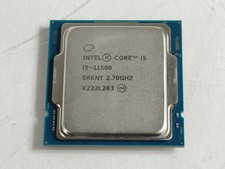
Intel Core i5-11500 2.70 GHz LGA 1200 Desktop CPU Processor SRKNY
$94.99

Corsair RM750e 750W Fully Modular 80 Plus Gold ATX 3.1 PSU Certified Refurbished
$44.99
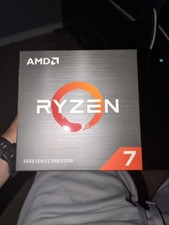
AMD Ryzen 7 5800XT 8-Core, 16-Thread Unlocked Desktop Processor
$199.99
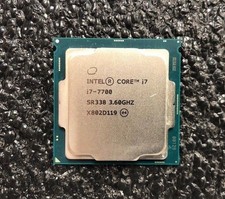
Intel Core i7-7700 Kaby Lake Quad-Core 3.6 GHz Processor LGA 1151
$39.99

Intel 4th Gen Core i7-4790 SR1QF 3.60GHz (Turbo 4.00GHz) 8M 4-Core LGA-1150 CPU
$39.99

Intel i7-8700 Coffee Lake 3.2GHz 6-Core Max Turbo 4.6GHz Processor
$69.99

Intel Core i7-7700T 2.9GHz 8MB Socket LGA1151 Quad Core Processor SR339
$39.99

GAMING COMBO: ASUS Prime H470M-PLUS MOTHERBOARD + i5-10600KF CPU + 16GB DDR4
$229.95
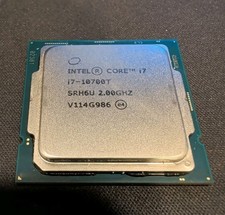
Intel Core i7-10700T SRH6U 4.50Ghz - CM8070104282215
$130.00

